What Is AI Quoting Automation and How Does It Work in Manufacturing?
AI quoting automation for manufacturing is a set of tools that reads incoming RFQs, pulls out the structured details an estimator needs, and moves that information into your existing systems automatically. It works by combining AI document processing, which reads unstructured files like emails and PDFs, with workflow automation, which routes the extracted data to the right person and system. The estimator still makes the pricing decision. The automation handles everything that happens before and after that decision.
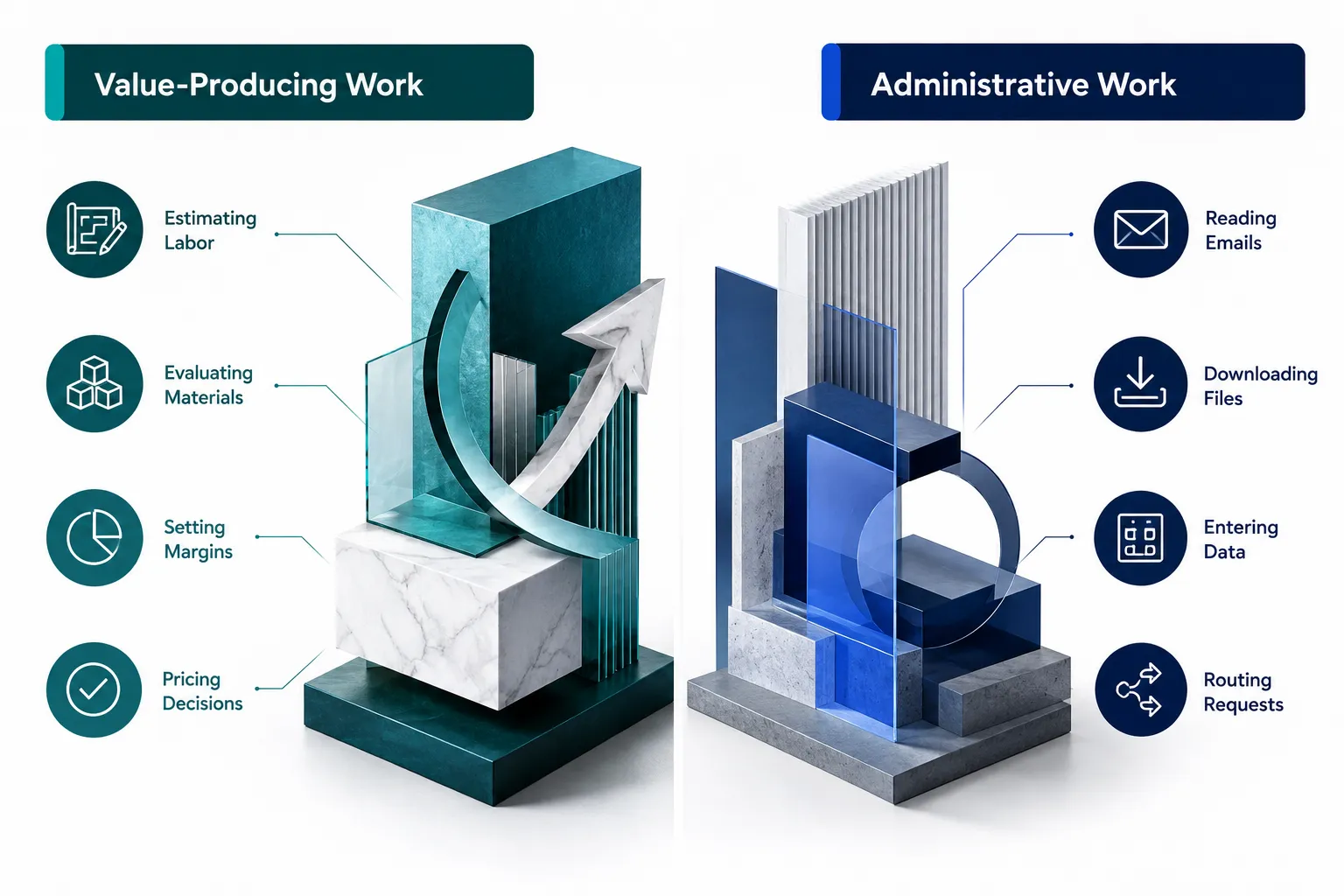
Think of it as two separate jobs stacked on top of each other. One job is judgment: understanding the part, evaluating materials, deciding on margin. The other job is clerical: reading, typing, filing, and chasing. AI automation is built to take over the second job, not the first.
The Hidden Work Between an RFQ and a Quote
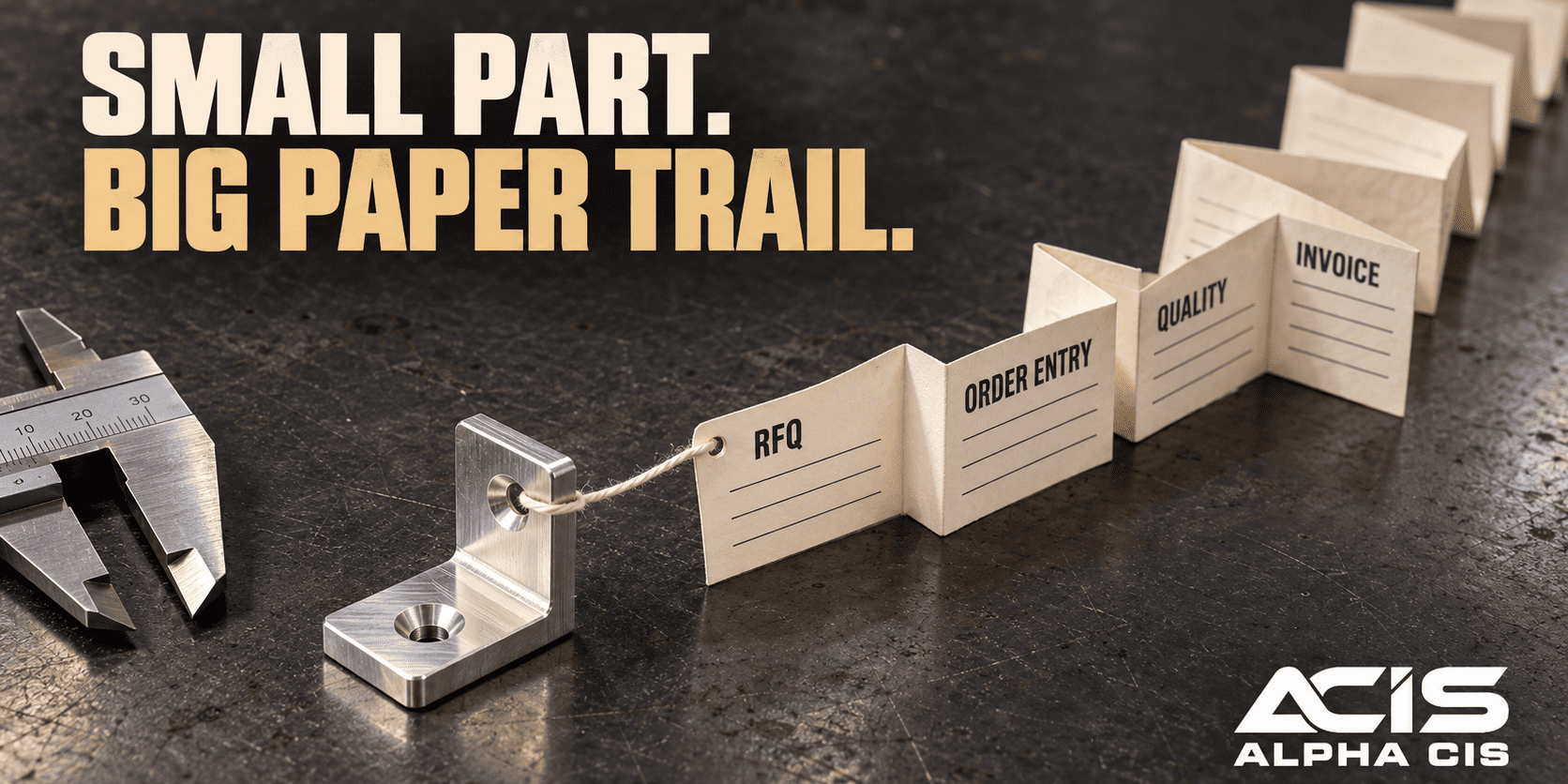
Most of the time between “RFQ received” and “quote sent” is not spent estimating. It is spent preparing the RFQ so someone can start estimating, and that preparation work is where AI and workflow automation deliver the most value.
Break the quoting process into two buckets:
Value-producing work (should stay with your estimator):
- Understanding job requirements and tolerances
- Estimating labor and cycle time
- Evaluating material options and lead times
- Assessing current production capacity
- Determining risk on unusual specs
- Setting margins
- Making the final pricing decision
Administrative work (should be automated wherever possible):
- Opening emails and downloading attachments
- Extracting fields like part number, quantity, and due date
- Renaming and organizing files
- Entering customer information into a CRM or ERP
- Creating a quote record
- Routing the RFQ to the right estimator
- Sending status notifications
- Tracking where a quote sits in the pipeline
- Following up after a quote is sent
Ask yourself a direct question: how much of your average quote turnaround time is actual estimating, and how much is preparing the information so someone can start? For most small and mid-sized shops, the honest answer is that administrative prep eats more hours than the pricing itself.
Why Manufacturing RFQs Are Difficult to Automate
Manufacturing RFQs are hard to automate because they rarely arrive in one consistent format, and older rules-based automation only works when data is structured the same way every time. This is exactly why AI, not simple scripting, is the right tool for RFQ intake.
A single week of RFQs at a typical job shop might include:
- A customer email with a spec buried three replies deep in a thread
- A PDF drawing with dimensions and tolerances noted by hand
- An Excel sheet listing ten part numbers and quantities
- A customer portal upload with a revision number that changed since the last order
- A plain-language request: “need a quote on the bracket we ordered in March, same as before but qty 500”
Traditional automation tools look for a fixed field in a fixed location. They break the moment a customer changes their template. AI document processing instead reads the content the way a person would, which is why it can handle the inconsistency that defines real-world manufacturing RFQs.
Decision rule: if your RFQs come in through five or more different formats or channels, rules-based automation alone will not hold up. That is the point where AI extraction earns its keep.
What Data Do You Need to Set Up AI Quote Automation?
You need a clear list of the fields your estimators actually use to start a job, plus a sample set of real RFQs across every channel you receive them through. Without this groundwork, an automation project will extract data nobody asked for and miss the fields that matter.
At minimum, gather:
- 30 to 50 recent RFQs representing every format you receive (email, PDF, spreadsheet, portal)
- The exact fields your estimators pull manually today: customer name, part number, revision, quantity, material, requested date, special specs
- Your current CRM or ERP field structure, so extracted data lands in the right place
- A list of who currently receives and routes RFQs, and the rules they use to assign work
- Examples of RFQs that were hard to quote quickly, so you can see what “unusual” looks like in your shop
Common mistake: starting an AI RFQ project without first mapping which fields matter to your estimators. Teams that skip this step end up automating data entry for information nobody uses, while the fields estimators actually need still get typed by hand.
How AI Document Processing Reduces Quote Turnaround Time
AI document processing reduces quote turnaround time by eliminating the read-download-retype cycle that happens before an estimator can even open the job. Instead of a person manually finding and transcribing details, AI extracts them in the background the moment the RFQ arrives.
Step 1: AI Reads the Incoming RFQ
AI document processing can identify structured details from unstructured sources, including:
- Customer name and contact
- Part number and revision
- Requested quantity
- Requested delivery date
- Material specification
- Notes on tolerance or finish
- Attachments and drawing files
- Quote deadline
This extraction should always be validated where accuracy actually matters. A misread quantity or tolerance is not a minor inconvenience in manufacturing, it is a pricing risk, so a short human review step for flagged or low-confidence fields keeps the process trustworthy.
Step 2: Turn Unstructured RFQs Into Structured Data
Once AI extracts the fields, the RFQ becomes a structured record that any other system can use. The transformation looks like this:
Email + PDF + attachments → AI extraction → Structured RFQ record
That structured record is what makes the rest of the workflow possible. Conventional workflow automation, the kind that routes tasks and updates systems, only works well once the messy input has been turned into clean, consistent data. AI handles that translation step so your existing tools can do what they already do well.
How Much Time Can AI Save on Manual RFQ Processing?
The time saved depends entirely on how much manual handling your team currently does per RFQ, so the honest way to answer this is to measure your own process rather than rely on a generic percentage. A shop that spends 20 minutes per RFQ on data entry and file organization has a very different opportunity than one spending 5 minutes.

To estimate your own opportunity, track for two weeks:
- Minutes spent reading and organizing each incoming RFQ before estimating starts
- Minutes spent re-entering the same data into a second or third system
- Minutes spent locating the right estimator or waiting for a reassignment
- Minutes spent updating your CRM after the quote goes out
Multiply that time by your RFQ volume and you get a real, defensible number for your shop instead of a marketing claim. We show you exactly how to run that math in the ROI section below.
Edge case: if your team already uses a modern ERP with built-in RFQ capture and clean customer data, your administrative savings will be smaller because less manual work exists to remove. Automation still helps with routing and follow-up, just with a smaller starting gap.
Step 3: Route the RFQ Automatically to the Right Estimator
Automated routing means the RFQ lands with the correct estimator the moment it is captured, based on rules you define rather than whoever happens to check the inbox first. This closes one of the most common gaps in manufacturing quoting: RFQs sitting unnoticed because nobody was assigned to look at them.
Routing rules commonly used by manufacturers include:
- Customer account (some estimators own specific accounts)
- Product category or process type
- Facility or plant location
- Estimator specialization (CNC vs. sheet metal vs. casting, for example)
- Job value or complexity
- Geography
- Current estimator workload
Once a rule matches, automation assigns the RFQ and notifies the estimator immediately, with the organized record and attachments already attached. Nobody has to forward an email or ask “did anyone see this one yet?”
How to Integrate AI RFQ Automation With Existing ERP and CRM Systems
You do not need to replace your ERP or CRM to get the benefit of AI RFQ automation. The stronger and more realistic approach is to connect the systems you already use so information flows between them automatically instead of being retyped by hand.
Typical integration points include:
- ERP: structured RFQ data flows into a new job or quote record automatically
- CRM: customer and contact information updates without manual entry
- Estimating software: organized specs and quantities populate the estimate template
- Document storage: drawings and attachments file themselves under the correct job number
- Email: incoming RFQs trigger the workflow without anyone forwarding them
- Scheduling tools: approved jobs flow into production planning once won
This is system integration in the practical sense: making the tools you already pay for talk to each other. It reduces duplicate data entry, reduces human error from retyping, and gives everyone visibility into where a quote actually stands.
Let the Estimator Do the Actual Estimating
The most important design principle in AI quoting automation for manufacturing is this: AI prepares, automation moves, and the estimator decides. Nothing in a well-built system removes the estimator from pricing, manufacturability, or margin decisions.
Once the RFQ is captured, extracted, and routed, the estimator should receive a clean package containing:
- Organized RFQ information in one place
- All attachments, drawings, and specs
- Relevant customer history where available
- The requested delivery date and quote deadline
- Structured fields ready to drop into an estimate template
AI prepares the information. Automation moves it. Your estimator makes the decision.
That is the entire philosophy behind doing this well. The goal is not turning an RFQ into a customer price with no human involved. The goal is turning an RFQ into a ready-to-estimate package so your most experienced person spends their time on judgment instead of paperwork.
Can AI Handle Complex Custom Manufacturing Quotes Accurately?
No, AI should not be relied on to price complex, custom, or highly engineered manufacturing work on its own, and any vendor claiming otherwise deserves a skeptical second look. AI is reliable at reading and organizing information. It is not reliable at judging manufacturability, unusual tolerances, or the true cost risk of a one-off job.
AI quoting vs. manual estimating, which is more accurate? For routine, repeat, or catalog-style parts with established cost history, AI-assisted workflows can be just as accurate as manual quoting, because the estimator is working from the same clean data either way. For custom, first-run, or tight-tolerance work, a human estimator’s judgment remains more accurate than any automated pricing model, because pricing risk on unusual jobs depends on experience that isn’t fully captured in historical data.
Choose full automation of pricing if: you quote high volumes of near-identical repeat parts with stable, well-documented cost history.
Keep pricing with a human if: the job involves new tooling, unusual materials, tight tolerances, or a customer request you have not quoted before.
Automate Quote Generation and Follow-Up Without Losing Control
Once an estimator approves pricing, automation can build the finished quote document without retyping a single field, and it can also make sure the quote never gets forgotten after it is sent. Both halves matter, because a fast quote that nobody follows up on is still a lost opportunity.
Automated quote generation can populate:
- Quote templates with company branding
- Customer details already captured from the RFQ
- Approved quantities and pricing
- Standard terms and conditions
- Delivery information
The completed quote should still route for a quick human approval before it goes out, especially on larger or unusual jobs.
Follow-up automation keeps the pipeline honest:
Quote sent → CRM updated → follow-up scheduled → reminder triggered → response tracked
This sequence prevents a real, profitable opportunity from disappearing simply because a busy salesperson forgot to check back in ten days later. Consistent follow-up is one of the simplest wins in manufacturing sales automation, and it is almost entirely a scheduling problem, not a pricing problem.
Before vs. After: Traditional Workflow vs. Automated RFQ Workflow
Seeing the two workflows side by side makes it clear exactly where the manual hours disappear. The steps themselves do not change much. What changes is who, or what, performs each step.
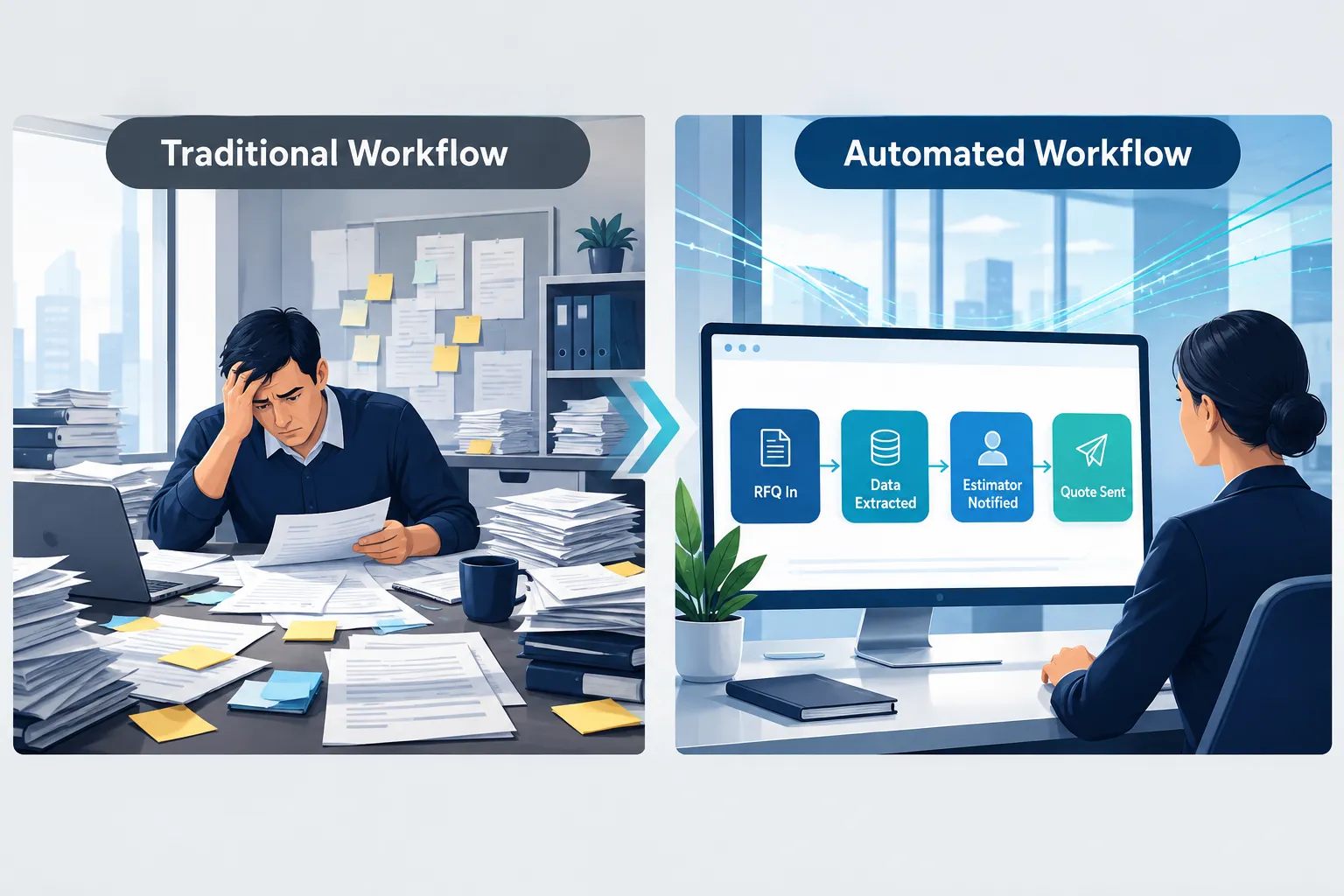
| Stage | Traditional workflow | Automated workflow |
|---|---|---|
| RFQ arrives | Employee opens and reads the email | AI extracts key fields immediately |
| Data capture | Manually downloads and reviews attachments | Documents organized automatically |
| Record creation | Employee re-enters data into a second system | Workflow creates a structured record |
| Assignment | Someone manually finds the right estimator | Correct estimator notified automatically |
| Estimating | Estimator organizes the RFQ before pricing | Estimator reviews a ready-to-price package |
| Quote build | Estimator builds and formats the quote by hand | Quote populated from approved data |
| Approval | Informal or inconsistent | Structured human approval step |
| Follow-up | Manually scheduled, often forgotten | Automatically scheduled and tracked |
Calculate the ROI of RFQ Automation for Your Shop
The most honest way to justify RFQ automation is to calculate your own current cost rather than trust an industry-wide percentage that may not reflect your process. This formula uses your real numbers, so the result is specific to your shop.
Step 1: Estimate monthly administrative hours
Administrative minutes per RFQ × RFQs per month × employees involved ÷ 60 = monthly administrative hours
Step 2: Convert to monthly cost
Monthly administrative hours × loaded hourly labor cost = monthly manual quoting cost
Step 3: Annualize it
Monthly manual quoting cost × 12 = annual cost of manual RFQ handling
Example (illustrative, not a guarantee): a shop processing 80 RFQs a month, with 15 minutes of administrative handling per RFQ across two people involved, at a blended loaded labor cost of $35 per hour, is spending roughly 40 hours a month, or about $1,400 a month, on administrative RFQ work alone, before any estimating even begins. Run your own numbers using your actual RFQ volume and labor cost. Use the calculator below to work through this with your own figures.
Beyond direct labor cost, also weigh:
- Faster quote turnaround, which can be the deciding factor on time-sensitive bids
- More RFQs processed without adding administrative headcount
- Fewer data-entry errors on quantities, part numbers, and dates
- Fewer RFQs that fall through the cracks in a shared inbox
- Consistent follow-up instead of relying on memory
- Clear visibility into where every quote sits in the pipeline
- Estimator capacity freed up for higher-value work
What Manufacturing Companies Benefit Most From Quote Automation?
Manufacturers with high RFQ volume, multiple intake channels, or a small estimating team wearing too many hats benefit the most from quote automation. If your shop’s bottleneck is estimator time spent on paperwork rather than pricing complexity, automation has real room to help.
Good fits include:
- Job shops and contract manufacturers quoting dozens of RFQs a week
- Shops receiving RFQs through email, portals, PDFs, and spreadsheets simultaneously
- Companies where one or two experienced estimators are the entire quoting bottleneck
- Businesses trying to grow quote volume without adding administrative headcount
Does AI quote automation work for small manufacturers? Yes, and in some ways small manufacturers benefit more, because a single overloaded estimator represents a bigger share of total capacity than in a large company with a full quoting department. A 20-person shop where one estimator handles every RFQ often sees a bigger relative time gain than a 300-person company with a dedicated quoting team.
Poor fit: manufacturers with very low, irregular RFQ volume, where the administrative burden is already small, may see limited return relative to the setup effort.
Best AI Tools for Manufacturing Quote Automation and What They Cost
There is no single “best” AI tool for every manufacturer, because the right setup depends on your existing ERP, your RFQ channels, and how much customization your quotes require. What matters more than picking a specific product is choosing an approach: AI document processing paired with workflow automation that connects to systems you already own.
When comparing options, look at three cost categories rather than a single sticker price:
- Setup and integration cost: connecting the tool to your ERP, CRM, and email
- Ongoing subscription or usage cost: often tied to document volume or user seats
- Internal time cost: training your team and refining extraction accuracy over the first few months
Decision rule: choose a pre-built quoting software package if your process is fairly standard and your RFQs arrive through one or two channels. Choose a custom AI document processing and workflow automation build, the approach we recommend for most small and mid-sized manufacturers, if your RFQs are inconsistent, spread across several channels, or your ERP and CRM don’t currently talk to each other.
Common Mistakes When Implementing AI Quoting Software
The most common mistake is trying to automate the entire quote-to-cash process at once instead of starting with RFQ intake, which is the highest-value and lowest-risk place to begin. Big-bang rollouts on unproven workflows tend to create more cleanup work than they save.
Other frequent mistakes:
- Skipping validation on extracted fields, which lets a bad quantity or date slip into a quote unnoticed
- Assuming AI can price the job, when its real value is organizing information for the person who prices it
- Not mapping current routing rules before automating assignment, which just automates confusion
- Ignoring low-confidence extractions instead of flagging them for a quick human check
- Rolling out to every RFQ channel at once instead of proving reliability on one channel first
- Forgetting to loop in the estimators who will actually use the new process before building it
Edge case: if your estimators do not trust the extracted data early on, they will quietly revert to their old manual process, and the automation investment will sit unused. Build in a visible accuracy check during the first weeks so trust builds fast.
What Happens When AI Quote Software Encounters Unusual RFQ Formats?
When AI encounters an RFQ format it has not seen before, or a document it cannot confidently read, a well-designed system flags it for human review instead of guessing. This is the safety net that keeps automation trustworthy in a manufacturing environment where a wrong field can mean a wrong price.
A properly built workflow should:
- Assign a confidence level to each extracted field
- Route low-confidence extractions to a person for quick confirmation
- Still create a structured record, just with a flag instead of a guess
- Learn from corrections over time to improve future extraction accuracy
- Never auto-populate a customer-facing quote from unverified data
Quick example: a hand-annotated PDF drawing with a tolerance written in the margin might not extract cleanly. Instead of ignoring it or misreading it, the system flags “tolerance field low confidence” and routes it straight to the estimator’s queue with the original document attached for a five-second manual check.
What Should Not Be Fully Automated
Final pricing, margin decisions, and manufacturability judgment should stay with your estimating team, no matter how good your AI extraction becomes. Automation is built to remove clerical work, not to replace the experience that makes an estimate trustworthy.
Keep humans responsible for:
- Final pricing and margin decisions
- Unusual tolerances or specifications
- Manufacturability and process decisions
- Engineering judgment on new or unfamiliar parts
- Production capacity and scheduling tradeoffs
- High-value or strategic quotes
- Unusual customer requirements
- Any exception that does not match a standard pattern
The goal is not RFQ in, AI out, customer price with no human involvement. The goal is RFQ in, AI organizes it, automation routes it, the estimator decides, and the system handles the routine steps that follow.
Where Manufacturers Should Start and How Long Implementation Takes
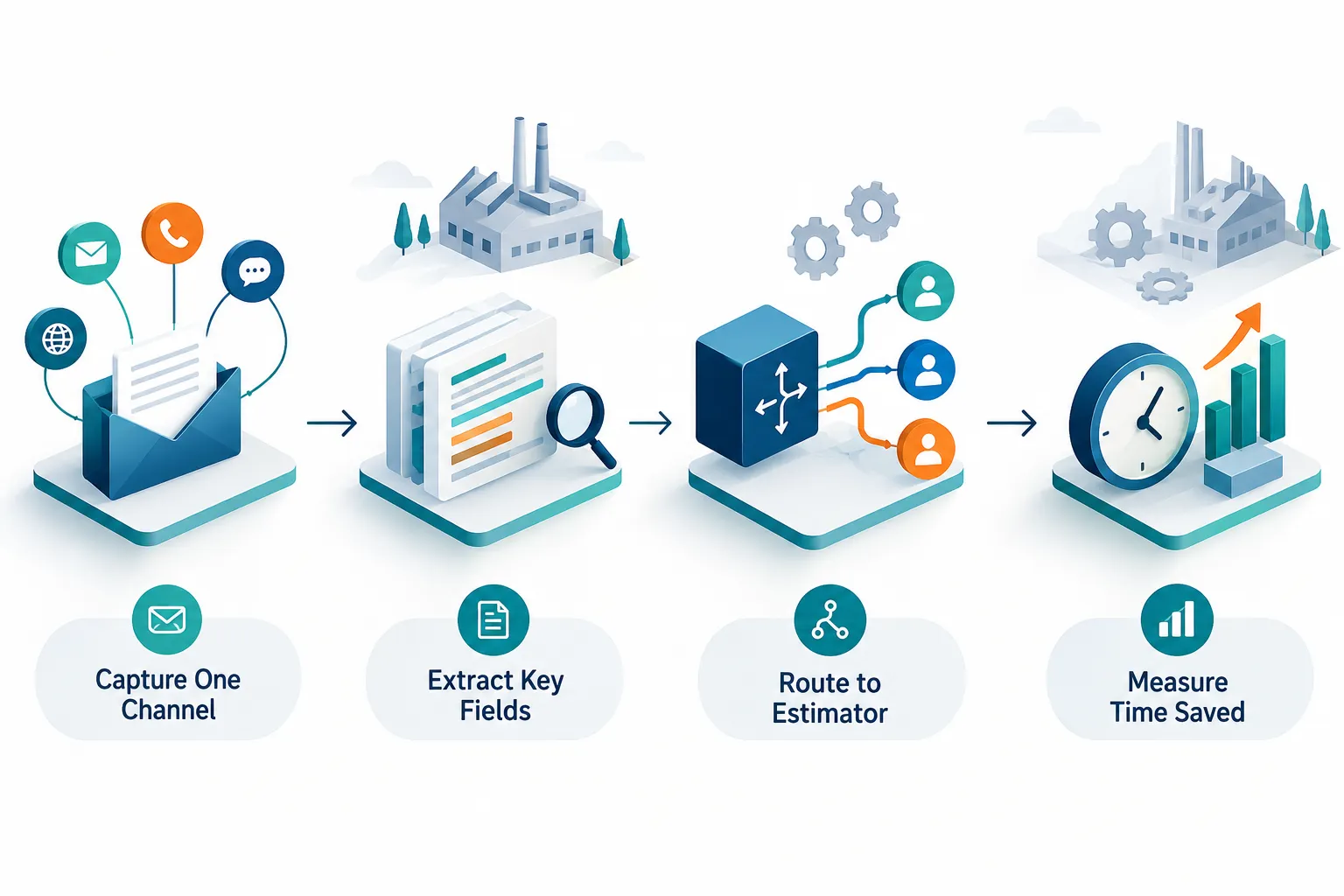
Start with RFQ intake on a single channel rather than trying to automate your entire estimating process at once, and expect a focused first project to take a few weeks to a couple of months depending on how many systems it needs to connect to. Trying to automate everything at once is the fastest way to stall a project before it proves any value.
A practical first project looks like this:
- Capture RFQs from one channel, usually your main intake email or portal
- Extract the key fields your estimators actually use
- Organize attachments and drawings automatically
- Create a standardized structured record
- Route the RFQ to the correct estimator
- Track status from intake through quote sent
- Measure the time saved against your baseline
Once that single channel runs reliably for a month or two, expand to the next channel, whether that is a second email inbox, a customer portal, or spreadsheet-based RFQs. Expanding gradually protects estimator trust and gives you real before-and-after numbers to justify the next phase.
Calculate Your Own RFQ Automation Savings
Use the tool below to run your own numbers with your actual RFQ volume, staff time, and labor cost.