Where Is Your Team Actually Losing Time?
Most productivity problems are not one dramatic failure. They are dozens of small, repetitive tasks that quietly eat hours each week, and no single task looks big enough on its own to fix.

Think about the last time you watched someone on your team retype a customer’s name into a second system, or spend ten minutes building a report they build every single Monday. Five minutes does not sound like much. Multiply it by three times a day, by five employees, by 250 working days, and you get roughly 1,000 hours a year spent on one small task.
That is the math that matters here:
Minutes per task × times performed × employees involved = total time consumed
Most business owners underestimate this because they see the task, not the frequency. A task that takes eight minutes and happens twice a day feels trivial. A task that happens 40 times a day across four employees is a part-time job you did not know you were paying for. McKinsey Global Institute’s research on automation potential found that more than 60 percent of occupations have at least 30 percent of their daily activities that are technically automatable (McKinsey Global Institute, 2017), and most of that 30 percent is exactly this kind of repetitive, low-judgment work.
This article aims to help you find those tasks in your own operation, not to sell you on automation for its own sake. By the end, you should be able to name specific recurring tasks in your business and judge whether they are worth automating.
What Tasks Can AI Automate in a Small Business? 7 Time-Draining Jobs
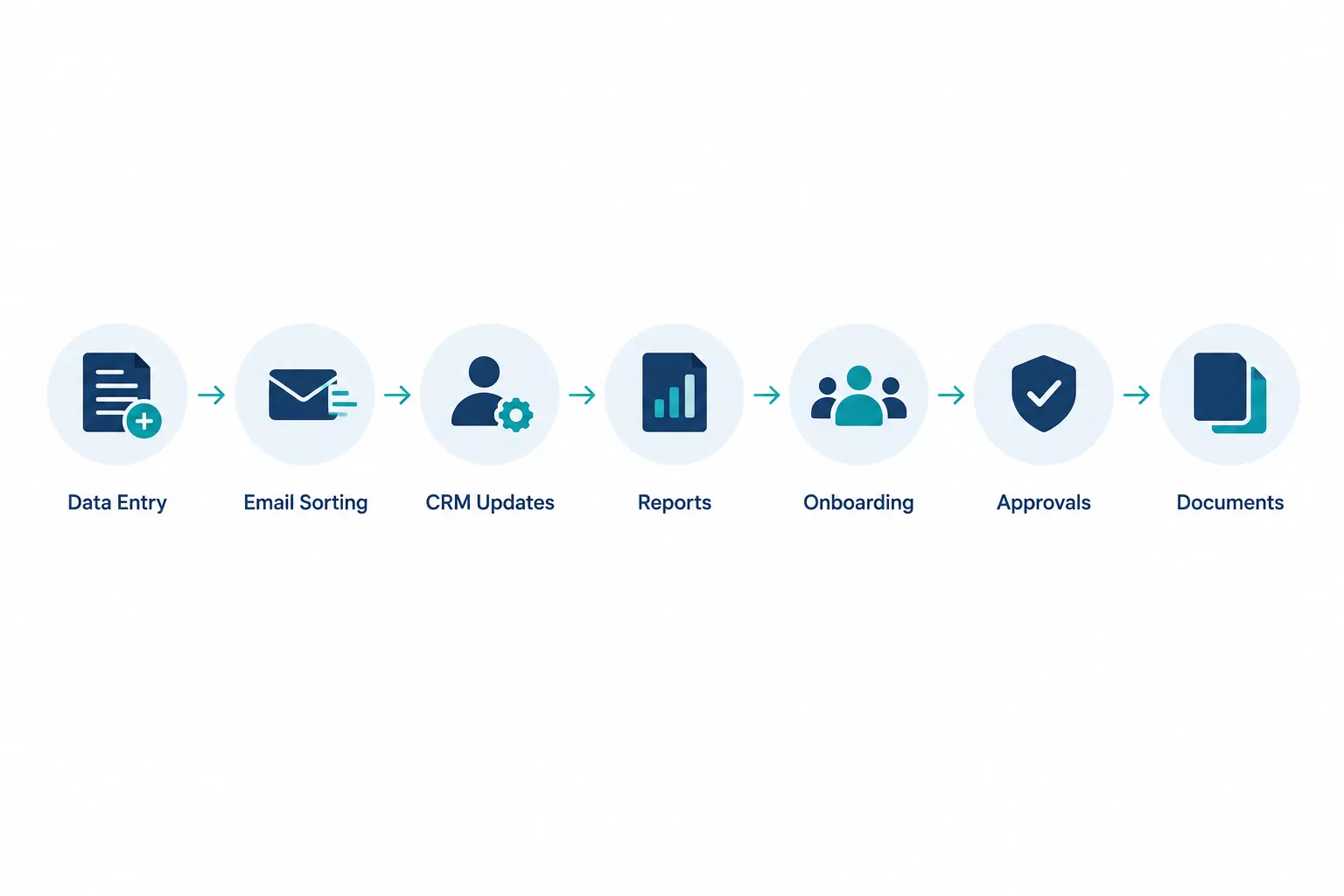
AI automation for small businesses typically targets seven categories of repetitive work: data entry, email and request sorting, CRM updates, recurring reports, onboarding, approvals, and document creation. These are the tasks that show up in nearly every office, regardless of industry, because they involve moving information between people and systems rather than solving a unique problem each time.
Task 1: Manual Data Entry Between Systems
Manual data entry happens whenever information exists in one place, and someone has to retype or re-enter it somewhere else. Common examples include moving a web form submission into your CRM, transferring an emailed invoice into accounting software, or copying spreadsheet totals into a business application.
Your employees should not have to act as the connection between two pieces of software. System integration lets your CRM, accounting platform, and scheduling tools talk to each other directly, so information entered once shows up everywhere it needs to be automatically. This also reduces human error, since every manual retype is a chance for a typo, a transposed number, or a missed field.
Task 2: Sorting and Routing Emails or Requests
Sorting incoming emails and requests by hand means someone reads each one, decides what it is about, and forwards it to the right person, all before any actual work begins. AI automation can read incoming messages, identify the intent, pull out the important details, and route the request to the correct employee or workflow automatically.
A dental office might automate the routine “can I reschedule my appointment” emails while flagging anything unusual, like an insurance dispute, for a staff member to handle personally. Automation should always escalate unclear or high-stakes cases to a human. That is the balance: remove the sorting, keep the judgment.
Task 3: Updating CRM Records
CRM records only stay useful if someone keeps them current, and that job usually falls on whichever employee remembers to do it, which means it often does not get done. Adding new leads, updating contact details, logging call notes, and moving deals through stages are all tasks that automation can handle in the background.
When a lead fills out a form, calls in, or replies to an email, automated workflows can create or update the record, log the interaction, and even create a follow-up task for the right salesperson. Your team stops relying on memory to keep the CRM accurate, and your sales leader stops discovering stale, incomplete records during pipeline reviews.
Task 4: Creating Recurring Reports
Recurring reports are the weekly and monthly documents that pull numbers from multiple systems and get rebuilt from scratch, often by someone whose time is worth far more than that task. A sales manager spending two hours every Monday assembling a pipeline report is not doing sales management during that time.
The better workflow looks like this: systems feed data automatically into a dashboard, the dashboard updates itself, and an alert fires only when something needs attention. Your team should spend their time reading and acting on the report, not building it.
Task 5: Customer or Employee Onboarding
Onboarding is a natural fit for automation because it is one of the most repeatable processes in any business, yet it often gets handled manually and inconsistently. A new customer or employee event, like a signed contract or an accepted job offer, can trigger an entire standardized sequence: creating records, sending welcome information, assigning setup tasks, requesting documents, scheduling follow-ups, and notifying the right departments.
This matters most for growing companies, where onboarding volume increases faster than the staff available to manage it by hand. Automated onboarding also means every new customer or employee gets the same consistent experience, instead of quality depending on who happens to be handling it that week.
Task 6: Approvals and Follow-Ups
Approvals and follow-ups are notorious time-wasters because they depend on someone remembering to check, chase, and remind. Purchase approvals, expense requests, quote sign-offs, and internal document approvals all tend to stall in someone’s inbox until a reminder email finally gets sent.
Automation can route the request to the right approver, send reminders on a schedule, record the decision, and trigger the next step the moment approval happens. Nobody has to keep a mental list of who owes an answer on what.
Task 7: Creating Routine Documents
Routine documents, like proposals, quotes, invoices, and internal summaries, often follow the same structure every time, with only a handful of details changing. AI, combined with your existing business data, can prepare a first draft of these documents automatically, pulling in the right client name, pricing, and terms.
A staff member still reviews and sends the final version, which keeps a person in charge of tone, accuracy, and judgment calls. What changes is that nobody spends 20 minutes formatting a proposal that is 90 percent identical to the last one.
AI Automation for Administrative Tasks: Real Examples Across Departments
AI automation for administrative tasks shows up differently depending on the department, but the pattern is the same: repetitive, rules-based work gets removed, and the person keeps the parts that require judgment.
- Accounting and CPA firms: automatically importing bank transactions, matching invoices to payments, and flagging exceptions instead of manual reconciliation.
- Healthcare and dental practices: appointment reminders, insurance verification data pulls, and intake form processing.
- Automotive dealerships: routing service requests, updating customer records after each visit, and sending maintenance reminders.
- Manufacturing: inventory reorder alerts, purchase order creation, and vendor confirmation tracking.
- Nonprofits and professional services: donor or client record updates, recurring donor reports, and grant or engagement document assembly.
How to Identify Which Business Processes to Automate
You identify which processes to automate by checking each candidate task against a short list of traits: is it repetitive, frequent, predictable, rules-based, and does it move information between systems? If a task checks most of these boxes, it is worth investigating.
Use this checklist as a working filter:
- Repetitive: the same steps happen every time, with little variation.
- Performed frequently: it happens daily or many times a week, not once a quarter.
- Predictable: the inputs and outputs follow a consistent pattern.
- Time-consuming at scale: individually small, but large when multiplied across employees and occurrences.
- Rules-based: decisions follow clear if-this-then-that logic.
- Dependent on moving information: data travels between two or more systems or people.
- Prone to human error: manual handling creates typos, missed steps, or inconsistent results.
- Not dependent on complex human judgment: it does not require negotiation, empathy, or a creative call.
A simple rule to remember: Repetitive plus frequent plus predictable equals investigate for automation. If a task fails on judgment or negotiation, keep it with your people and look for the busywork surrounding it instead.
AI Automation Cost vs Hiring More Staff
Automating a repetitive workflow is usually far less expensive over time than hiring additional staff to keep up with growing administrative volume, because the automated process does not need a raise, benefits, or onboarding of its own. That said, automation is not free, and the right comparison depends on your specific task volume and labor cost, not a generic industry number.
Many growing companies default to hiring another administrative person when work piles up, without asking whether the added volume is actually new decision-making work or just more of the same repetitive task. If it is the latter, automation solves the volume problem without adding headcount, and your existing employees keep the parts of the job that actually require a person. This is one of the clearest paths to scale without adding headcount as your business grows.
How to Measure ROI on Business Process Automation
You measure ROI on business process automation by calculating the labor cost of the manual task today, comparing it to the cost of automating it, and factoring in the indirect costs of errors, delays, and rework that manual processes tend to create. The formula below gives you a starting estimate, not a guarantee.
Minutes per task ÷ 60 × frequency × employees × hourly labor cost = cost per period, then annualize it.
Here is a hypothetical example, for illustration only, not an industry benchmark: if a task takes 10 minutes, happens 5 times a day, involves 3 employees earning $22 an hour, that is roughly 2.5 hours a day, or about 625 hours a year, worth close to $13,750 in labor time alone.
Direct labor is only part of the real cost. Also weigh:
- Errors and the rework needed to fix them
- Slower customer response times
- Missed follow-ups that cost you deals or renewals
- Delayed decisions because reports arrive late
- Employee frustration and turnover risk from repetitive, low-value work
- Extra administrative hires brought on just to handle growing manual volume
Can AI Automation Replace Employees?
No. AI automation is designed to remove repetitive, rules-based work from an employee’s day, not to replace the employee doing that job. The goal is to free your team for higher-value work: customer conversations, sales, problem-solving, and decisions that require judgment a system cannot make.

Keep people fully in charge of tasks that involve negotiation, relationship building, sensitive communication, creative decisions, unusual exceptions, and strategic thinking. Automation should clear away the predictable clutter around those activities, like data entry and scheduling, so your best people spend more of their day actually doing the work you hired them for.
What’s the Difference Between RPA and AI Automation?
Robotic process automation, or RPA, follows fixed, rule-based steps to move data or click through screens the same way every time. AI automation adds the ability to read, interpret, and make decisions about unstructured information, like an email’s intent or a document’s content, before deciding what to do next.
| Feature | RPA | AI automation |
|---|---|---|
| Best for | Fixed, repetitive digital steps | Tasks involving judgment or interpretation |
| Handles unstructured data (emails, documents) | Limited | Yes |
| Adapts to variation in input | No | Yes, within trained limits |
| Typical use | Copying data between two screens | Reading a request and routing it correctly |
Choose RPA when the task is completely rule-based with no variation, like moving a number from field A to field B every time. Choose AI automation when the task involves reading, classifying, or making a judgment call about content that changes, like an incoming customer email.
Best AI Automation Tools for Small Teams (Including Free and Cheap Options)
The best AI automation tools for small teams connect directly to the software you already use, like your CRM, email, accounting platform, and scheduling system, rather than requiring you to replace those tools. For most small and mid-sized businesses, the right approach combines a workflow connector tool with AI features layered on top for reading and classifying content.
Startups and very small teams can often start with free or low-cost tiers of workflow connector platforms to automate simple tasks, like moving form submissions into a spreadsheet or CRM. As task complexity grows, like sorting emails by intent or drafting documents from templates, a managed automation setup built around your specific systems typically delivers a better return than stitching together several free tools yourself.
Does AI Automation Work for Non-Technical Teams?
Yes. Well-built AI automation is designed to run in the background so employees keep working in the tools they already know, like their inbox, CRM, or scheduling app, without learning new technical skills. The automation handles the connection between systems; your team just sees the result, like an updated record or a completed task.

The key is setup. A knowledgeable partner configures the workflow once, tests it against real scenarios, and hands your team a system that works the way your business already operates. Non-technical staff should never need to write code or manage integrations themselves for day-to-day use.
What Happens If AI Automation Makes Mistakes?
Well-designed automation includes checkpoints, so mistakes get caught rather than silently causing damage. Good workflows flag unusual cases for human review, log every action for auditing, and can be paused or rolled back when something looks wrong.
Common safeguards include:
- Human review required before anything customer-facing goes out (documents, emails, quotes)
- Exception rules that route unusual or high-value cases to a person automatically
- Activity logs so you can trace exactly what happened and when
- A defined rollback plan if an automated step needs to be undone
A common mistake is automating a workflow end-to-end with no review step at all. Keep a human checkpoint anywhere a mistake would be costly, embarrassing, or hard to reverse.
How Long Does It Take to Implement Workflow Automation?
Simple business workflow automation projects, like connecting a form to a CRM or automating a report, often take one to three weeks to design, build, and test. More involved projects, like a full onboarding workflow across several systems, can take four to eight weeks depending on how many systems need to connect and how much testing the workflow requires.
Timeline depends heavily on three things: how many systems are involved, whether those systems already have good integration options, and how much testing you want before it runs on live customer or employee data. Rushing this step is a common source of automation problems, so build in time to test with real scenarios before turning it loose company-wide.
Common Mistakes When Automating Business Processes
The most common mistake is trying to automate an entire department at once instead of proving the concept on one workflow first. Other frequent missteps include automating a task that still needs human judgment, skipping the measurement step so you never know if it actually helped, and failing to test edge cases before rolling the automation out.
Watch for these specific mistakes:
- Automating a broken process: automation speeds up a bad workflow just as fast as a good one, so fix the process first.
- Skipping the “before” measurement: without a baseline, you cannot prove the automation worked.
- No exception handling: every automated workflow eventually hits an unusual case; plan for it.
- Ignoring employee input: the people doing the task daily usually know exactly where it breaks down.
- Trying to do everything at once: one working automation beats five half-finished ones.
Start With One Workflow
Start with one high-frequency, well-defined workflow, measure it before and after, and only expand once you can show a clear result. This keeps risk low and gives you real evidence to guide the next automation decision.
A simple rollout path looks like this:
- Find the recurring task using the frequency math from earlier in this article.
- Measure how long it currently takes and how often it happens.
- Automate the workflow with the right tool for the job.
- Test it against real scenarios, including unusual cases.
- Improve based on what the test reveals.
- Expand to the next workflow once this one is proven.
Pick the workflow with the highest frequency and the clearest rules first. That combination gives you the fastest, most measurable win, and the confidence to tackle the next one.