Where Does a 40-Hour Workweek Disappear?
No single employee is secretly burning an entire 40-hour week on copy-paste work. That would be obvious, and someone would have fixed it already. The real problem is quieter: five minutes here, ten minutes there, spread across a receptionist, a salesperson, a bookkeeper, and an office manager, until the total starts to look like a full-time job that nobody was ever hired to do.
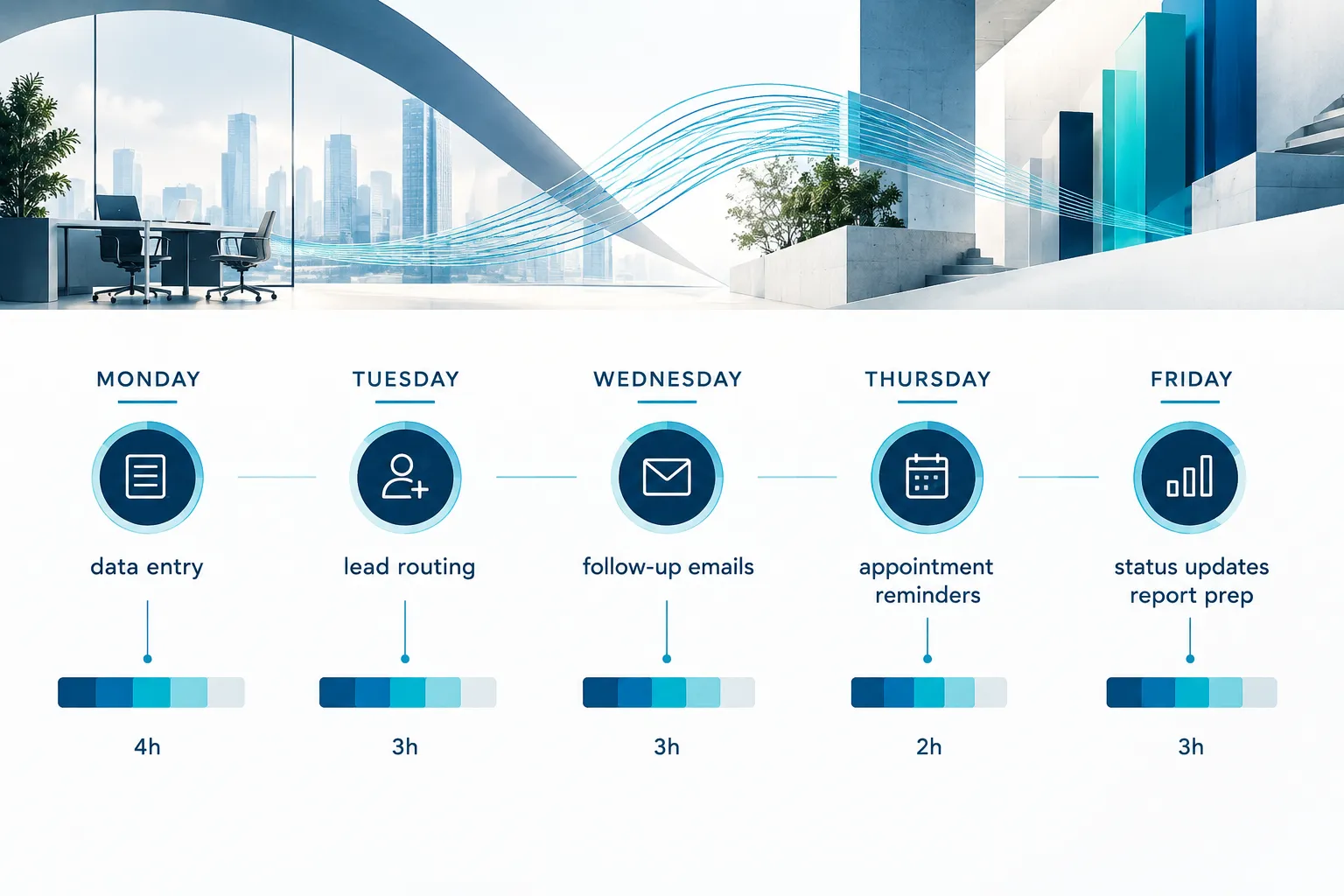
Try this as a thought exercise rather than a fact you already know. If your business has 12 employees and each one spends just 20 minutes a day on tasks a computer could do faster and more accurately, that is 4 hours a week per person. Multiply that by 12 people and you get 48 hours, more than a full workweek, distributed across your whole team instead of concentrated in one role.
This is why repetitive task automation gets missed in most small businesses. Nobody owns the 20 minutes. It is not big enough to complain about, but it is also never small enough to disappear.
The exercise is simple: could the repetitive work happening across your company, added together, equal one employee’s full workweek? For most businesses with 10 or more employees, the honest answer is yes, or close to it.
The Small Tasks That Quietly Consume Your Team’s Time
Repetitive work hides in ordinary business functions like sales, billing, scheduling, and customer service, not in some obscure back-office process. If you want to know what tasks small businesses can automate to save time, start with anything your team does the same way, over and over, using the same rules every time.
Common examples worth watching for:
- Copying information between systems. A lead comes in through a web form, and someone retypes it into the CRM, then again into a spreadsheet for the sales manager.
- Data entry. Invoices, timesheets, or intake forms get keyed in by hand from paper or PDF.
- Lead routing. A new inquiry sits in an inbox until someone manually decides who should follow up.
- Follow-up messages. Sales reps send the same “just checking in” email dozens of times a month, written fresh each time.
- Appointment reminders. Front desk staff call or text every client the day before, one at a time.
- Status updates. A project manager emails the same client update format every Friday for every open project.
- Report preparation. Someone pulls numbers from three systems into a spreadsheet every month for the same recurring report.
- Document creation. Contracts, proposals, and welcome packets get built from scratch instead of a template with fields that fill themselves.
- Internal notifications. A manager pings three people on Slack every time a deal closes or an order ships.
- Customer FAQs. The same five questions about hours, pricing, or order status get answered by a human every day.
None of these tasks require a college degree or years of experience. They require attention, consistency, and time, which makes them expensive in a different way than a skilled task is expensive.
How to Find Which Tasks in Your Business Should Be Automated
The fastest way to find automation candidates is a 30-minute audit where every team lead lists their team’s recurring tasks with frequency, time per occurrence, and headcount involved. You are not trying to be perfect here. You are trying to see the shape of the problem.
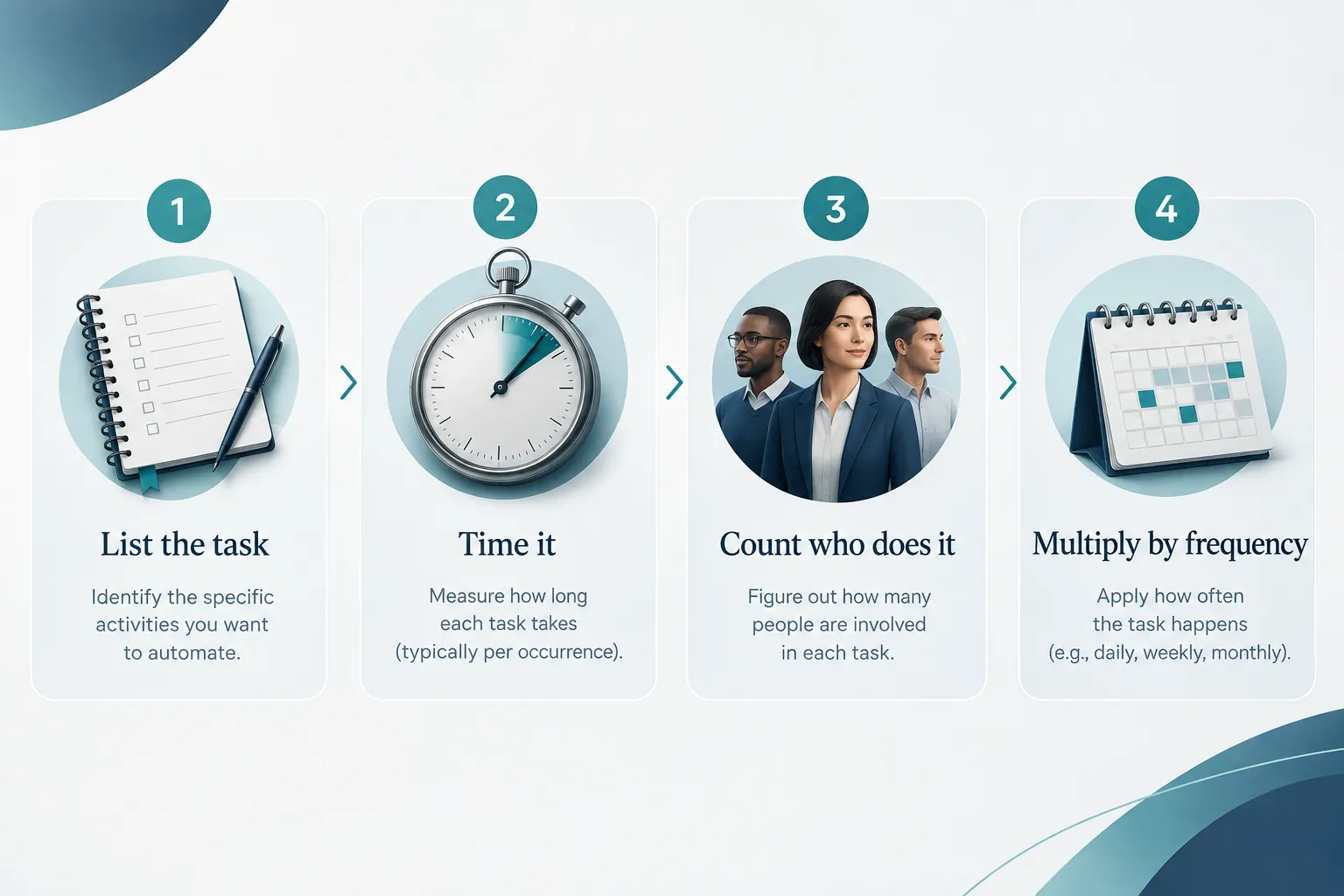
Here is the format that works:
- Task: name it plainly, like “enter new leads into CRM.”
- Frequency: how often it happens (daily, weekly, per transaction).
- Minutes per occurrence: your honest estimate, rounded to the nearest 5 minutes.
- People involved: how many employees do this task regularly.
- Monthly hours: frequency times minutes times people, converted to hours.
Ask each department head to fill this out for their top five recurring tasks. Do not overthink the numbers. A rough estimate that captures the real pattern beats a precise number that takes three days to gather.
Common mistake: treating this as a one-person exercise. If only the owner fills it out, you will miss the tasks that live inside departments you do not see day to day, like accounts payable or customer support.
Quick example: a front-desk employee spends 5 minutes confirming each appointment by phone, 20 times a day. That is 100 minutes a day, roughly 8 hours a month, for one task performed by one person.
Calculate the Real Cost of Manual Work
You can estimate the real time cost of repetitive work by multiplying frequency, duration, and headcount for each task, then adding the totals across departments. This calculation is what turns a vague feeling of “we’re buried in busywork” into a number you can act on.
Here is a sample calculation using rounded, realistic estimates:
| Task | Frequency | Minutes each | People | Monthly hours |
|---|---|---|---|---|
| Enter leads into CRM | 15/day | 4 min | 2 | 24 |
| Send appointment reminders | 25/day | 3 min | 1 | 26 |
| Prepare weekly status report | 1/week | 45 min | 3 | 9 |
| Answer repeat customer FAQs | 10/day | 5 min | 2 | 33 |
| Draft standard follow-up emails | 20/week | 6 min | 3 | 26 |
Added together, this single sample lands at roughly 118 hours a month, or about 27 hours a week, spread across nine employee-task combinations in a business that might have only 15 to 20 total staff. That is close to a full workweek of capacity, without anyone working overtime on any one task.
Can automation really save a full workweek of work? For many small businesses, yes, when you count total hours across departments rather than hours for one job. The honest caveat is that automation rarely recovers 100 percent of that time immediately. Some tasks shrink instead of disappearing, and setup, review, and exception handling still take a little human time. Treat the 40-hour framework as a target to work toward, not a guaranteed outcome on day one.
Which Tasks Are Good Candidates for Automation?
The best automation candidates share four traits: they are repetitive, rules-based, high-frequency, and already handled through digital tools. If a task fails more than one of these tests, it is probably not ready for automation yet.

Strong candidates look like this:
- Moving data from a web form into a CRM or spreadsheet
- Sending reminders, confirmations, or follow-ups on a fixed schedule
- Routing new leads to the right salesperson based on set rules
- Generating recurring reports from data that already lives in a system
- Filling in contracts or proposals from a template with variable fields
- Notifying staff automatically when a status changes in another system
What’s the difference between workflow automation and business process automation?
Workflow automation handles one specific repeated task, like sending a reminder email when an appointment is booked. Business process automation connects several of those workflows across departments and systems into one coordinated process, like the full path from lead capture to signed contract to onboarding.
Think of workflow automation as fixing individual steps and business process automation as redesigning the whole path those steps sit on. Most companies start with workflow automation on their worst single bottleneck, then expand into broader business process automation once they see results.
Do I need coding skills to automate business tasks?
No. Most small business automation today runs on visual, drag-and-drop tools that connect the software you already use, no programming required. You choose a trigger, like “new form submission,” and a set of actions, like “add to CRM” and “send confirmation email,” without writing a line of code.
That said, more complex system integration, especially connecting older or custom-built software, sometimes benefits from a technical partner who understands both the tools and your existing systems. This is where working with an experienced automation partner saves you from months of trial and error.
Best automation tools for small business under $100 a month
Most small businesses can cover their first several automated workflows using tools priced well under $100 a month combined, depending on volume and the number of systems connected. Categories worth exploring include:
- Form-to-CRM connectors and general workflow builders
- Appointment scheduling and reminder platforms
- Email and text automation tools for follow-up sequences
- Document generation tools that auto-fill contracts and proposals
Pricing varies by vendor, usage volume, and how many systems you connect, so treat any specific number as a starting estimate rather than a guarantee, and confirm current pricing directly with each vendor before budgeting.
What Should You Not Automate?
Work that requires judgment, empathy, relationship building, or creative problem-solving should stay with your people, not move to automation. Automation is excellent at consistency and speed. It is poor at reading a room, handling a sensitive conversation, or making a decision that depends on context a computer cannot see.
Tasks better left to people include:
- Handling an upset customer or resolving a complaint
- Negotiating pricing or contract terms with a client
- Diagnosing an unusual technical or operational problem
- Making judgment calls on hiring, discipline, or strategy
- Building relationships with key clients or referral partners
- Creative work like messaging, design direction, or brand decisions
What tasks shouldn’t be automated in a business? Anything where the “right answer” depends on nuance, emotion, or a relationship, rather than a fixed rule. If you cannot write the decision as a simple if-this-then-that statement, it probably needs a person.
What happens if you automate the wrong task?
Automating a task that actually needs judgment usually creates a worse customer experience, more rework, or a compliance risk than doing nothing at all. A common example is an automated response to a customer complaint that feels robotic and makes an already frustrated person angrier. Another is auto-approving something that should have had a human check first, like a large refund or a contract exception.
Common mistake: automating a process before fixing it. If your lead routing is inconsistent because the rules themselves are unclear, automating that broken process just makes the same mistakes faster and more often.
Start With 5 Hours, Not 40
The right way to start is small: pick one or two tasks worth 5 to 10 hours a week across your team, automate those first, and expand from there. Trying to fix everything at once usually stalls out because it touches too many systems and too many people’s habits at the same time.

How long does it take to set up business automation?
A single, well-scoped workflow, like automated lead routing or appointment reminders, typically takes anywhere from a few days to a few weeks to plan, build, and test, depending on how many systems it touches. Broader business process automation across multiple departments takes longer, often a few months, because it involves mapping several connected workflows and getting buy-in from each team involved.
Is automation worth it for a five-person team?
Yes, if the repetitive tasks are frequent enough, even a five-person team can free up meaningful hours, though the dollar impact will be smaller than at a 50-person company. A five-person team where two people each spend 3 hours a week on manual data entry and reminders is losing 6 hours a week, roughly 15 percent of one full-time role. At that size, automation is less about cost savings and more about giving your smallest team back the time to grow the business instead of running it.
What’s the ROI on business process automation for small companies?
Return on investment for business process automation depends on the hourly cost of the time reclaimed, the tool or setup cost, and how consistently the automated process runs without ongoing fixes. Rather than promising a specific percentage, build your own estimate: take the monthly hours from your audit, multiply by a fair blended hourly cost for the people doing that work, and compare it to what a workflow automation tool or setup project costs each month. If the reclaimed hours are worth more than the tool and setup cost within a few months, it is worth doing.
Turn Repetitive Work Into Productive Capacity
Automation should give your team more room to do higher-value work, not signal that you are trying to shrink your headcount. Frame every automation project around a simple question: what would this person do with three extra hours a week if they were not doing this task by hand? Usually the answer is something that grows revenue, improves service, or reduces risk, not something that threatens their job.
Common mistakes when automating business processes
The most common mistakes are automating a broken process, skipping employee input, and trying to automate everything at once instead of proving value on one workflow first. A few specific patterns to avoid:
- Automating a task before agreeing on the actual rules behind it
- Leaving no way for a human to review exceptions or edge cases
- Rolling out automation without telling the people whose work it changes
- Choosing a tool based on price alone instead of fit with your existing systems
How to convince my team to use automation tools
The best way to get your team on board is to involve them in identifying the task, explain what time it frees up for them personally, and start with something that removes an annoying task rather than a core part of their job. People resist change when it feels imposed on them and feels like a threat. They support change when they helped identify the problem and can see the personal upside, like fewer late nights on reports or less time on hold with customers asking the same question.
Beyond the workflow itself, manual work also carries hidden costs that do not show up on a task list. Delays build up when a task waits in someone’s queue instead of triggering instantly. Inconsistent execution creeps in when five different employees each do the same task slightly differently. Errors multiply when the same data gets typed into three systems by three different people. And every hour spent on repetitive work is an hour not spent on sales conversations, client relationships, or the strategic work that actually grows the business.
“The goal is not a business with no people doing repetitive work. The goal is a business where your people spend their time on the work only they can do.”