
Why Production Scheduling Still Depends on Spreadsheets
Most manufacturers start with spreadsheets because they’re free, flexible, and familiar. A planner builds a grid of jobs, machines, and due dates, and for a while, it works fine.

I’ve sat with plant managers who built scheduling spreadsheets over a decade ago, and they’re still running the business today. The spreadsheet grew one tab at a time: a tab for machine capacity, a tab for open orders, a tab for material status. Nobody set out to build something fragile. It just happened one urgent order, one new product line, one extra shift at a time.
The problem isn’t that spreadsheets are bad tools. The problem is that they don’t scale with complexity, and most manufacturers don’t notice the ceiling until they’ve already hit it.
How Spreadsheet-Based Production Planning Works
A typical spreadsheet schedule lists jobs by priority, assigns them to a machine or work center, and tracks a due date. The planner updates it manually whenever something changes, which is often several times a day.
Here’s what that usually looks like in practice:
- The planner opens the master schedule each morning and adjusts job order based on yesterday’s progress.
- Supervisors call or walk over to ask about priority changes instead of checking a shared system.
- Material status lives in a separate file or in the head of the inventory clerk.
- Machine downtime gets noted after the fact, not flagged ahead of time.
- Multiple versions of the “current” schedule end up on different desktops, printed sheets, and whiteboards.
This setup can function reasonably well at low volume with a small product mix. The trouble starts when order volume, product variety, or machine count increases, because every added variable means more manual cross-referencing for the planner to do in their head.
What’s the Difference Between Scheduling Software and Just Using Spreadsheets?
The core difference is that scheduling software keeps one live, shared version of the schedule that updates automatically as conditions change, while a spreadsheet is a static file someone has to update by hand every time something shifts. That difference compounds as a plant adds machines, shifts, and order volume.
A spreadsheet schedule is a snapshot. It shows what the plan looked like the moment someone last saved it. Manufacturing scheduling software is closer to a live map: it reflects machine status, job progress, and material availability as those things actually change on the floor.
Choose spreadsheets if: you run a small number of jobs, one or two shifts, and a planner can realistically hold the whole picture in their head without missing conflicts.
Choose scheduling software if: you’re juggling multiple product lines, frequent rush orders, or more machines and operators than one person can track manually without errors creeping in.
Six Problems That Appear as Production Complexity Increases
As a plant grows, specific cracks start showing in a spreadsheet-based process, and they tend to show up in a predictable order.
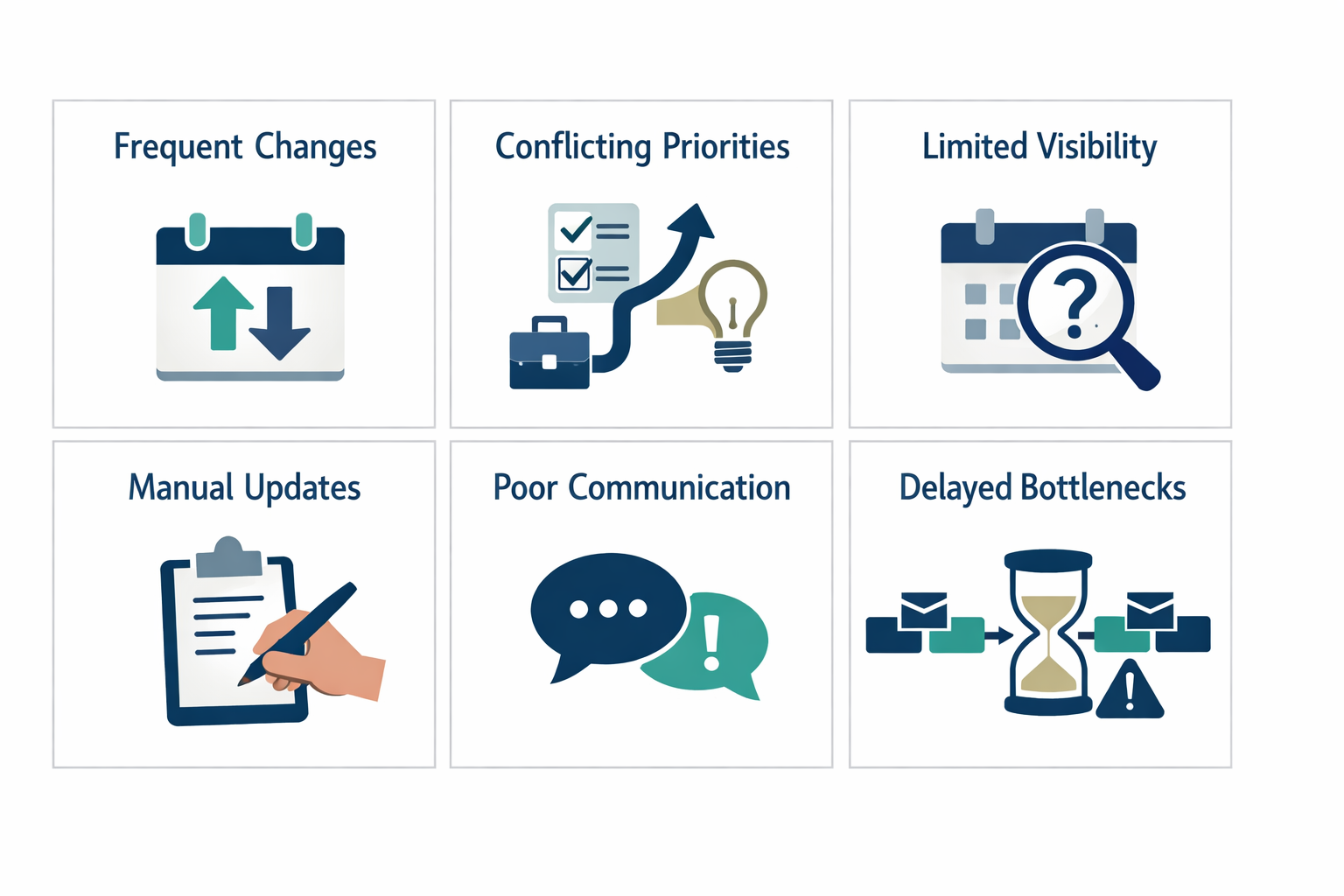
- Frequent schedule changes. Every rush order or canceled job means re-sorting rows and rechecking dependencies by hand.
- Conflicting priorities between orders. Two “urgent” jobs competing for the same machine often aren’t caught until someone notices the floor is backed up.
- Limited visibility into machine or resource availability. A spreadsheet doesn’t know a machine went down this morning unless someone remembers to update it.
- Manual updates across multiple schedules. Changes made in the master file don’t automatically reach the printed sheet on the shop floor or the supervisor’s copy.
- Difficulty communicating schedule changes between departments. Purchasing, production, and shipping often work off different versions of “the plan.”
- Delayed awareness of bottlenecks. By the time a backlog shows up in the spreadsheet, it’s usually already affecting delivery dates.
A seventh issue sits underneath all of these: the disconnect between production planning, inventory, and what’s actually happening on the shop floor. A spreadsheet can show a job is scheduled to start, but it has no way of knowing whether the raw material for that job actually arrived.
What Manufacturing Scheduling Software Actually Changes
Manufacturing scheduling software replaces scattered, manually updated files with one connected system that reflects real conditions on the floor, including machine status, job progress, and material availability. What it changes depends heavily on the specific system and how well it’s set up.
At a basic level, good scheduling software gives you:
- A single source of truth that supervisors, planners, and schedulers all see at the same time.
- Automatic flags when two jobs compete for the same machine or resource.
- Visibility into machine downtime or delays as they happen, not hours later.
- A way to reprioritize jobs without manually rebuilding rows and formulas.
- A connection point between production plans and material or inventory data, when integrated properly.
Common mistake: assuming new software will fix a scheduling problem that’s actually a data problem. If machine downtime, job completion, or inventory counts aren’t being tracked accurately anywhere, no software will magically produce accurate schedules from inaccurate inputs.
A Practical Example: Managing an Urgent Production Order
Here’s a concrete walkthrough of how the two approaches differ when a rush order lands mid-shift.
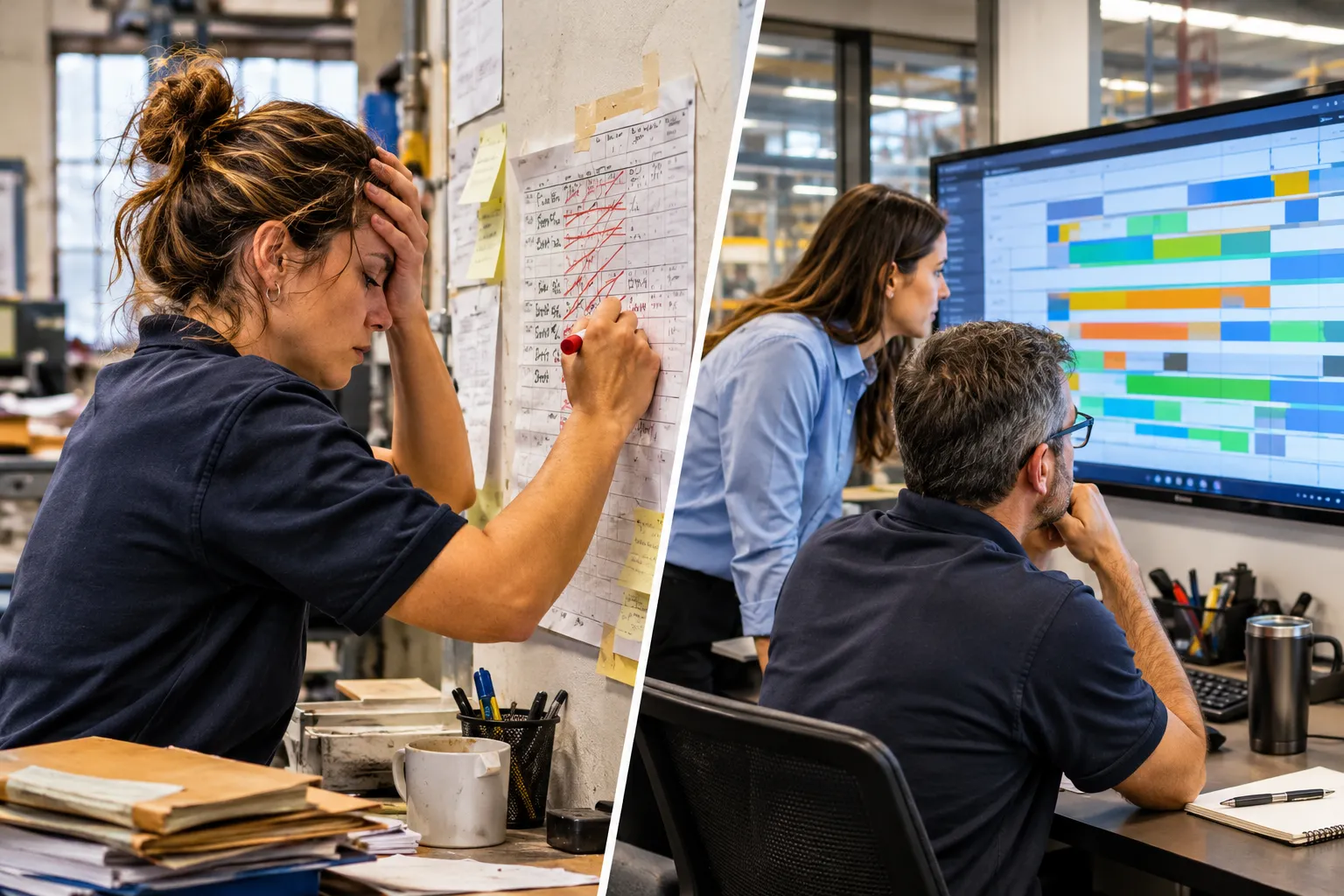
With a spreadsheet: The planner gets a call about an urgent order. They open the master file, manually scan which machines have open capacity, guess at material availability, and start moving rows around. They then email or print the updated version and hope supervisors check it before starting the next job. Meanwhile, the job that got bumped may not get flagged to purchasing or shipping.
With connected scheduling software: The planner enters the rush order and the system shows, based on current machine and material data, where it can realistically fit without conflicting with other priority jobs. Supervisors on the floor see the updated sequence on their screen within minutes. Anyone tracking shipping or materials for the bumped job sees the new timeline too.
The outcome isn’t a perfect schedule. It’s a faster, more informed decision with fewer blind spots, which matters most when the margin for error is small.
How Much Does Manufacturing Scheduling Software Cost Per Month?
Costs vary widely depending on whether you’re adding a scheduling module to an existing ERP, buying a standalone scheduling tool, or building a custom workflow integration. Rather than quoting a single number that won’t hold up across industries, it’s more useful to understand what drives the cost: number of users, number of work centers or machines tracked, integration complexity, and whether the vendor charges per seat or per site.
A straightforward add-on to an existing ERP tends to cost less than a standalone best-of-breed scheduling platform, because you’re not paying for duplicate data entry or a separate integration project. Custom-built scheduling workflows carry upfront development cost but no ongoing per-seat licensing. Ask any vendor for a cost breakdown tied to your actual machine count and user count rather than a generic published price.
Can Scheduling Software Integrate With My Existing ERP System?
In many cases yes, but it depends on the ERP’s data structure, available APIs, and the scheduling tool’s integration options. Some modern ERP systems already include a scheduling module that just needs to be configured and used properly, which can be the simpler and cheaper path.
Where integration works well, it usually connects:
- Open order and due date data from the ERP into the scheduling tool.
- Inventory and material availability so scheduled jobs reflect what’s actually on hand.
- Job completion data back into the ERP for accurate reporting.
Where integration gets complicated is with older or heavily customized ERP systems that weren’t built with open connections in mind. In those cases, a custom integration or middle layer may be needed to move data between systems without manual re-entry.
What Features Should I Look For in Scheduling Software?
Look for features that solve your specific visibility and coordination gaps rather than the longest feature list. The most valuable capabilities for most mid-sized manufacturers are:
- Real-time visibility into machine and resource availability
- Automatic conflict detection when two jobs compete for the same resource
- Drag-and-drop or rule-based re-sequencing for priority changes
- Shared access for supervisors, planners, and relevant departments
- Connection points (via integration) to inventory and material data
- Reporting on delays, bottlenecks, and schedule adherence over time
Edge case: if your production is almost entirely custom, one-off jobs with unpredictable routing, prioritize flexible manual override tools over rigid automated optimization. Rigid systems built for repetitive runs can fight against how custom shops actually operate.
Which Scheduling Software Works Best for Small Manufacturers?
There’s no single best option; the right fit depends on order volume, machine count, and whether you already have an ERP worth building on. Smaller manufacturers with under 50 employees and a manageable machine count often do better starting with a scheduling module inside their existing ERP or a simple cloud-based scheduling tool rather than a heavy enterprise platform.
Decision rule: if you’re running fewer than a dozen machines and one shift, start by evaluating whether your current ERP’s scheduling features are simply underused before shopping for new software. If you’ve outgrown that or your ERP has no real scheduling capability, a lighter standalone tool or a custom workflow may be the better next step.
Why Do Companies Still Use Spreadsheets Instead of Scheduling Software?
Spreadsheets persist because they’re low-cost, require no training, and feel familiar even when they’re inefficient. Switching carries real cost and disruption risk, so many manufacturers stick with what works “well enough” until a specific event forces the issue, like a missed shipment tied directly to a scheduling error.
Common reasons teams delay the switch:
- Nobody wants to be the one who breaks a system everyone already knows.
- Budget gets allocated to machines and materials before software.
- Past bad experiences with clunky, over-engineered systems make people cautious.
- The pain is distributed across several people, so no single person feels the full cost.
How Does Real-Time Scheduling Reduce Production Delays?
Real-time scheduling reduces delays by surfacing conflicts and resource shortages before a job starts, instead of after it’s already stalled on the floor. When machine status, job progress, and material data update automatically, planners can catch a problem while there’s still time to adjust.
For example, if a machine goes down mid-shift, a connected system can flag every job scheduled on that machine immediately, instead of a supervisor discovering the backup hours later when parts pile up. That earlier warning gives planners room to shift jobs, call in a backup resource, or notify the customer before a delivery date is actually missed.
What’s the Biggest Mistake Companies Make When Switching to Scheduling Software?
The biggest mistake is buying software before fixing the underlying data and process problems that made the spreadsheet unreliable in the first place. A new system layered on top of inaccurate machine data, inconsistent job tracking, or unclear priority rules will just produce a faster, better-looking version of the same wrong schedule.
Before implementing anything, clean up:
- How machine downtime gets recorded and by whom
- How material availability gets confirmed before a job is scheduled
- Who has authority to reprioritize a job and under what rule
Can Scheduling Software Handle Custom or Made-to-Order Production?
Yes, but it requires a system flexible enough to handle variable routing and manual overrides, not one built only for repetitive, high-volume runs. Made-to-order shops benefit most from scheduling tools that let planners adjust sequencing by hand while still getting automated conflict alerts and visibility into capacity.
The key is matching the tool to the production style. A system optimized for long repetitive runs may struggle with constantly changing job specs, while a flexible scheduling tool designed around variable work orders can still provide useful visibility without forcing rigid automation on unpredictable work.
How Long Does It Actually Take to Implement Scheduling Software?
Implementation timelines typically range from a few weeks for a basic ERP scheduling module configuration to several months for a custom scheduling application with full system integration. The timeline depends on data readiness, integration complexity, and how much process change is involved.
A rough breakdown:
| Project type | Typical timeframe |
|---|---|
| Turning on an existing ERP scheduling module | 2 to 6 weeks |
| Standalone scheduling software with basic integration | 1 to 3 months |
| Custom scheduling application with full system integration | 3 to 6 months or more |
These are general ranges, not guarantees. A plant with clean, well-maintained inventory and job data will move faster than one still sorting out basic data accuracy issues.
What Problems Does Scheduling Software Solve on the Factory Floor?
On the floor, scheduling software mainly solves the problem of supervisors and operators working from outdated or conflicting information about what to run next. It gives floor staff direct access to the current, accurate plan instead of relying on printed sheets or verbal updates that may already be wrong.

Specific floor-level improvements include:
- Supervisors see priority changes as soon as they’re made, not after a phone call
- Operators get clearer visibility into what’s coming next on their machine
- Material shortages get flagged before a job starts instead of mid-run
- Fewer wasted setups from running the wrong job out of sequence
Is Switching to Scheduling Software Worth the Investment and Hassle?
For manufacturers dealing with frequent scheduling conflicts, missed deadlines, or constant manual rework, the investment is usually worth it, but the payoff depends heavily on clean implementation and realistic expectations. It’s not worth it if the underlying process problems aren’t addressed first, because the software will just make a flawed process move faster.
Decision rule: if your team is spending measurable hours each week manually reconciling schedule versions, chasing down machine status, or discovering material shortages after a job starts, that recurring cost is a strong signal the switch will pay for itself over time.
How Does Scheduling Software Handle Rush Orders and Last-Minute Changes?
Scheduling software handles rush orders by letting planners insert a new job and immediately see where it fits based on current machine and material data, flagging any conflicts before the change goes live. This replaces the manual guesswork of scanning a spreadsheet and hoping nothing was missed.
The system itself doesn’t decide priorities for you. It still needs a human to make the judgment call on what gets bumped, but it removes the blind spots around what’s actually available and who else needs to know about the change.
What’s the Difference Between Scheduling Software and Production Planning Software?
Production planning software focuses on longer-term decisions like capacity planning, demand forecasting, and material requirements, while scheduling software focuses on the shorter-term, day-to-day sequencing of specific jobs on specific machines. Many ERP systems bundle both functions, but they solve different problems.
Planning answers “how much capacity do we need next quarter.” Scheduling answers “what runs on machine three at 2pm today.” Manufacturers often need both, but the scheduling layer is usually where the daily pain from spreadsheets shows up first.
Connecting Scheduling With Inventory, Production, and Operations
A scheduling system works best when it’s connected to inventory and real shop-floor activity, not operating as an isolated tool. Without that connection, a schedule can look accurate on screen while being wrong in practice, because it doesn’t know whether the material for a job actually showed up.
Connecting these systems typically means:
- Linking material availability data so a job doesn’t get scheduled before parts arrive
- Feeding actual production progress back into the schedule so it reflects reality, not just the plan
- Giving purchasing and shipping visibility into schedule changes that affect their timelines
This is where a lot of manufacturers hit a wall, because their ERP, inventory system, and scheduling tool were never designed to talk to each other. That’s a system integration problem, not a scheduling problem, and it often needs outside expertise to solve cleanly.
When Should a Manufacturer Upgrade Its Scheduling Process?
A manufacturer should consider upgrading its scheduling process when manual updates can no longer keep pace with the rate of change on the floor, or when scheduling errors are directly causing missed deadlines or wasted capacity. Specific signals to watch for include:
- Planners spending more than a few hours a week just reconciling schedule versions
- Repeated instances of two jobs scheduled on the same machine at the same time
- Supervisors regularly working from outdated information
- Customer-facing delays traced back to a scheduling miscommunication, not a production capability issue
If you’re seeing two or more of these regularly, it’s worth having a real conversation about what a connected scheduling system could change, even if the final answer is “improve the ERP module you already own” rather than buying something new.