

Another Subscription Doesn’t Always Solve the Problem
A new software subscription treats the symptom, not the cause. If your team is duplicating data entry, missing follow-ups, or building spreadsheets to patch gaps between systems, adding another platform usually gives you one more place to manage, not one less problem to deal with.
Here’s a pattern I see constantly with business owners: a sales process starts missing leads, so the team buys a lead-tracking tool. Six months later, that tool doesn’t talk to the CRM, so someone starts a spreadsheet to reconcile the two. Now there are three places holding partial information about the same customer, and the original problem, missed follow-ups, still exists.
Business software automation asks a different question first: can the tools you already have do this job if they’re connected properly? In most cases, the answer is yes.
Why Businesses Keep Buying Software
Businesses buy new software because it feels like the fastest fix for an immediate pain point, without anyone stepping back to see how it fits the bigger picture. A sales manager needs better lead tracking, so they buy a tool. An office manager needs scheduling help, so they buy another. Each purchase solves a narrow problem in isolation.
The trouble is that nobody usually asks how the new tool connects to what’s already running. Over time, this creates a stack of disconnected platforms:
- A CRM that doesn’t talk to the accounting system
- A scheduling tool that doesn’t update the customer record
- A forms tool that dumps submissions into an inbox instead of a workflow
- Multiple spreadsheets tracking the same customer from different angles
Each individual purchase made sense at the time. Together, they create a maze that employees have to manually navigate every day.
Business Software Automation: The Opportunity Hidden in Your Existing Tools
The opportunity in business software automation is that most platforms you already pay for have far more capability than you’re using. QuickBooks, most CRMs, scheduling tools, and form builders all support integrations, automated triggers, and custom workflows that go unused because nobody set them up.
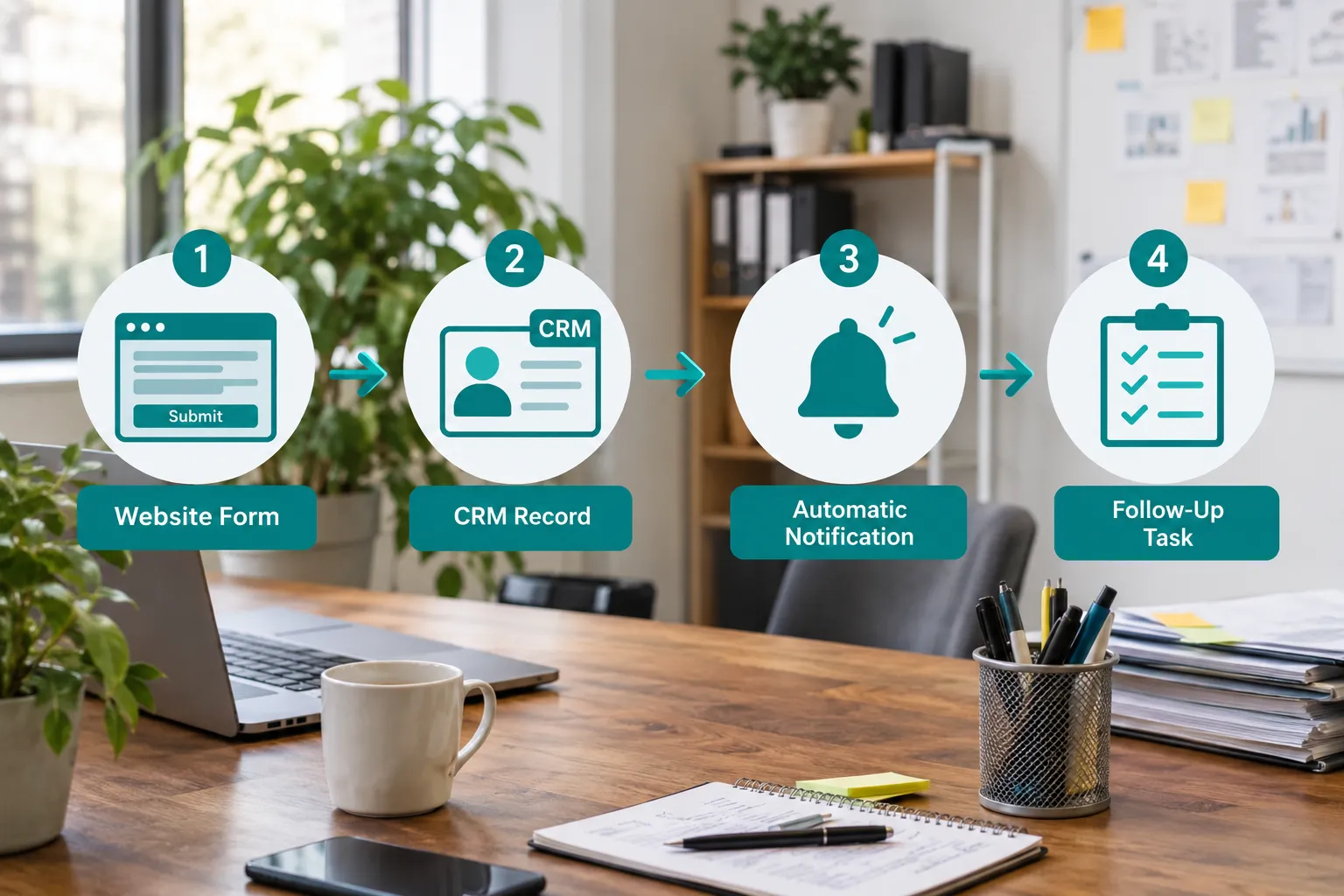

Automation can add value to tools you already own through:
- Integrations that move data between systems automatically
- Workflows that trigger the next step without a person starting it manually
- Notifications that alert the right person at the right moment
- Custom functionality built around your specific process, using the data your systems already collect
This is different from buying a new platform. It’s building a layer of connection and logic between the systems you’ve already paid for, so they function as one operation instead of five separate ones.
The Employee Is Still Acting as the Integration
In most businesses without automation, an employee is the integration. They are the one manually moving information from one system to another, and every manual transfer is a chance for something to go wrong or get forgotten.
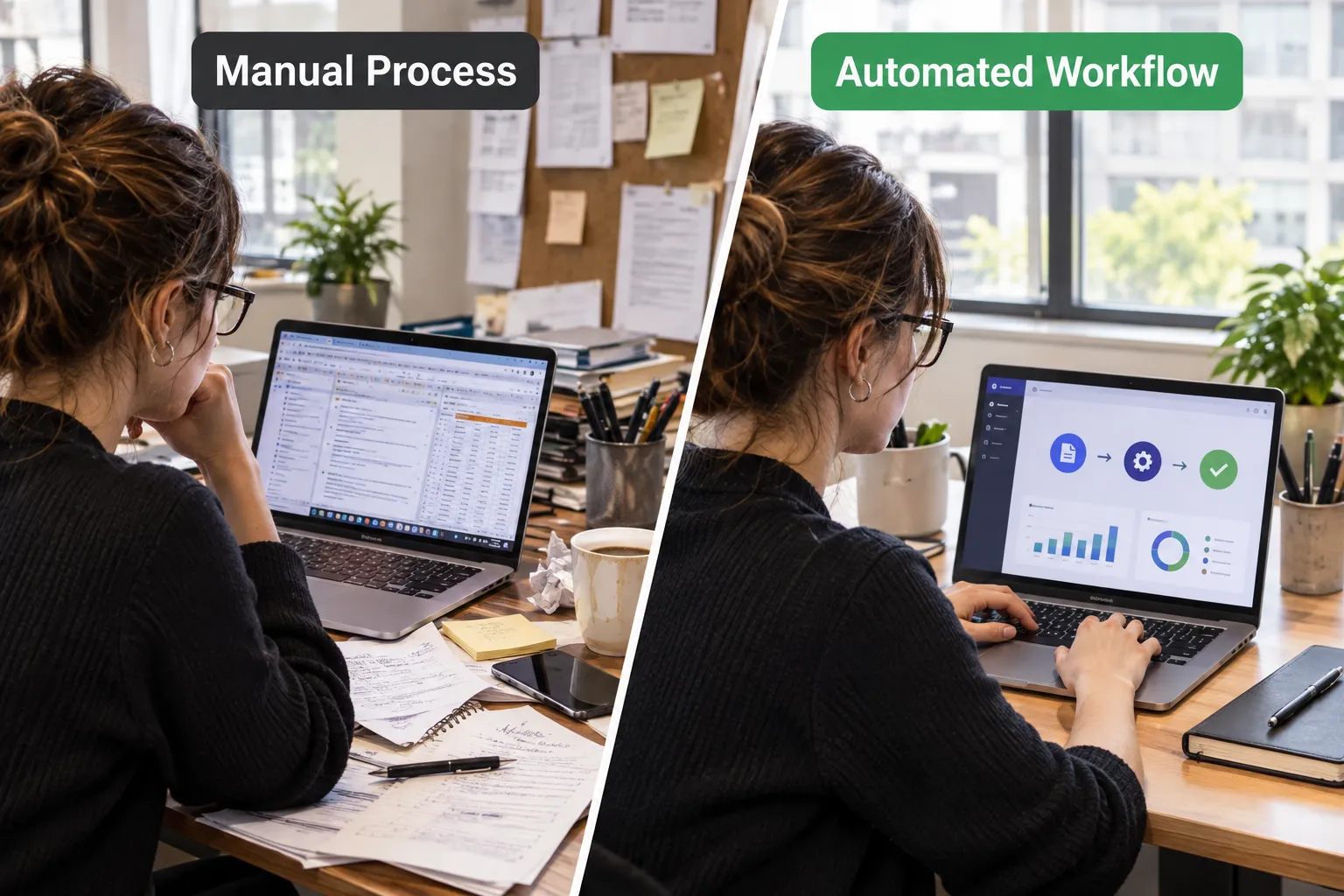
Common examples I see across accounting firms, dealerships, clinics, and professional services:
- CRM and email: Someone manually copies a lead’s details into an email template and sends it by hand.
- Website forms and customer records: A form submission lands in an inbox, and someone retypes it into the CRM, sometimes a day or two later.
- Sales and accounting: A closed deal gets manually re-entered into the invoicing system.
- Inventory and spreadsheets: Stock counts get tracked in a spreadsheet because the inventory system doesn’t talk to purchasing.
- Scheduling and reporting: Someone pulls appointment data each week to build a manual report for leadership.
- Customer requests and internal workflows: A support request comes in by email, then gets manually assigned, logged, and tracked separately.
Every one of these steps is a place where reduce human error and reduce manual work apply directly. Each handoff adds delay and risk without adding value.
What Automation Can Do Without Another Subscription
Automation can usually handle the repetitive, rule-based steps in a process without adding a new piece of software to your stack, as long as your current systems support integration. Most mainstream business platforms do.
Realistic examples of workflow automation built around existing tools:
- Automatically creating a CRM record the moment a website inquiry comes in
- Assigning new leads to the right salesperson based on territory or product line
- Sending an internal notification when a high-value deal or urgent ticket appears
- Creating a follow-up task automatically after a set number of days with no response
- Moving approved information, like a signed contract, from one system into accounting without re-entry
- Preparing a recurring report, such as weekly sales or appointment volume, and delivering it automatically
- Connecting new customer onboarding steps across your CRM, email, and scheduling tools so nothing falls through
None of this requires new licensing fees. It requires someone who understands both your current software and your actual workflow well enough to connect the two.
When AI Makes Existing Software More Useful
AI adds value to business software automation specifically when a task involves judgment or unstructured information, not when it involves a simple, predictable data transfer. Traditional automation handles the predictable steps. AI steps in where a person would otherwise need to read, interpret, or decide.
Examples where AI genuinely helps:
- Reading an incoming email and classifying it as a billing question, support issue, or sales inquiry
- Pulling key fields out of a PDF invoice or purchase order instead of someone retyping them
- Summarizing a long customer request into a short internal note
- Flagging unusual patterns in data, like a duplicate invoice or an out-of-range order
AI automation is not a replacement for structured workflow automation. It’s a layer added where the process requires interpretation that a simple rule can’t handle.
When Another Software Subscription Actually Makes Sense
A new subscription makes sense when your existing software genuinely lacks the functionality, scale, security, or support your business needs, not simply because a process feels manual. If the gap is a missing feature rather than a missing connection, buying a tool is the right call.
Signs that a new platform is justified:
- Your current system has a hard technical limit, like a record cap or missing core feature
- You’ve outgrown the security or compliance capability of what you have
- Support for the existing tool has ended or become unreliable
- The integration you need genuinely isn’t possible with your current platform, even with custom development
The goal isn’t to avoid every subscription. It’s to avoid buying tools to solve problems that connection and automation could solve for less.
Calculate the Cost of Your Current Manual Work
You can estimate the real cost of a manual process with a simple formula, then compare that number to what automating it would cost to build and maintain. This turns a vague frustration into a number you can act on.
Formula: Minutes per task × monthly frequency × employees involved ÷ 60 = monthly labor hours. Multiply that by your average hourly labor cost to get the monthly cost of the manual process.
Example: A data-entry task takes 8 minutes, happens 150 times a month, and involves 2 employees.
8 × 150 × 2 ÷ 60 = 40 hours per month.
At $28 an hour, that’s $1,120 a month, or roughly $13,440 a year, spent on one manual task.
Compare that figure against the one-time setup cost and any ongoing fee for automating the workflow. In many cases, the payback period is a matter of months, not years.
What Processes Should I Automate First to Save the Most Time
Automate the process that combines high frequency, clear rules, and visible cost first, because that combination delivers the fastest payback. Look at tasks that happen daily or weekly, follow a predictable pattern, and involve more than one employee.
Good starting points:
- Lead intake and initial response
- Invoice or billing data entry
- Recurring internal or client reports
- Appointment or scheduling confirmations
- New customer onboarding steps
Decision rule: choose the task with the highest frequency and the clearest set of steps. A process you do 100 times a month with five predictable steps beats a process you do five times a month with ten judgment calls.
How Do I Know If Automation Will Actually Save Money or Time
You know automation will save money or time when the manual cost you calculated is higher than the cost to build and maintain the automated version, and the process is repeatable enough to justify the setup. If a task happens rarely or changes every time, automation may not pay off.
Use this checklist before committing:
- Does the task happen often enough to matter, say weekly or more?
- Are the steps consistent, or does the process change every time?
- Does more than one person touch the data along the way?
- Would removing this task free someone for higher-value work?
If you answer yes to most of these, the math usually works in your favor.
How to Identify Software Automation Opportunities
You can find automation opportunities by looking for the places where employees are doing work that a computer could reliably do instead. These patterns show up in almost every department if you know what to look for.
Watch for:
- Duplicate data entry across two or more systems
- Repeated manual updates to the same type of record
- Approvals that exist out of habit rather than necessity
- Recurring reports that someone builds by hand each week or month
- Disconnected systems that don’t share data automatically
- Repetitive customer communication, like status updates or confirmations
- Employee workarounds, especially spreadsheets built to patch a gap between systems
Common mistake: treating a workaround spreadsheet as the solution instead of the symptom. If a spreadsheet exists only because two systems don’t talk to each other, that’s a sign to connect the systems, not to maintain the spreadsheet forever.
How Much Does Workflow Automation Typically Cost
Workflow automation cost depends heavily on complexity: a simple two-system integration can run from a few hundred to a few thousand dollars to set up, while a multi-system automation project with custom logic can run into five figures. Ongoing costs are usually limited to a small monthly fee for the automation platform itself.
Variables that affect price:
- Number of systems being connected
- Whether the systems have modern integration options or need custom connections
- Whether AI processing is involved, like reading documents or emails
- Ongoing maintenance needs as your systems update over time
Decision rule: choose a scoped, single-workflow project first if your budget is limited. Prove the value on one process before expanding to a full integration across departments.
How Long Does It Take to Implement Process Automation
A single, well-defined workflow can often be automated in a few days to two weeks, while a broader integration across multiple systems and departments can take one to three months. Timeline depends mainly on how many systems are involved and how clean the data is going in.
Typical phases:
- Map the current process and identify every manual step
- Confirm which systems support the needed integrations
- Build and test the automated workflow
- Run it alongside the manual process briefly to confirm accuracy
- Fully switch over and monitor for a few weeks
Edge case: if your source data is inconsistent, such as customer records with inconsistent formatting, expect extra time for data cleanup before automation can run reliably.
Common Mistakes When Setting Up Business Automation
The most common mistake is automating a broken process instead of fixing the process first, which just makes the problem happen faster. Automation speeds up whatever workflow you give it, good or bad.
Other frequent mistakes:
- Automating a task that changes too often to maintain reliable rules
- Skipping a test period before fully relying on the automation
- Failing to assign anyone to monitor or maintain the automation afterward
- Automating in isolation without considering how it affects related systems or teams
Common mistake example: automating lead assignment based on outdated territory rules. The automation runs perfectly, but it keeps sending leads to the wrong person because the underlying rule was never updated.
Can You Automate Too Much or Over-Automate
Yes, you can over-automate a process that genuinely requires human judgment, and doing so creates errors, customer frustration, or compliance risk instead of saving time. Automation works best on predictable, rule-based steps, not decisions that depend on context or nuance.
Signs you may be over-automating:
- Customers or employees frequently need to override what the automation decided
- Exceptions happen often enough that the “automated” process needs constant manual correction
- A judgment call, like a discount approval or a compliance decision, has been handed to a rigid rule
Edge case: approval workflows involving legal, compliance, or large financial decisions usually need a human checkpoint, even if most of the surrounding steps are automated.
Why Is My Automation Not Working or Breaking
Automations usually break when the underlying systems change, such as a software update, a renamed field, or a new data format, and nobody updates the automation to match. Treat automation as something that needs occasional maintenance, not a one-time setup you never revisit.
Common causes of breakage:
- A connected app updates its interface or data structure
- A field gets renamed or removed in one of the connected systems
- Login credentials or permissions expire
- The volume of data exceeds what the automation was built to handle
Assign someone, internally or through a partner, to check automations periodically rather than discovering a failure when a customer complains.
How to Consolidate Automation Tools Instead of Adding More
You can consolidate automation tools by auditing what each one actually does, then rebuilding overlapping workflows inside a single automation platform connected to your core systems. Many businesses end up paying for three or four automation tools that each handle one narrow task.
Steps to consolidate:
- List every automation tool currently in use and what it does
- Identify overlap, such as two tools both handling notifications
- Pick one platform capable of handling the combined workload
- Migrate workflows one at a time, testing each before retiring the old tool
Is it worth paying for multiple automation tools? Rarely. Multiple overlapping subscriptions usually mean duplicate costs and fragmented visibility into what’s actually running. One well-configured platform connected to your core systems is almost always more cost-effective and easier to maintain.
Zapier vs Make vs Other Automation Platforms: Which Is Best
The right automation platform depends on your complexity and technical comfort: Zapier is generally easiest for simple, straightforward workflows, while Make and similar platforms handle more complex, multi-step logic at a lower cost per task. Neither is universally “best.”
| Factor | Zapier | Make (and similar) |
|---|---|---|
| Ease of setup | Very easy, minimal learning curve | Moderate, more setup time |
| Complex logic | Limited | Strong, supports branching paths |
| Cost at scale | Higher per task | Generally lower per task |
| Best for | Simple, few-step workflows | Multi-step, conditional workflows |
Decision rule: choose Zapier if you need something running quickly with simple logic. Choose Make or a similar platform if your workflow has multiple conditions, branches, or data transformations.
Best Free Business Automation Software That Actually Works
Free tiers of automation platforms work well for low-volume, simple workflows, but they typically cap the number of tasks or steps you can run each month. They’re a reasonable starting point to test an idea before committing budget.
Free options worth trying first:
- Free tiers of mainstream automation platforms for basic, low-volume triggers
- Built-in automation features already included in your CRM, accounting, or scheduling software
- Native integrations between two apps that don’t require a third-party platform at all
Decision rule: if your task volume is low and the workflow is simple, start free. Once volume or complexity grows, a paid tier or custom-built automation usually becomes worth the cost.
When Should a Small Business Start Automating Workflows
A small business should start automating as soon as a manual task is costing noticeable time or causing repeated errors, not after the business has grown large enough to “need” it. Waiting usually means the manual cost quietly compounds for months or years before anyone calculates it.
Decision rule: if you calculated a manual process cost (using the formula above) above a few hundred dollars a month, it’s worth evaluating automation now, regardless of your company’s size.
Automation Tools That Can Replace Multiple Subscriptions
A single, well-configured automation platform connected to your core systems can often replace several narrow single-purpose tools, cutting both cost and complexity. This happens most often with notification tools, form-to-CRM connectors, and basic reporting tools that overlap in function.

Common consolidation opportunities:
- A dedicated notification app replaced by automated alerts inside your existing workflow tool
- A separate form-to-email tool replaced by a direct form-to-CRM integration
- A manual reporting add-on replaced by a scheduled, automated report pulled directly from your core system
Get More Value From What You Already Own
Before you add another line item to your software budget, take an honest look at what’s already sitting in your tech stack. In most businesses I’ve worked with, the fix isn’t a new platform. It’s connecting the systems already in place and automating the repetitive steps employees have been doing by hand for years.
Start small. Pick one process, calculate its real cost using the formula above, and ask whether automation or integration could handle it instead of a person. One well-automated workflow is usually worth more than one more subscription.