AI in manufacturing doesn’t necessarily mean replacing your existing ERP system. For many manufacturers, the first opportunity is to connect AI and workflow automation to the software they already use, reducing manual data entry, improving information flow, and making repetitive administrative processes more efficient. You’ve already invested years of training, custom reports, and process discipline into that ERP. The smarter move is usually to build around it, not tear it out.
Does AI in Manufacturing Mean Replacing Your ERP?
No. Your ERP likely already handles inventory, purchasing, order management, and production planning reliably. The opportunity for AI in manufacturing usually sits in the workflows surrounding the ERP, not inside its core functions.
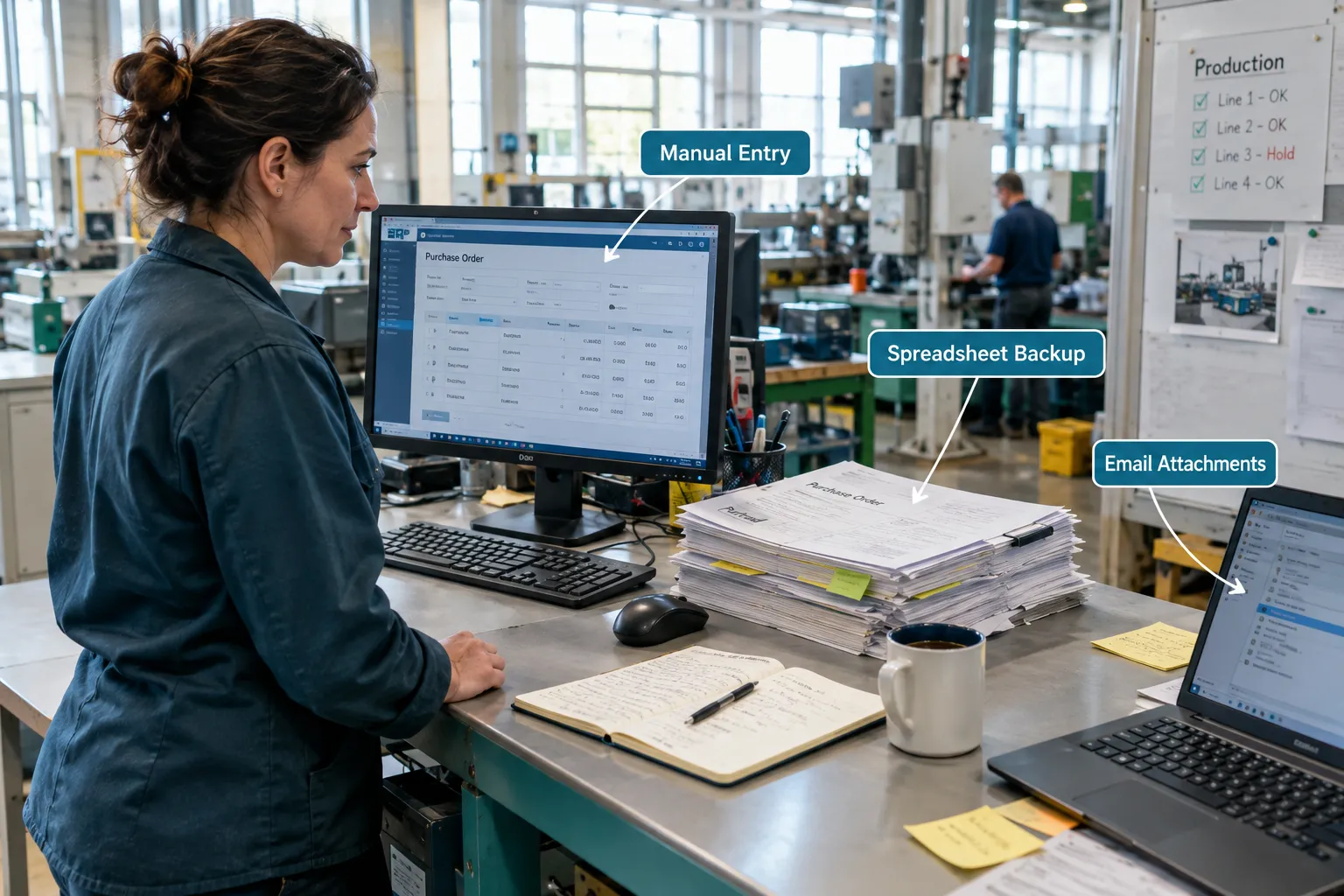
Think about what your ERP actually does well. It tracks what you have, what you owe, and what’s scheduled. What it often doesn’t do well is read a supplier’s PDF invoice, pull numbers from a customer email, or notify three departments when a production run finishes early. Those gaps are where AI adds value, without touching the system of record underneath.
Decision rule: If your ERP handles core transactions reliably and the pain is in the surrounding paperwork, start with integration and automation. If the ERP itself can’t track your actual production process anymore, that’s a separate conversation about the ERP, not about AI.
Why Manufacturers Should Evaluate Existing Systems First
You should evaluate your current ERP before considering a replacement because the switching costs are high and often underestimated. Data migration, employee retraining, and rebuilt reports all take months and carry real risk of disruption to production.
A full ERP replacement should only be on the table when there’s a clear business reason: the system can’t scale with your order volume, the vendor has stopped supporting it, or it genuinely can’t track your current production process. Short of that, replacing it to “get AI” is usually the wrong trade.
- You’ve already paid for software licenses, customization, and training.
- Your staff knows the current system’s quirks and workarounds.
- Historical data and reports are built around the current structure.
- A new ERP rollout can take 6 to 18 months and disrupt operations during the switch.
Where Manual Work Still Exists Around an ERP
Even with a solid ERP, manual work usually piles up in the spaces between systems. That’s where people copy, re-key, and chase information by hand every day.
Common examples at mid-sized manufacturers include:
- Copying order details from customer emails into the ERP
- Re-entering order fields from supplier PDFs
- Manually building production reports from multiple spreadsheets
- Updating inventory spreadsheets separately from the ERP
- Chasing approvals through email threads
- Sending status updates between sales, production, and shipping
- Moving the same data between sales tools and production systems
Example: A sheet metal fabricator’s office manager spends roughly six hours a week retyping purchase order details from supplier email PDFs into the ERP. That’s not a system failure. It’s a gap between two systems that never talk to each other.
AI in Manufacturing: What Can Be Added Around Your ERP?
AI in manufacturing can add document processing, notifications, and reporting capabilities that your ERP wasn’t built to handle on its own. These are potential applications, and whether they fit your operation depends on your ERP’s integration options.
Practical additions include:
- AI-assisted extraction of data from purchase orders and invoices
- Automated pulling of order details from emails and PDFs
- Workflow notifications and approval routing
- Automated draft reports pulled from ERP and spreadsheet data
- Data transfer between compatible systems
- AI-assisted classification of incoming documents
- Internal tools that make existing ERP data easier to search and summarize
Common mistake: Assuming every one of these works out of the box with any ERP. Some require vendor-approved APIs. Others require custom development. Always confirm feasibility before committing budget.
Traditional Automation, AI, and ERP Integration: What Does Each Do?
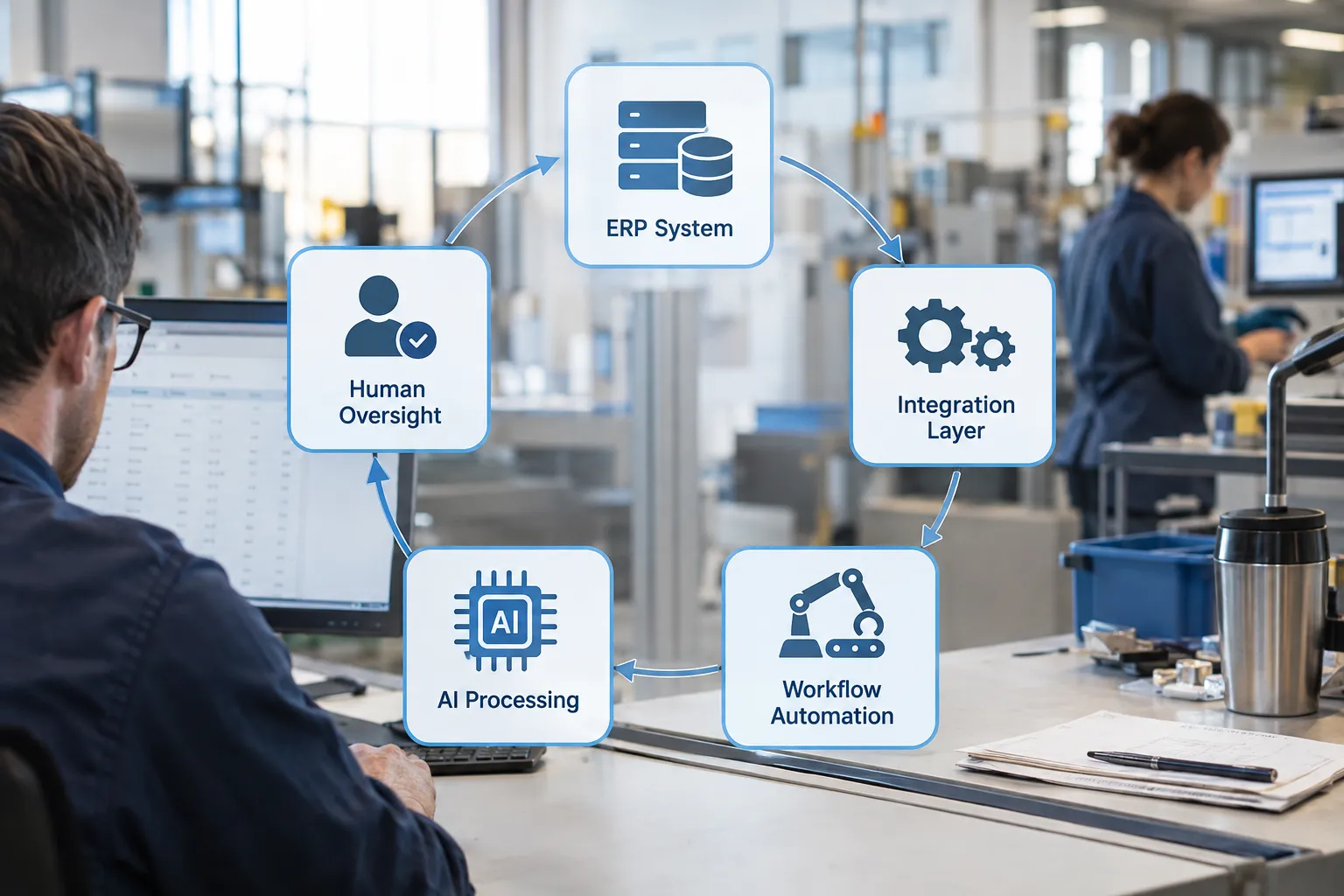
Each piece of a connected manufacturing system plays a different role, and understanding the division of labor prevents you from asking AI to do a job it’s not suited for. Here’s how the pieces typically break down.
| Component | What it does |
|---|---|
| ERP | Maintains core records: orders, inventory, production schedules |
| Integration | Moves information between systems |
| Workflow automation | Executes predictable, rules-based steps |
| AI | Reads unstructured documents and assists with judgment calls |
| Human oversight | Handles exceptions, approvals, and consequential decisions |
None of these replace the ERP. They work together, with the ERP still holding the authoritative data.
How Does AI Integration Work With Your Existing ERP?
AI integration with an ERP generally works through an API connection, a vendor-approved connector, or a controlled file exchange, depending on what the ERP supports. The AI handles the interpretation step; the integration layer handles the actual data movement.
A typical path looks like this: AI reads an incoming document, extracts the relevant fields, and hands clean structured data to an integration layer, which then writes it into the ERP using an approved method. No AI tool should be writing directly into your ERP database without going through that validated path.
Edge case: If your ERP has no API and no vendor-supported connector, integration may be limited to scheduled file imports and exports rather than real-time data flow. That’s still useful, just slower.
Example: Automating Purchase Order Processing
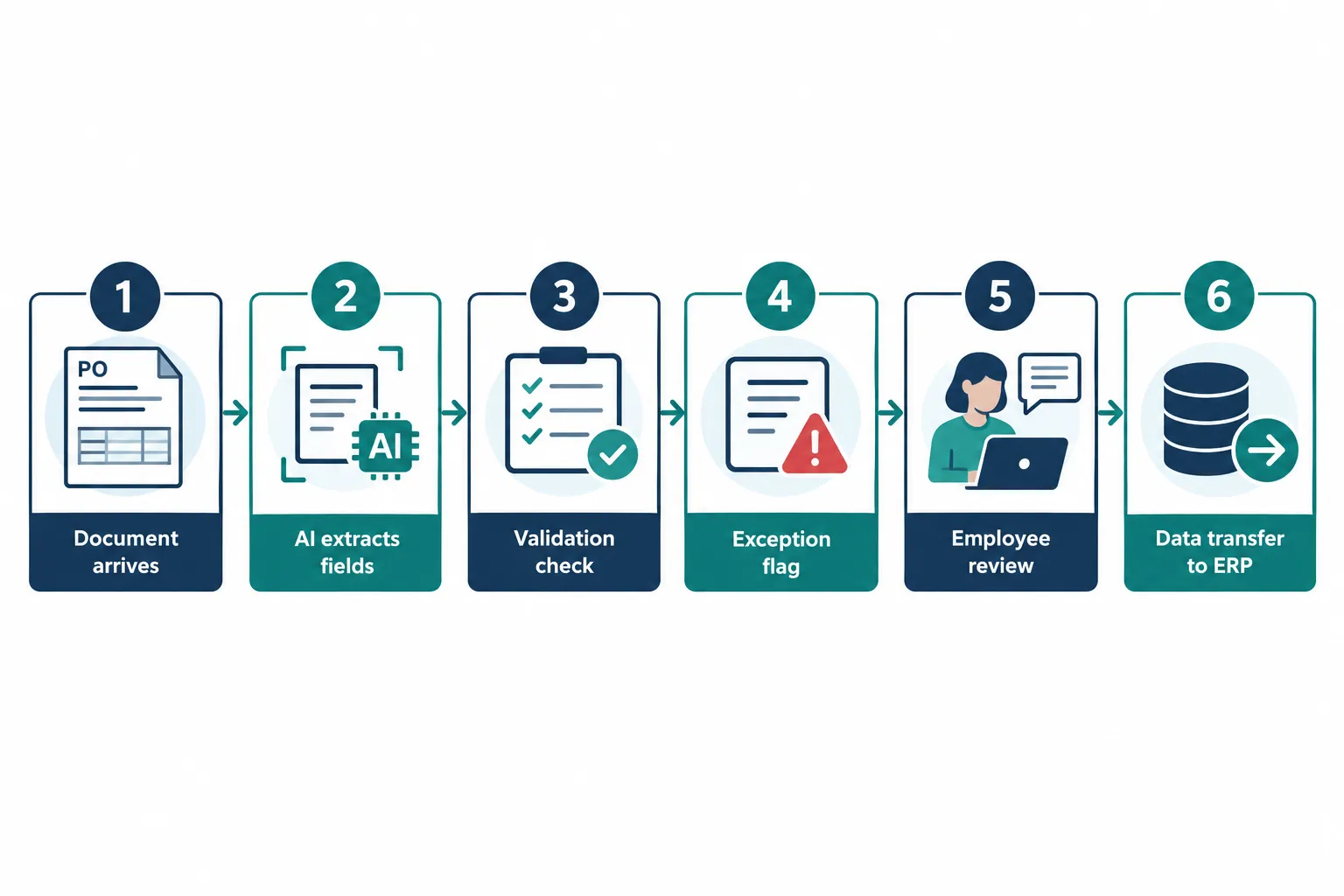
A realistic purchase order automation workflow follows a predictable sequence, with a person checking the exceptions before anything touches the ERP.
- A supplier or customer document arrives by email or upload.
- AI extracts fields like item number, quantity, price, and delivery date.
- Validation rules check for missing or inconsistent information.
- The workflow flags anything that doesn’t match expected values.
- An employee reviews flagged exceptions and approves clean transactions.
- Validated data transfers into the ERP, if the integration supports it.
The exact process depends on what your ERP allows and how much risk you’re willing to automate without a human check.
Example: Connecting Production Updates to Office Workflows
A production update, once approved, can trigger a notification, update a connected tracking tool, or feed into a status report, without giving AI any control over the machinery itself. This keeps automation focused on information flow, not operations.
For example, when a production run is marked complete in your scheduling tool, a workflow can automatically notify the shipping department, update a shared tracker, and log the completion time into a weekly report. No one has to walk over or send a separate email. The machine controls stay exactly where they are: in the hands of your operators.
What If Your ERP Is Old or Has Limited APIs?
Older ERPs can often still support AI-driven workflows through indirect methods, even without a modern API. The right method depends on what the vendor allows and how much risk you can tolerate.
Options worth exploring, roughly in order of reliability:
- Vendor-supported connectors or add-on modules
- Existing integration platforms built for legacy systems
- File-based imports and exports (CSV, flat files)
- Database interfaces the vendor has explicitly approved
- Controlled intermediate workflows that stage data before entry
- Limited-scope custom tools built for one specific task
Warning: Avoid unsupported direct database edits or brittle “screen scraping” automation that mimics mouse clicks. Both tend to break during vendor updates and create maintenance headaches that outweigh the time saved.
Security and Data Governance Still Matter
AI workflows touching ERP data need the same governance discipline as any other system with access to financial and production records. Treat AI tools as another application requiring secure and compliant access, not an exception.
Key controls to put in place:
- Least-privilege access: AI tools only see and touch what they need
- Permission controls matching existing user roles
- Data validation before information enters the ERP
- Audit trails for every automated transaction
- Approval checkpoints for anything consequential
- Careful handling of sensitive pricing, customer, or financial data
- Testing with representative data before production deployment
- Confirming vendor compatibility before connecting any new tool
No AI service should receive unrestricted access to your ERP. That’s true whether it’s a small internal tool or a larger platform.
How Much Does It Cost to Implement AI in Manufacturing?
Costs vary widely based on scope, but a single-workflow automation project (like purchase order processing) typically costs far less than any ERP replacement, which can run into six figures for mid-sized manufacturers. Small, phased projects keep spending proportional to the time they save.
Factors that drive cost up or down:
- Whether your ERP has an existing API or requires custom connection work
- How many document types or formats the AI needs to handle
- The level of validation and approval logic required
- Ongoing maintenance and monitoring once it’s live
Decision rule: If a proposed workflow would take more than a year to pay for itself in saved labor, reconsider scope before building it.
Is Manufacturing AI Worth It for Small Businesses?
Yes, for small and mid-sized manufacturers with repetitive paperwork and limited office staff, targeted AI automation often pays off faster than for large enterprises because the manual workload is proportionally heavier on fewer people. You don’t need enterprise-scale budgets to see a benefit.
A 20-person fabrication shop with one office administrator handling purchase orders, invoices, and reports has more to gain from automating that single role’s repetitive tasks than a 2,000-person plant with a dedicated data entry team. Scale without adding headcount by automating the role instead of hiring around it.
Which Industries Benefit Most From AI in Manufacturing?
Manufacturers with high document volume and multiple disconnected systems tend to see the fastest results from AI in manufacturing. This includes discrete manufacturers handling frequent purchase orders, custom fabricators managing variable specs, and distributors running hybrid inventory and production operations.
- High order volume with manual PDF or email processing
- Multiple departments that currently communicate by email
- Existing ERP with decent data quality but limited internal reporting
- Teams spending measurable hours per week on repetitive entry
Common Mistakes Companies Make With Manufacturing Automation
The most common mistake is treating AI adoption as an all-or-nothing technology overhaul instead of a series of small, measurable improvements. This leads to stalled projects and wasted budget.
Other frequent missteps:
- Connecting AI directly to the ERP database without vendor approval
- Skipping validation steps and trusting AI output blindly
- Automating a low-impact task first instead of the highest-cost one
- Underestimating data quality problems already present in spreadsheets
- Expanding to multiple workflows before the first one proves reliable
What Data Do You Need to Set Up AI in Manufacturing?
You need clean, consistent source data, whether that’s structured ERP records, standardized document formats, or at minimum predictable email and PDF layouts. Messy or inconsistent data is the single biggest reason automation projects fail.
Before starting, confirm:
- What fields actually exist in your current documents and emails
- Whether supplier and customer formats are consistent enough to extract reliably
- How clean your current ERP data already is
- Whether historical records need cleanup before automation begins
Does AI in Manufacturing Replace Workers or Just Help Them?
AI in manufacturing is designed to remove repetitive data handling, not replace the people doing judgment-based work. The goal is to free your team for higher-value work like exception handling, vendor relationships, and process improvement.
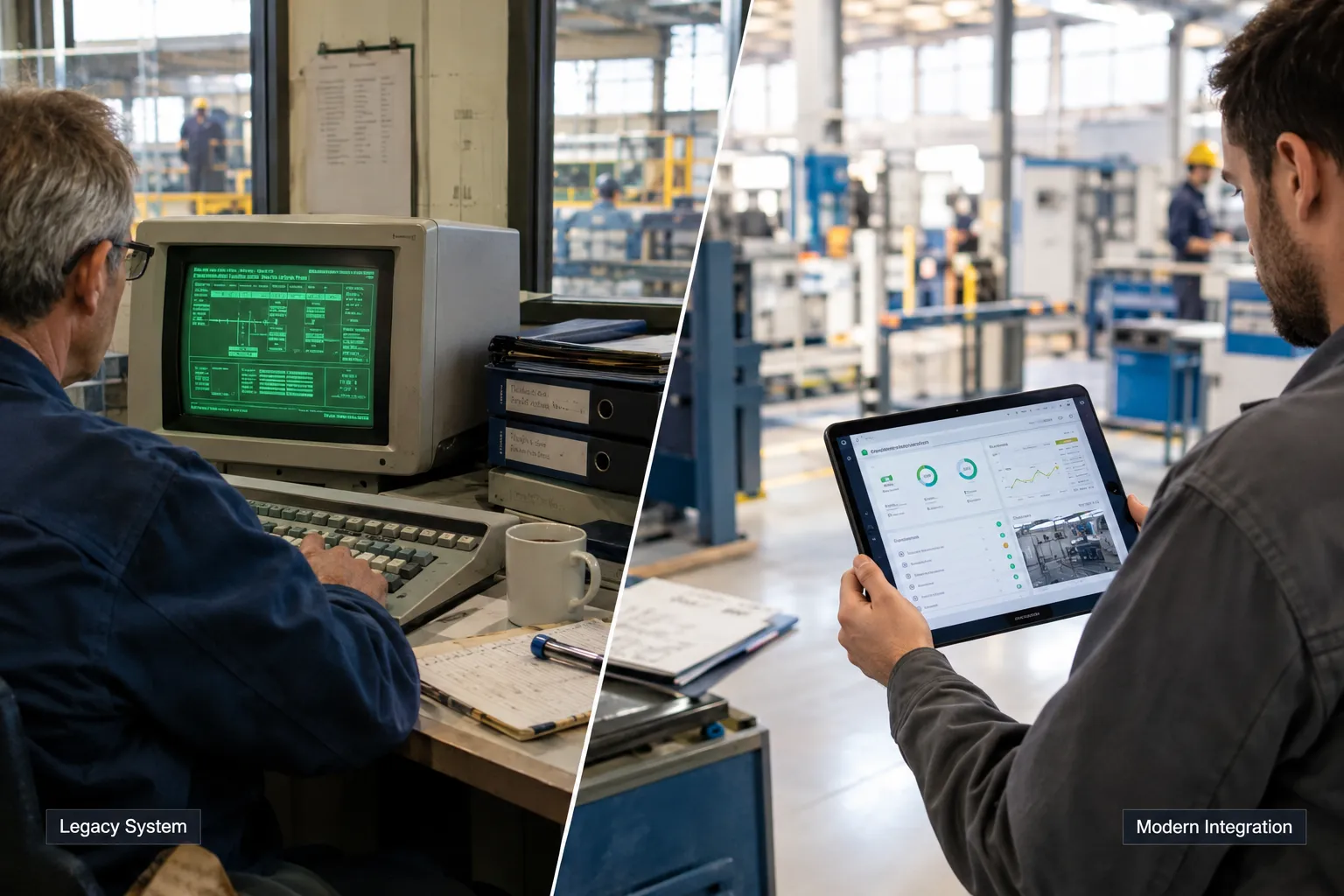
In the purchase order example above, AI handles extraction and matching. A person still reviews exceptions and makes the final call on anything unusual. That division keeps accountability with your staff while removing the tedious part of the job.
How Long Before You See ROI From Manufacturing AI?
Most single-workflow automation projects, like purchase order processing or automated reporting, show measurable time savings within 60 to 90 days of going live, assuming the integration was scoped correctly. Full confidence in reliability usually takes a bit longer as edge cases get handled.
Quick example: If an employee currently spends 6 hours a week on manual order entry and automation cuts that to 1.5 hours, that’s 4.5 hours a week back, visible almost immediately once the workflow is stable.
Calculate the Value Before Expanding
Before expanding any workflow, measure the actual cost of the manual process you’re replacing. This keeps automation decisions grounded in numbers instead of assumptions.
Track these data points:
- Employee hours spent on manual entry per week
- Average processing time per order or document
- Frequency of data-entry errors and their downstream cost
- Time spent preparing recurring reports
- Typical delay in getting approvals
- Estimated integration and ongoing maintenance costs
If the math doesn’t clearly favor automation, hold off and look at a different workflow first.
A Practical Roadmap for Adding AI Without Replacing Your ERP
A phased rollout reduces risk and gives you proof before you spend more. Here’s a sequence that works for most manufacturers:
- Identify one repetitive, high-impact workflow.
- Document exactly how it works today.
- Check your ERP’s integration capabilities for that workflow.
- Decide whether rules-based automation, AI, or both are needed.
- Define permissions and required human approvals.
- Test with real, representative data before going live.
- Measure reliability and actual business impact.
- Expand to the next workflow only after the first one proves its value.
How Do You Know If Your Manufacturing Facility Needs AI?
You likely have a candidate workflow for AI in manufacturing if staff regularly re-key the same information across systems, chase approvals by email, or build reports by hand from multiple spreadsheets. If none of that sounds familiar, your current setup may already be efficient enough.
Decision rule: If a task is repetitive, rules-based, and currently done by hand more than a few hours a week, it’s worth evaluating. If a task requires judgment calls that change case by case, keep a person fully in charge of it.
Best Manufacturing AI Solutions That Integrate With ERP
The “best” solution depends entirely on your ERP, not a generic product ranking. Look for tools that offer documented API access, vendor-approved connectors, or established integration platforms rather than promises of universal compatibility.
When evaluating a tool, ask:
- Does it have a documented, supported connection method for your specific ERP?
- Does the vendor list your ERP as a tested integration, or is it unverified?
- Can it operate with staged review before data hits production?
- What happens if the integration breaks during an ERP update?
A reliable partner who knows your ERP’s actual capabilities will save you more time here than any single software brand.