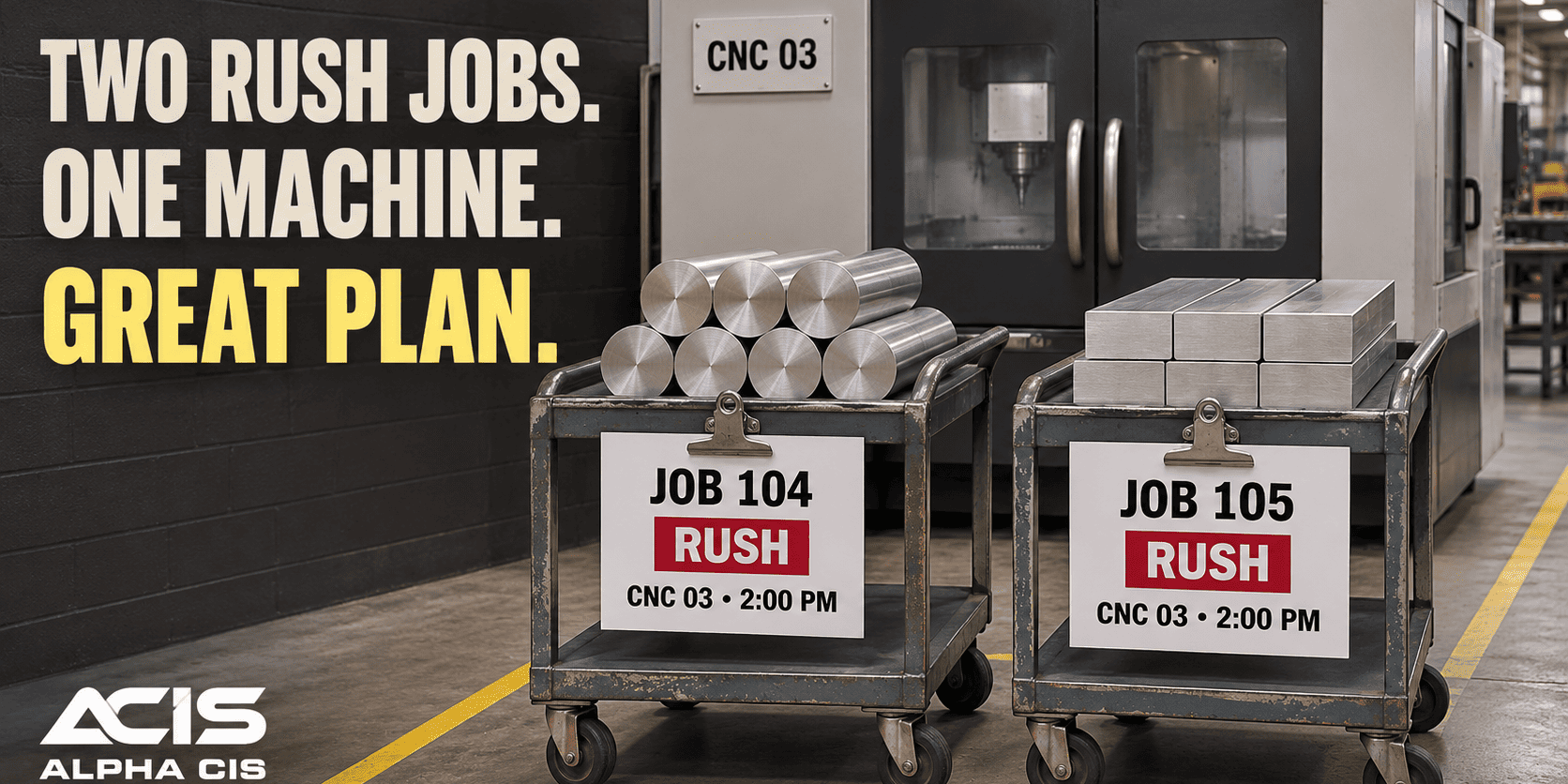

When an Equipment Problem Becomes an Information Problem
A stalled conveyor rarely stays a mechanical problem for long. Within an hour it becomes a communication problem, because the operator who noticed the grinding noise, the supervisor who needs to decide if the line can keep running, and the technician who has to fix it are all working from different pieces of the story.
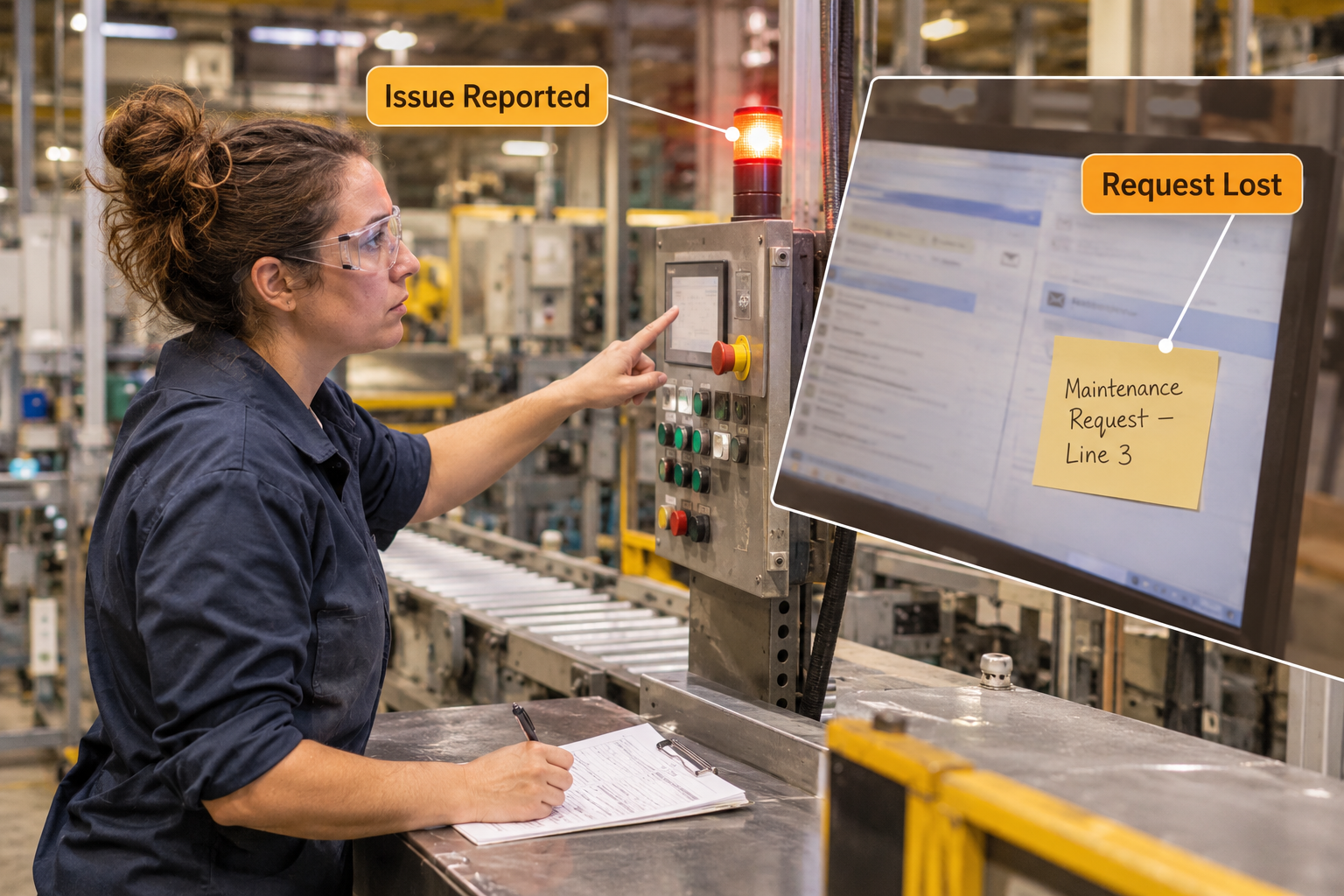
Here is a scene that plays out in plants every week. An operator hears an unusual vibration in a packaging machine, writes “machine sounds weird” on a sticky note or in a group chat, and goes back to running the line. Three shifts later, nobody remembers who reported it, what machine it was, or whether anyone looked at it. The belt finally snaps during second shift, and now it is an unplanned stop instead of a ten-minute adjustment.
This is not a staffing problem or a skills problem. It is a manufacturing maintenance workflow problem: the request never made it into a system that tracked it, assigned it, and followed it through to a finished repair. Fixing that gap does not require replacing your maintenance team. It requires giving information a clear path to travel.
Why Maintenance Requests Get Lost Between Production and Maintenance
Maintenance requests get lost because they travel through too many disconnected channels and arrive without enough detail to act on. When a request lands in a text message, a sticky note, a radio call, and a shared spreadsheet all in the same week, nobody owns the full picture.
Common breakdowns include:
- Multiple submission channels. One operator uses a paper form, another sends a text, a third tells the supervisor in passing. There is no single place to look.
- Thin descriptions. “Machine is down” tells a technician nothing about which machine, what symptom, or how urgent it is.
- Requests that sit untouched. Without a visible queue, a request can wait for days simply because nobody saw it.
- No real prioritization. A minor noise and a safety-critical leak end up in the same pile, with no way to tell them apart at a glance.
- Manual work order creation. A supervisor retypes a sticky note into a spreadsheet or whiteboard, introducing delay and copy errors.
- Production left in the dark. Operators have no idea if anyone is even working the issue, so they call again, pulling a technician off another job to explain status instead of fixing things.
- Technicians working blind. A technician arrives at the machine without photos, history, or context, and has to re-diagnose from scratch.
- Inconsistent completion records. Work gets done, but nobody logs the parts used or the root cause, so the next technician starts over on the same machine six months later.
Each of these gaps costs minutes on its own. Stacked together across a plant running multiple shifts, they cost hours of production time every week and make it nearly impossible to spot repeat failures before they become bigger ones.
From Maintenance Request to Completed Work Order: A Practical Process
A reliable manufacturing maintenance workflow moves through a consistent sequence, with each step producing information the next step actually needs. Skipping or shortcutting any step is usually where the gap reopens.
- Operator submits a request. The operator reports the issue as soon as it’s noticed, through one consistent channel such as a tablet form, a kiosk, or a simple app.
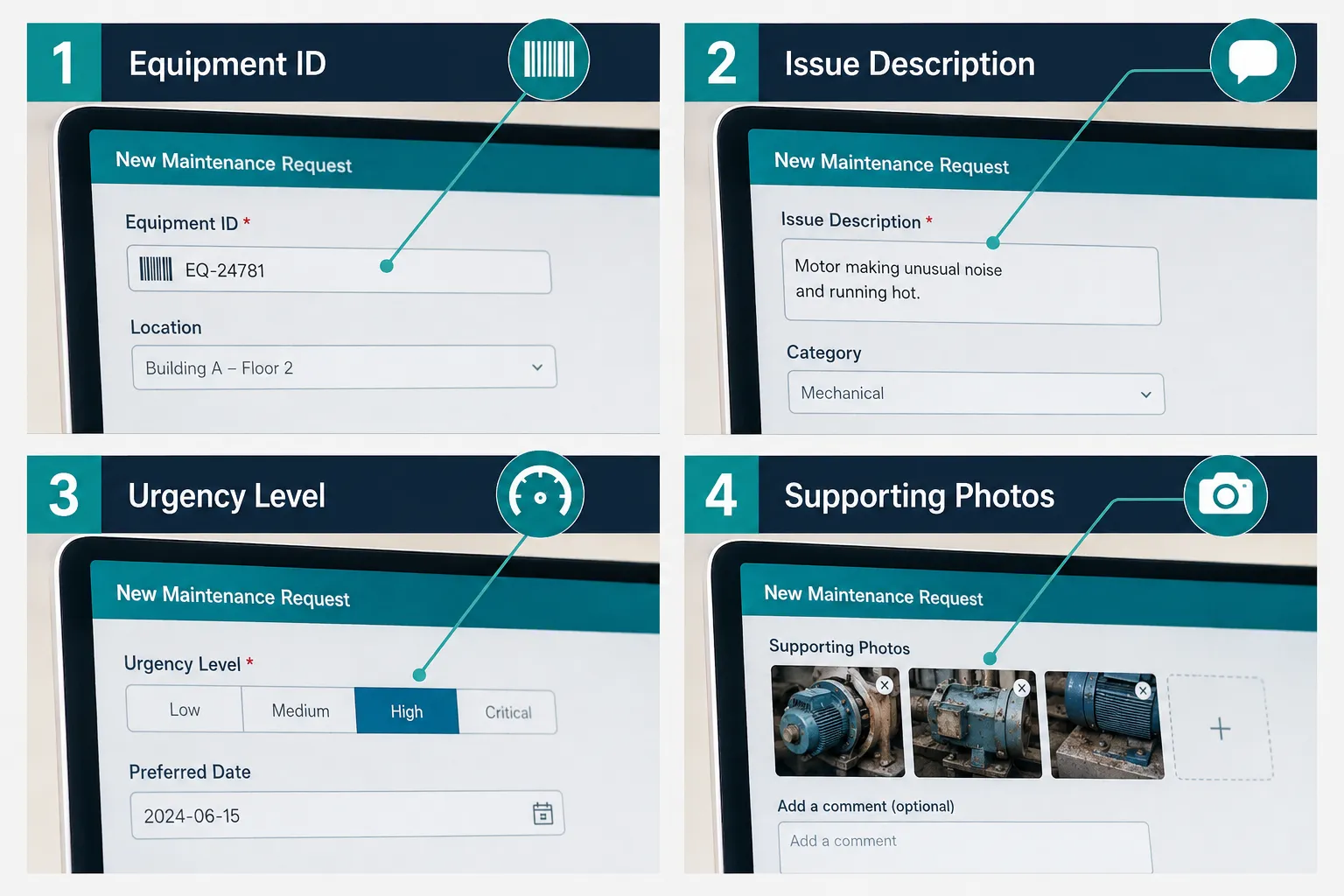
- The request captures the essentials. Equipment ID, a description of the issue, an urgency level, and any supporting detail like a photo or a reading from a gauge.
- A supervisor reviews and prioritizes. The maintenance supervisor sees the request land in a queue, checks it against current workload and safety risk, and decides what gets worked first.
- An approved request becomes a work order. The details carry over automatically, so nobody retypes the same information into a second form.
- A technician is assigned and briefed. The technician receives the equipment history, the reported symptom, and any attached photos before walking to the machine.
- Progress gets recorded as work happens. Status updates (in progress, waiting on parts, complete) are visible to anyone who checks, not just the person doing the work.
- The technician documents what was actually done. Parts used, time spent, and root cause findings get logged while they’re still fresh, not reconstructed from memory at end of shift.
- The supervisor closes the work order. Closing is a deliberate step, confirming the fix holds and the record is complete.
- Production and maintenance both see the updated status. The operator who reported the issue, and anyone running that line, can check equipment status without a phone call.
That sequence is simple to describe and surprisingly hard to hold together with sticky notes, radios, and spreadsheets. It holds together well when the information from step one flows automatically into every later step.
What a Connected Manufacturing Maintenance Workflow Looks Like
A connected workflow is one where a single piece of information, entered once, is visible and usable at every later stage of the process. Nobody retypes the same details, and nobody has to ask around to find out what’s going on with a given machine.
In practice, this looks like:
- Request intake and tracking: one digital form or app, available on the floor, that logs every request with a timestamp.
- Work order creation: approved requests convert into work orders without manual re-entry.
- Technician assignment: work routes to the right person based on skill, shift, and current workload.
- Priority management: urgency levels sort the queue automatically, so safety and downtime risks surface first.
- Notifications and status updates: operators and supervisors get a status change without needing to ask.
- Maintenance history: every work order attaches to the equipment’s record, building a timeline you can review later.
- Completion records: parts, labor hours, and findings are captured in a format you can search and report on.
- Two-way visibility between production and maintenance: both sides check the same source of truth instead of trading updates by phone.
This is workflow automation applied to maintenance coordination: taking a process that already exists on paper or in people’s heads and giving it a structure that automates repetitive tasks, reduces manual work, and reduces human error at each handoff.
The Information Every Maintenance Request Should Capture
A maintenance request is only useful if it gives the next person enough to act without having to track down the operator for more detail. At minimum, every request should capture equipment identity, the nature of the problem, how urgent it is, and any supporting evidence.

Specifically, a solid request form should include:
| Field | Why it matters |
|---|---|
| Equipment ID or asset tag | Removes guesswork about which machine, especially when multiple units look alike |
| Issue description | Gives the technician a starting diagnosis instead of a blank slate |
| Urgency or severity level | Lets a supervisor triage against safety risk and production impact |
| Date and time noticed | Shows how long the issue has existed and whether it’s getting worse |
| Operator name or ID | Lets the technician follow up with questions if needed |
| Photo or short video | Shortens diagnosis time, especially for leaks, noise, or visible damage |
| Production impact | Clarifies whether the line is stopped, slowed, or still running normally |
Common mistake: treating the urgency field as optional. When urgency isn’t captured at submission, every request defaults to “normal,” and genuinely urgent issues wait behind routine ones until someone notices by accident.
How Do You Close Data Gaps Between Maintenance Requests and Work Orders?
You close the gap by making the work order inherit the request’s data automatically instead of recreating it. If a supervisor has to manually copy equipment ID, description, and urgency from a paper form into a separate tracking sheet, you’ve just reintroduced the same gap you were trying to fix.
Practical ways to close this gap:
- Use one system (or one connected set of tools) where approving a request generates the work order with the original data attached.
- Attach equipment history automatically, so the technician sees prior repairs on that same machine without searching.
- Require a status update before a work order can move to the next stage, so nothing sits silently.
- Set a rule that closing a work order requires parts used and findings to be entered, not left blank.
Edge case: if your plant runs on more than one maintenance tool today (one for the office, one the floor actually uses), the gap usually lives in that disconnect. Integrating those tools, or replacing one with the other, usually closes more of the gap than any new form field would.
What’s the Difference Between Preventive and Reactive Maintenance Workflows?
Preventive maintenance workflows are scheduled in advance based on time, usage, or condition, while reactive maintenance workflows respond to a failure or reported issue after it happens. Most plants run both, and the mix matters more than picking one over the other.
- Preventive workflow: a work order generates automatically on a schedule (every 500 hours, every 90 days), independent of any operator report.
- Reactive workflow: a work order starts from an operator-submitted request after something already looks, sounds, or runs wrong.
Choose a heavier preventive mix if your equipment has predictable wear patterns and unplanned downtime is expensive. Lean more reactive if you run low-cost, easily replaceable equipment where scheduled teardown costs more than occasional failure.
A connected manufacturing maintenance workflow should track both in the same place, because a reactive request on a machine with a spotty preventive history is useful information for deciding future schedules.
How Long Should a Work Order Take From Request to Completion?
There’s no universal number, because completion time depends on parts availability, technician load, and severity, but you can set internal targets by urgency tier. A reasonable starting framework, confirmed against your own historical data, might look like same-shift for safety-critical issues, 24 to 48 hours for production-impacting issues, and a scheduled slot within a week for low-urgency items.
What actually drives the timeline:
- Parts on hand versus parts on order
- Technician availability across shifts
- Whether the machine needs to be fully stopped to work on it
- How clearly the original request described the problem
Quick example: a request that says “pump 14 leaking, visible puddle, photo attached” gets diagnosed and parts-matched before the technician even leaves the shop. A request that says “pump issue” costs an extra trip just to find out what’s wrong.
What Causes Delays in Manufacturing Maintenance Workflows?
Delays usually come from a handoff where information stalls, not from technicians working slowly. The most common delay points are requests sitting in an inbox nobody checks regularly, work orders waiting on parts that weren’t identified until the technician arrived, and status updates that only exist in someone’s memory.
Other frequent delay sources:
- No backup assignment when the primary technician is out
- Work orders approved but never actually assigned to a person
- Equipment history missing, forcing a second visit to diagnose
- Supervisors prioritizing by gut feel instead of visible urgency flags
Maintenance Management Software Costs for Small vs Large Factories
Costs scale with the number of assets, users, and how much of your existing software needs to connect to it, not with company size alone. A small plant with a handful of production lines can often run on a lightweight digital workflow or an entry-level system, while a large multi-line plant with complex compliance needs typically justifies a full computerized maintenance management system, known as a CMMS.
Rough considerations when budgeting, confirmed with vendors directly since pricing varies:
- Per-user or per-technician licensing models can get expensive fast in larger plants
- Asset-based pricing may fit better if you have more equipment than staff
- Integration work (connecting to your ERP or production system) is often a separate cost from the software license itself
- Training time is a real cost that’s easy to underestimate, especially on the floor
Decision rule: if you’re tracking requests in a spreadsheet and still keeping up, a simple connected workflow tool may be enough. If you’re missing repeat failures because history is scattered across shifts and systems, it’s time to look at a dedicated CMMS or deeper system integration.
Best Practices for Tracking Work Orders in Manufacturing
The most effective plants track work orders through one visible queue that shows status, assignment, and age at a glance, rather than through separate lists per shift or per supervisor. Visibility is what prevents a work order from quietly aging past its urgency.
Best practices worth adopting:
- Give every work order a unique ID tied back to its original request
- Make status changes mandatory at each stage, not optional notes
- Review open work orders daily, even briefly, so nothing sits unnoticed for a week
- Tag work orders by equipment so patterns show up over time
- Close the loop with the person who originally reported the issue
Common mistake: closing a work order the moment the technician finishes the physical repair, before the paperwork (parts, findings, time) is recorded. Once the technician moves to the next job, that detail is gone for good.
How to Handle Emergency Maintenance Requests Mid-Process
Emergency requests need a separate fast lane that bypasses the normal queue instead of competing with routine tickets for attention. If your workflow treats every request the same way regardless of urgency, an emergency can sit behind five low-priority items simply because it arrived later.
A workable approach:
- Give emergency requests a distinct flag that triggers an immediate notification, not just a queue placement
- Allow a supervisor to pull a technician off a non-critical job without needing approval delays
- Log the interrupted job’s status before the technician leaves it, so it’s easy to resume
- Review emergency requests afterward to see if they could have been caught by preventive maintenance
Maintenance Workflow for Small Factories vs Large Plants
Small factories generally need a simpler, faster-to-adopt workflow, while large plants need a workflow built for scale, multiple shifts, and cross-department reporting. The core steps (request, review, work order, assignment, completion) stay the same; what changes is the complexity of routing and reporting.

- Small factory (one or two lines): a simple digital form feeding a shared queue is often enough, with one supervisor handling prioritization.
- Large plant (multiple lines, multiple shifts): needs role-based assignment, shift handoff visibility, and often integration with inventory and ERP systems to track parts and cost.
Choose the simpler setup if you have under a dozen technicians and one site. Choose the more structured system if you’re coordinating across shifts, buildings, or departments that don’t naturally talk to each other.
What Metrics Should You Track in a Maintenance Workflow?
The metrics that matter most are the ones that tell you whether requests are being handled on time and whether the same problems keep coming back. Tracking too many numbers buries the useful ones.
Start with:
- Average time from request to work order creation (shows if requests are sitting unreviewed)
- Average time from work order to completion (shows technician throughput and parts delays)
- Backlog size by urgency level (shows if you’re falling behind)
- Repeat failures on the same equipment (shows if root causes are actually being fixed)
- Percentage of work orders with complete documentation (shows if your history is trustworthy)
How to Reduce Paperwork and Manual Data Entry in Work Orders
You reduce paperwork by making data entry happen once, at the source, instead of being copied between a paper form, a spreadsheet, and a filing cabinet. The technology doing this is workflow automation: it carries information forward automatically instead of asking a person to retype it at every stage.
Ways to cut manual entry:
- Capture requests digitally at the point of observation, on the floor, not after the fact at a desk
- Let approved requests auto-populate work order fields
- Use dropdown or tag-based entry for common issue types instead of free text
- Attach photos directly instead of describing damage in writing
This is where automate repetitive tasks and connect your existing systems stop being abstract phrases and start saving real hours. A technician who used to spend twenty minutes at end of shift filling out paper logs can spend that time on the next work order instead.
Alternatives to Traditional Maintenance Request and Work Order Systems
Not every manufacturer needs a full CMMS on day one. Depending on size and complexity, a lighter workflow automation setup, or a system integration between tools you already own, can close most of the information gap without a major software investment.
Reasonable alternatives to a ground-up CMMS rollout:
- A connected digital form and ticketing workflow built on tools you already use
- Integrating your existing maintenance spreadsheet with your production scheduling software so status updates sync automatically
- A phased approach: fix request intake and work order visibility first, add full history and reporting later
It’s worth being direct here: workflow automation alone does not guarantee equipment reliability or prevent breakdowns. It closes the information gap that causes delay and confusion. The mechanical work, the preventive schedules, and the technician’s skill still carry the reliability outcome. What automation changes is how fast and how clearly that work gets coordinated.
Common Mistakes People Make in Maintenance Request Workflows
The most common mistake is adding a digital tool on top of the same disconnected process instead of fixing the process itself. A nicer-looking form does not help if requests still get approved manually, work orders still get re-typed, and production still has no visibility into status.
Other recurring mistakes:
- Rolling out a new system without training operators on how to submit a useful request
- Skipping the urgency field or making it too vague to be useful
- Letting completion records stay optional, which erodes equipment history over time
- Choosing a system based on features instead of whether it fits your plant’s actual shift structure
How to Prevent Work Orders From Getting Lost or Forgotten
Work orders get lost when there’s no single, visible home for them and no deadline attached to urgency level. Preventing that requires a queue everyone checks, automatic flags for aging items, and a clear owner for every open ticket.
Practical safeguards:
- Assign every work order to a named person, not a general team
- Set an age threshold that triggers a reminder or escalation automatically
- Review the open queue at shift handoff, not just once a week
- Require a reason before a work order is closed without completed work
Conclusion: Better Maintenance Starts With Better Information Flow
The plants that fix their maintenance headaches usually aren’t the ones with the newest equipment. They’re the ones where a request doesn’t vanish between the operator’s hand and the technician’s toolbox. Closing that gap comes down to a handful of concrete changes: capture the right details up front, route requests through one visible process, connect production and maintenance so status is never a mystery, and keep completion records consistent enough to trust six months from now.
You don’t have to solve all of this with a massive software rollout. Some manufacturers benefit from a dedicated CMMS. Others get most of the value from connecting the tools they already have through targeted workflow automation and system integration. The right starting point depends on your plant’s size, your current tools, and where your specific information gap actually sits.
If you want a second set of eyes on where your own maintenance workflow is losing information, AlphaCIS Manufacturing works with plants to map out these gaps, connect existing maintenance and production systems, and build automation that fits how your floor actually runs, not a generic template. That means less manual paperwork for your technicians, clearer visibility for your supervisors, and a reliable partner helping you get there with straightforward pricing and proactive support along the way. Reach out to start with a walkthrough of your current request-to-completion process and see where the gaps actually are.
Maintenance Workflow Stage Quick Check
| Stage | Owner | Red Flag |
|---|---|---|
| Request Submitted | Operator | No urgency level set |
| Reviewed & Prioritized | Supervisor | Sitting over 24 hours |
| Work Order Created | Supervisor | Manually re-typed data |
| Technician Assigned | Maintenance lead | No named owner |
| Work Closed | Supervisor | Missing parts/findings |