Article Summary

  • Who this is for: Small business owners, operations managers, and sales leaders at B2B service firms whose teams rely on email, CRM, spreadsheets, and accounting software.

  • The challenge: Duplicate data entry, delayed lead routing, missed follow-ups, and manual reporting consume staff time, introduce errors, and leave revenue opportunities unattended.

  • Key insights covered: Connect existing tools; prioritize frequent, repeatable tasks; estimate savings using task time, volume, and labor cost; retain human approvals; test and measure one workflow before expanding.

  • Your outcome: Identify your best first automation opportunity and build a measurable plan to reduce busywork, improve follow-through, and free your team for customers and growth.

Quick Answer

AI automation for small business works by connecting the tools you already use, email, CRM, spreadsheets, and accounting software, so information moves between them without someone retyping it. A typical team loses one to three hours a day to repetitive data entry, follow-up chasing, and manual reporting. Automating even two or three of those recurring tasks can return several hours a week per employee without replacing a single person.

Key Takeaways

  • AI automation for small business connects existing software instead of replacing it, which keeps the switch simple and low risk.
  • The biggest time losses happen in four spots: lead entry, duplicate data entry, follow-up reminders, and manual reporting.
  • A realistic starting cost for small business automation tools runs well under $100 a month for the first workflow.
  • Automation handles repetitive, rule-based work. People still handle relationships, judgment, negotiation, and anything unusual.
  • You can estimate savings with one formula: minutes per task times monthly frequency times employees involved.
  • Most small businesses see a measurable return within 30 to 90 days of automating their first workflow.
  • The safest way to start is one workflow at a time, measured before and after, not a full system overhaul.

Ready to Automate the Work Slowing You Down?

Your team shouldn't spend hours on repetitive tasks that technology can handle. AlphaCIS builds AI-powered automations and custom workflows that save time, reduce manual work, and help your business operate more efficiently.

Book Your Free Automation Consultation
  •  

What Is AI Automation for Small Business and How Does It Work?

AI automation for small business means using software and simple artificial intelligence tools to handle repetitive, rule-based tasks that currently require a person to copy, check, or move information between systems. It works by connecting the applications you already run, your email, your CRM, your spreadsheets, your accounting software, through triggers and actions: when something happens in one system, something else happens automatically in another.

You do not need to buy new core software to get started. Most small business automation sits on top of existing tools using connector platforms or built-in automation features. A trigger might be “a new lead fills out a web form.” The action might be “create a CRM record, notify the sales rep, and schedule a follow-up task.” No one touches a keyboard for that handoff.

This is different from replacing your software or hiring a developer. It is closer to wiring your existing tools together so they talk to each other the way your team already expects them to.

The Workday Before AI Automation for Small Business

Before automation, a typical employee spends the first two hours of the day reacting to scattered information instead of working on priorities. Nothing is broken exactly, but almost everything requires a person to notice it, interpret it, and manually move it somewhere else. Here is what that looks like across one ordinary Tuesday at a small business with about 20 employees.

The Workday Before AI Automation for Small Business

8:30 AM: Customer Inquiries Start Piling Up

By 8:30, the shared inbox already has a dozen new messages: three web form leads, two voicemails transcribed by hand, and a handful of follow-up questions from existing customers. An office administrator opens each one, reads it, decides who should handle it, and forwards it or types the details into the CRM by hand. A lead that came in at 7:40 AM might not reach a salesperson until 9:15, simply because someone had to notice it first.

9:30 AM: The Same Information Gets Entered Again

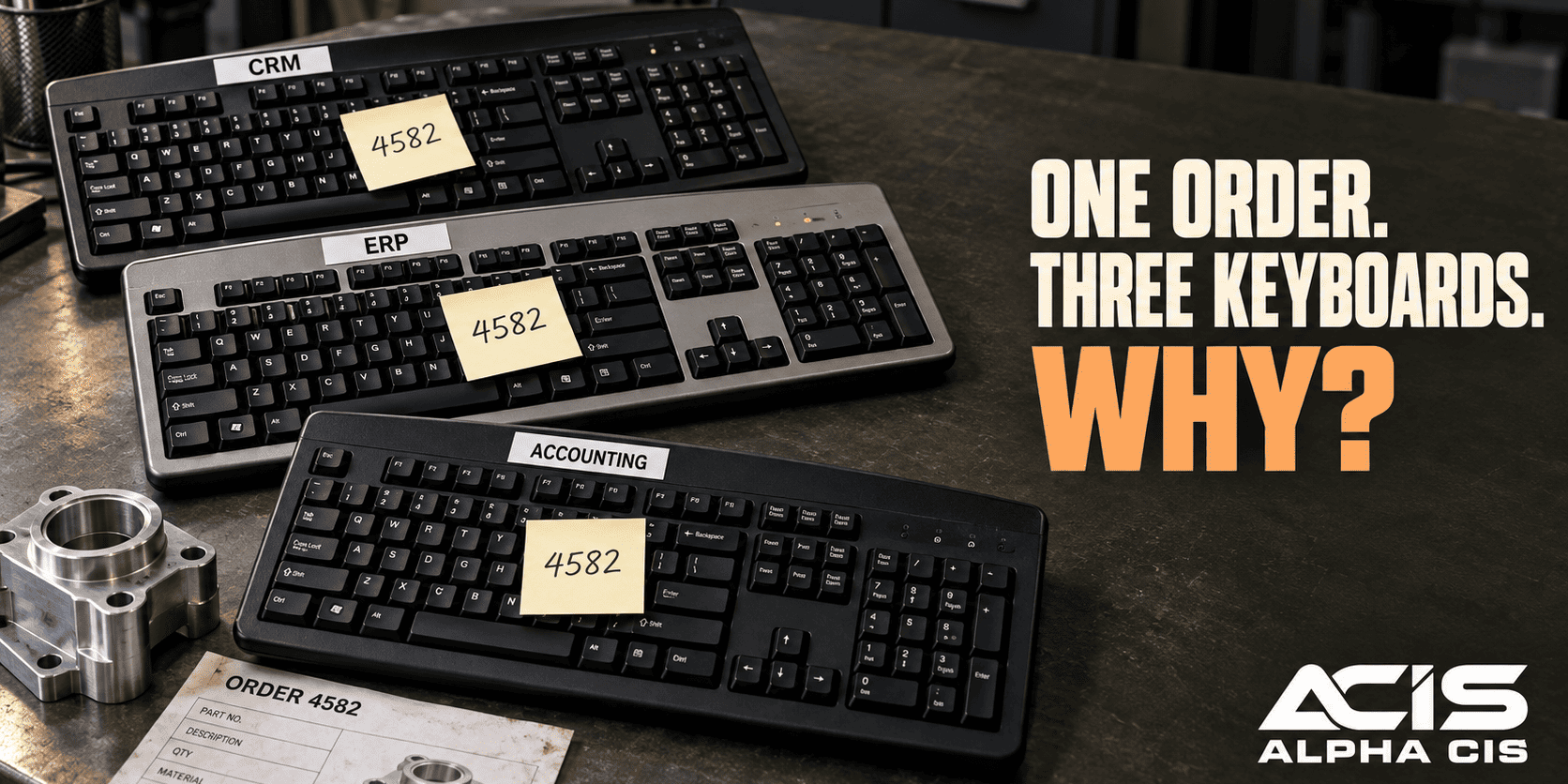
The same customer’s name, phone number, and order details get typed three or four times: once into the CRM, once into a spreadsheet the sales manager tracks, and once into the accounting system when the invoice gets created. Each retype is a chance for a typo, a transposed digit, or a missed field. Nobody is being careless. The process itself just asks for the same information more than once.

11:00 AM: Follow-Ups Depend on Someone Remembering

A salesperson promised to call a prospect back “next Tuesday.” That promise lives in a sticky note, a mental note, or a calendar entry that competes with a dozen other reminders. When Tuesday gets busy, the follow-up slips. Multiply that across a team of five salespeople and a few dozen open opportunities, and some real revenue quietly disappears because nobody followed up in time.

1:00 PM: Reports Take Time Away From Actual Work

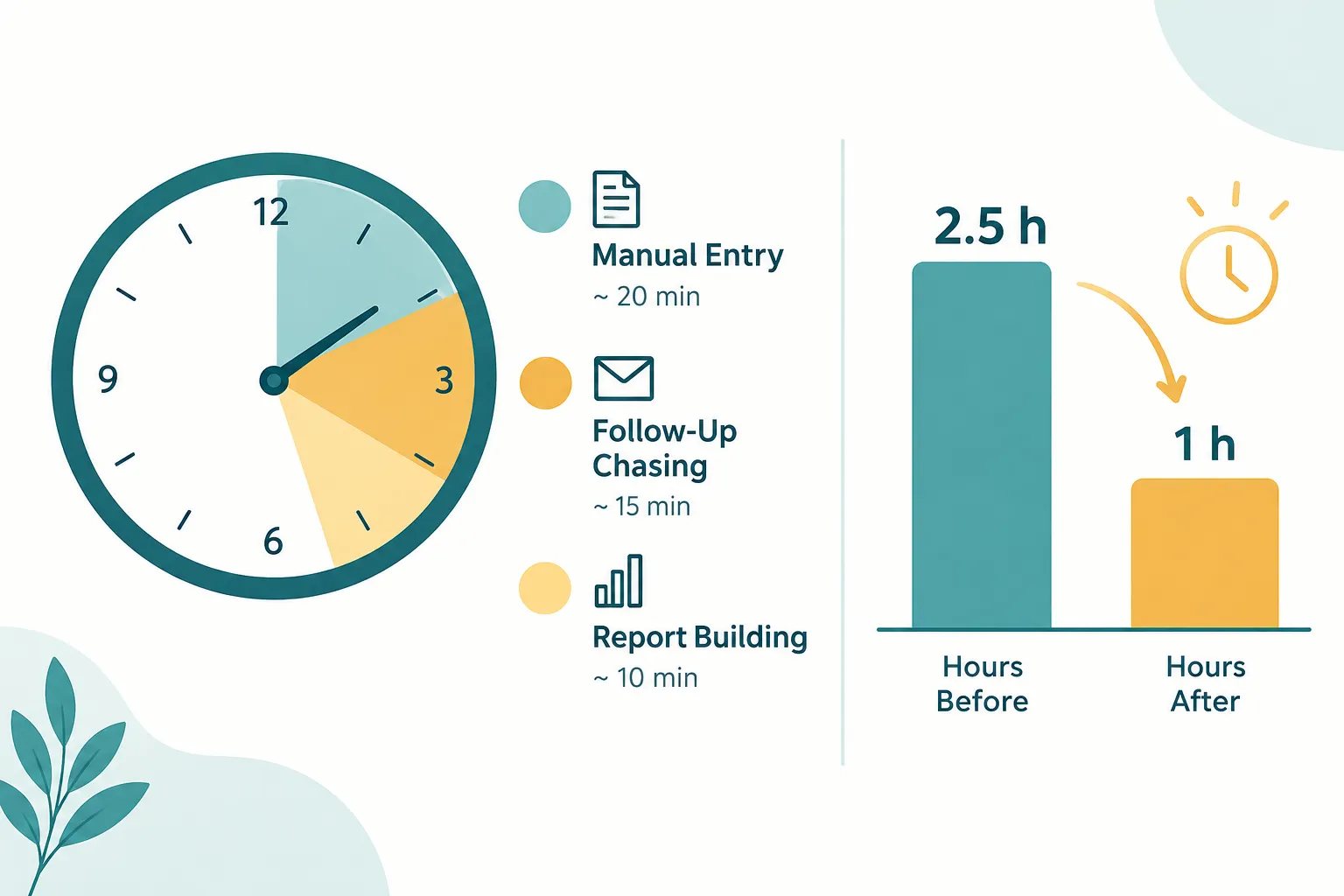
Before the Thursday leadership meeting, the operations manager spends close to an hour pulling numbers from the CRM, a spreadsheet, and the accounting system, then formatting them into one update. None of that hour involves solving a problem or talking to a customer. It is copying, checking, and pasting so the business has a clear picture of its own week.

The Turning Point: Introducing AI Automation for Small Business

The shift starts with mapping, not buying software. A partner sits down with the team, walks through a normal day, and identifies where information gets typed more than once, where decisions wait on an email, and where reports get rebuilt from scratch every week.

The Turning Point: Introducing AI Automation for Small Business

From there, the goal is to connect your existing systems, not replace them. The CRM stays the CRM. The accounting software stays the accounting software. What changes is the handoff between them:

  • Web forms and inbound emails route leads into the CRM automatically, tagged by type and source.
  • A rule assigns each new lead to the right salesperson based on territory or product line.
  • Approved customer or order details flow from the CRM into the accounting system without retyping.
  • A follow-up task gets created the moment a deal moves into a new stage, with a built-in reminder.
  • A report pulls current numbers from each connected system on a set schedule.

This is what workflow automation actually looks like in practice. It is a set of small, specific handoffs, each one replacing a task someone used to do by hand.

The Workday After AI Automation for Small Business

After automation, the same business runs through the same four moments in the day, but the manual steps are gone. The work that remains is the work that actually needs a person.
The Workday After AI Automation for Small Business

New leads land directly in the CRM the moment they arrive, tagged and assigned without anyone reading an inbox first. The right salesperson gets a notification within minutes instead of finding out at 9:15 from a forwarded email. Customer details entered once during intake flow into the accounting system automatically when an order is approved, so nobody retypes a name or an order number a second or third time.

Follow-up tasks get created the moment a deal changes stage, with a reminder tied to a date instead of a memory. The salesperson still makes the call and still has the conversation. The system just makes sure the call happens on time.

By Thursday, the weekly report is mostly assembled before the operations manager opens the laptop. The numbers already pulled from the CRM, the spreadsheet, and the accounting system sit in one place, ready for a quick review instead of an hour of manual building. The manager’s job becomes checking the story the numbers tell, not building the report from scratch.

What Still Requires People? Can AI Automation Replace My Employees?

AI automation for small business is not designed to replace your employees. It is built to remove the repetitive steps around their work so they can spend more time on the parts of the job that actually require a person.

People remain essential for:

  • Customer relationships, trust, and the tone of a conversation
  • Negotiation, pricing judgment, and reading a room
  • Approving exceptions, refunds, or anything outside the normal pattern
  • Reviewing automated outputs before they go out the door on anything sensitive
  • Handling the unusual situation that does not fit the standard workflow

A good rule of thumb: if the task is the same steps every time with a clear right answer, it is a candidate for automation. If it requires reading a customer’s mood or making a judgment call, it stays with a person.

How Much Time Can AI Automation Save a Small Business Owner?

The honest answer is that it depends entirely on which tasks you automate and how often your team repeats them, but most small businesses can recover several hours per employee each week by automating just the top two or three repetitive tasks. A simple formula gets you a real estimate instead of a guess.

Use this calculation:

Minutes per task × monthly frequency × employees involved = total minutes per month.

Divide that number by 60 to get hours, then multiply by an average hourly labor cost to estimate the dollar value. For example, if data entry for a new customer takes 6 minutes, happens 150 times a month, and involves 2 employees, that is 1,800 minutes, or 30 hours a month, tied up in one task alone.

How Much Time Can AI Automation Save a Small Business Owner?

This is an estimate, not a guarantee. Your actual savings depend on how many of those minutes can realistically move to an automated workflow versus how many still need a person to review or approve the result.


Small Business Automation Savings Calculator

SMALL BUSINESS AUTOMATION PLANNER

What is repetitive work costing you?

Enter your task time, frequency, and team size. Then explore how automation could free up time for customers, decisions, and growth. Results update as you type.

1. Your current workload

Time one employee spends completing one task.
If using a team-wide task count, set employees to 1.
Assumes the same task volume per employee.
Include benefits and payroll costs if known.

2. Explore an automation scenario

Your assumption, not a predicted AI result. Allow for review, exceptions, and other steps that remain manual.
Optional: estimate net value and payback
Software, maintenance, and ongoing support.
Setup, testing, and initial training.

If you enter only one cost, the other is treated as $0. Annual figures assume 12 similar months.

Enter your workload numbers, or try the example.

Planning estimate only. Freed time represents capacity for other work and is not automatically cash savings. Results depend on which steps can realistically be automated. Figures are rounded for display; calculations use unrounded values. No data is sent to a server.

Ready to Take Manual Work Off Your Plate?

Stop wasting valuable hours on repetitive tasks, disconnected systems, and processes that should be automated. AlphaCIS helps businesses use AI and automation to streamline everyday work, reduce errors, and get more done with less manual effort.

Whether it’s automating workflows, connecting your existing tools, or building a custom solution around the way your business operates, we help turn time-consuming processes into smarter, more efficient systems.

🤖 Book Your Free AI Automation Consultation

What Tasks Should I Automate First in My Small Business?

Start with the task that repeats the most often and touches the most people, not the one that seems most impressive to fix. The best first candidates share three traits: they happen frequently, they follow the same steps every time, and a mistake in them is annoying rather than catastrophic.

Good starting points include:

  • Routing and assigning new leads from your website or forms
  • Moving approved customer data from your CRM to your accounting system
  • Creating follow-up reminders automatically when a deal changes stage
  • Pulling routine numbers into a standing weekly or monthly report

Choose one of these first. A single well-chosen workflow proves the value before you touch anything else.

Best AI Automation Tools for Small Business Under $100 a Month

You can start small business automation for well under $100 a month using connector platforms that link tools you already own. The right choice depends on which systems you need to connect and how much customization the workflow requires.

NeedTypical Tool TypeMonthly Range
Connect forms, email, and CRMNo-code automation platformLow tens of dollars
Create and assign follow-up tasksCRM built-in automation featuresOften included with CRM plan
Route and summarize inbound emailAI-assisted email toolsLow tens of dollars
Pull data into recurring reportsSpreadsheet or BI connectorLow tens of dollars

Choose a no-code connector platform if your team is non-technical and your main goal is moving data between apps. Choose your CRM’s built-in automation if you only need reminders and task creation inside one system.

AI Automation for Customer Service vs Accounting vs Marketing

AI automation applies differently depending on the department, because each one has different repetitive tasks and different tolerance for error. Customer service automation focuses on speed and routing. Accounting automation focuses on accuracy and approval. Marketing automation focuses on timing and consistency.

  • Customer service: Automatically sort incoming questions, route them to the right person, and draft first-response replies for a human to review before sending.
  • Accounting: Move approved invoice or order data between systems automatically, but keep a person approving anything involving money leaving the business.
  • Marketing: Automate follow-up emails, lead scoring, and campaign scheduling, while a person still writes and approves the message itself.

Choose customer service automation first if response time is your biggest complaint. Choose accounting automation first if duplicate entry is eating the most hours.

AI Automation for Small Business: Real Examples and Case Studies

A composite example helps make this concrete. A 15-person CPA firm automated the intake of new client documents: instead of staff manually renaming and filing uploads, a workflow automatically sorted files by client and tax year and notified the assigned preparer. The firm’s administrative staff reported the sorting task went from a daily 45-minute block to a quick review.

A small automotive service department connected its online booking form directly to its service scheduling system, removing the step where a receptionist retyped each appointment by hand. A dental practice automated appointment reminder texts tied to its scheduling software, cutting the number of staff hours spent on manual reminder calls each week.

These examples describe realistic, common patterns rather than published case study results. Your results will vary based on your current process and how many steps can genuinely be automated.

Is AI Automation Worth It for a Solo Entrepreneur?

Yes, automation can be worth it for a solo entrepreneur, often more so than for a larger team, because every hour saved goes directly back to the owner instead of being split across staff. A one-person business usually benefits most from automating lead intake, invoice reminders, and follow-up scheduling.

Choose automation as a solo entrepreneur if you are turning away work because administrative tasks eat your day. Skip it for now if your current task volume is low enough that manual handling takes only a few minutes a day. The threshold to cross is usually when repetitive tasks start costing you billable hours or missed opportunities.

How to Get Started With AI Automation If You Have No Tech Skills

You do not need technical skills to start with AI automation for small business. Most no-code connector platforms use plain-language triggers and actions, and a managed automation partner can build the first workflow for you while you focus on running the business.

A practical starting path looks like this:

  1. Pick one recurring task that your team repeats often, such as lead entry or follow-up reminders.
  2. Write down the current steps, including who touches the task and how long it takes.
  3. Identify the systems involved, such as your CRM, email, and accounting software.
  4. Connect those systems using a no-code platform or your CRM’s built-in automation features, or have a partner build it.
  5. Test with real data for a week before rolling it out to the whole team.
  6. Review the result against your original time estimate.

This approach keeps the first project small enough to understand fully, even if automation is new to you.

How to Integrate AI Automation With Your Existing Business Software

Integration works by connecting the software you already use through built-in connectors, automation platforms, or simple application programming interfaces, so data moves between systems without manual re-entry. You keep your current CRM, accounting software, and email, and the automation layer sits on top of them.

Before connecting anything, confirm three things: which fields need to match between systems, who approves data before it moves, and what happens if a system is temporarily unavailable. Skipping this step is the most common cause of integration headaches later.

Common Mistakes Small Businesses Make With AI Automation

The most common mistake is trying to automate too much at once instead of proving value with one workflow first. Other frequent missteps include:

  • Automating a broken process instead of fixing it first
  • Skipping a testing period before rolling a workflow out company-wide
  • Leaving no one responsible for reviewing automated output
  • Choosing a tool before mapping the actual workflow
  • Assuming automation needs zero oversight once it is running

Avoid these by starting narrow, testing with real data, and assigning one person to monitor the first workflow for a few weeks.

How Long Does It Take to See ROI From AI Automation?

Most small businesses see a measurable return within 30 to 90 days of launching their first automated workflow, since the time savings show up as soon as the workflow replaces a daily or weekly manual task. Simple workflows connecting two systems, like lead intake to CRM, often show results faster than complex multi-system reporting automations.

The fastest path to a visible return is choosing a task that happens daily rather than monthly, since frequent repetition means the savings compound quickly.

What Happens If AI Automation Makes a Mistake in My Business?

If an automated workflow makes a mistake, the fix usually involves correcting the data at its source and adding a review step before the automation repeats the error. Most automation mistakes come from bad input data, not from the automation logic itself.

Build in safeguards from the start: a person reviewing anything involving money, approvals, or outbound customer communication before it finalizes. This keeps automation fast without removing accountability.

Small Business Owners Who Shouldn’t Use AI Automation Yet

Automation is not the right next step for every business at every stage. Hold off if your task volume is too low to justify setup time, your current processes are inconsistent or undocumented, or your team is mid-transition to new core software.

Choose to wait if you cannot yet describe your workflow in clear, repeatable steps. Automating an undefined process usually just automates the confusion.

How to Start Without Overhauling the Business

The safest way to start is small: choose one repetitive workflow, measure its current cost in time and money, automate it, then evaluate before expanding. This keeps risk low and gives you real data instead of a guess about what automation can do for your business.

A simple sequence to follow:

  1. Pick the single most repeated task in your business.
  2. Measure how long it currently takes and how often it happens.
  3. Automate that one workflow using existing tools where possible.
  4. Run it for 30 days and compare actual time saved to your estimate.
  5. Only then decide whether to automate a second workflow.

This step-by-step approach turns business process automation into a series of small, provable wins instead of one large, risky project.

FAQ

What is AI automation for small business in simple terms?
It is software that moves information between the tools you already use, like email, your CRM, and your accounting system, so employees stop retyping the same data multiple times a day.

Do I need to replace my current software to automate workflows?
No. Most small business automation connects your existing CRM, spreadsheets, and accounting software rather than replacing any of them.

How much does small business automation typically cost to start?
A first workflow often costs well under $100 a month using no-code connector platforms or features already included in your CRM.

Can AI automation handle customer service completely on its own?
No. It can sort, route, and draft responses, but a person should review anything sensitive before it reaches a customer.

What is the biggest time-waster automation usually fixes first?
Duplicate data entry across systems is usually the fastest and most noticeable fix for most small businesses.

How do I know if a task is ready to automate?
If the task follows the same steps every time and has a clear correct outcome, it is a strong candidate. If it requires judgment, it is not.

Is it risky to automate accounting-related tasks?
Keep a person approving anything involving money leaving the business. Automation can move the data, but approval should stay human.

How long before I see results after automating a workflow?
Most businesses notice a measurable difference within 30 to 90 days, especially for daily tasks like lead routing or follow-up reminders.

Conclusion

AI automation for small business does not require rebuilding your technology from scratch or replacing your team. It means finding the two or three repetitive tasks that eat the most hours each week and connecting the systems you already trust so that work happens automatically instead of manually. Start with one workflow, measure it honestly, and let the result tell you whether to expand.

If your team is still copying the same customer details three times a day or chasing follow-ups through a sticky note system, that is the workflow to fix first.

Ready to Make Your Team’s Workday More Productive?

AlphaCIS helps businesses identify repetitive work, connect existing systems, and build AI-powered workflows that reduce manual effort and give employees more time for valuable work.

Explore AI Automation for Your Business

Ready to Automate the Work Slowing You Down?

Your team shouldn't spend hours on repetitive tasks that technology can handle. AlphaCIS builds AI-powered automations and custom workflows that save time, reduce manual work, and help your business operate more efficiently.

Book Your Free Automation Consultation
author avatar
Dmitriy Teplinskiy
I have worked in the IT industry for 15+ years. During this time I have consulted clients in accounting and finance, manufacturing, automotive and boating, retail and everything in between. My background is in Networking and Cybersecurity

Dmitriy Teplinskiy

I have worked in the IT industry for 15+ years. During this time I have consulted clients in accounting and finance, manufacturing, automotive and boating, retail and everything in between. My background is in Networking and Cybersecurity

All author posts

Privacy Preference Center