Sixty percent of small businesses that suffer a cyberattack go out of business within six months. Multi-factor authentication (MFA) for small businesses represents one of the most effective defenses against this threat, requiring users to provide two or more verification factors beyond just a password. This comprehensive multi-factor authentication guide covers business MFA best practices, implementation strategies, and how to protect your company from the rising tide of cyber threats targeting small and medium businesses.
Key Takeaways
- Multi-factor authentication reduces the risk of successful cyberattacks by up to 99.9% compared to password-only security
- Microsoft 365 MFA should be your priority, as email compromise leads to most business breaches
- Authenticator apps provide better phishing protection than SMS codes for business authentication security
- All employees need MFA protection, not just administrators, to prevent lateral movement attacks
- Hardware security keys offer the strongest protection for high-privilege accounts and sensitive business applications
- MFA fatigue attacks are becoming common, making proper employee training essential for cybersecurity best practices
- Backup authentication methods prevent business disruption when employees lose their primary MFA device
- Remote work environments make MFA mandatory for secure access to company resources and data
What Is Multi-Factor Authentication and How Does It Work?
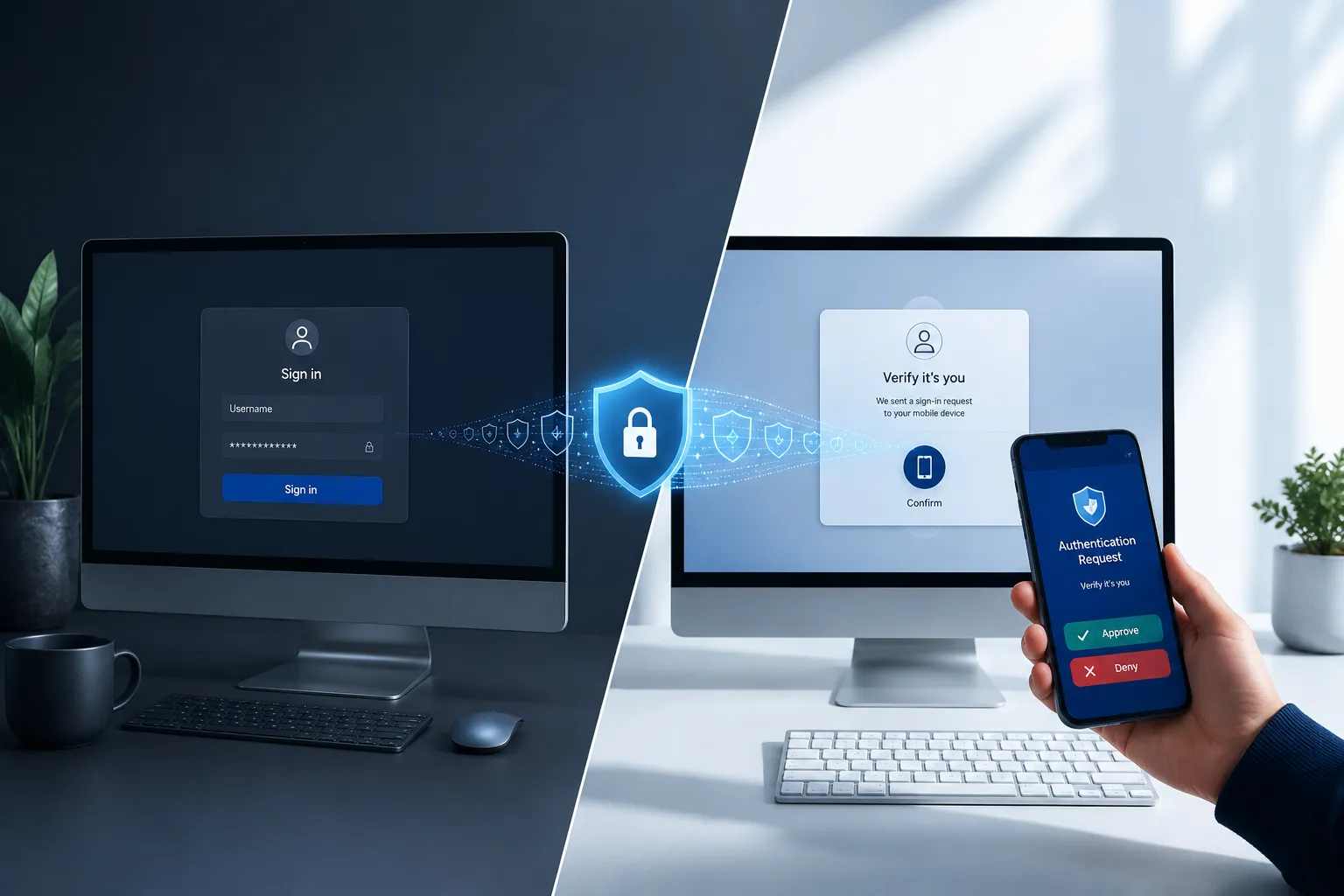
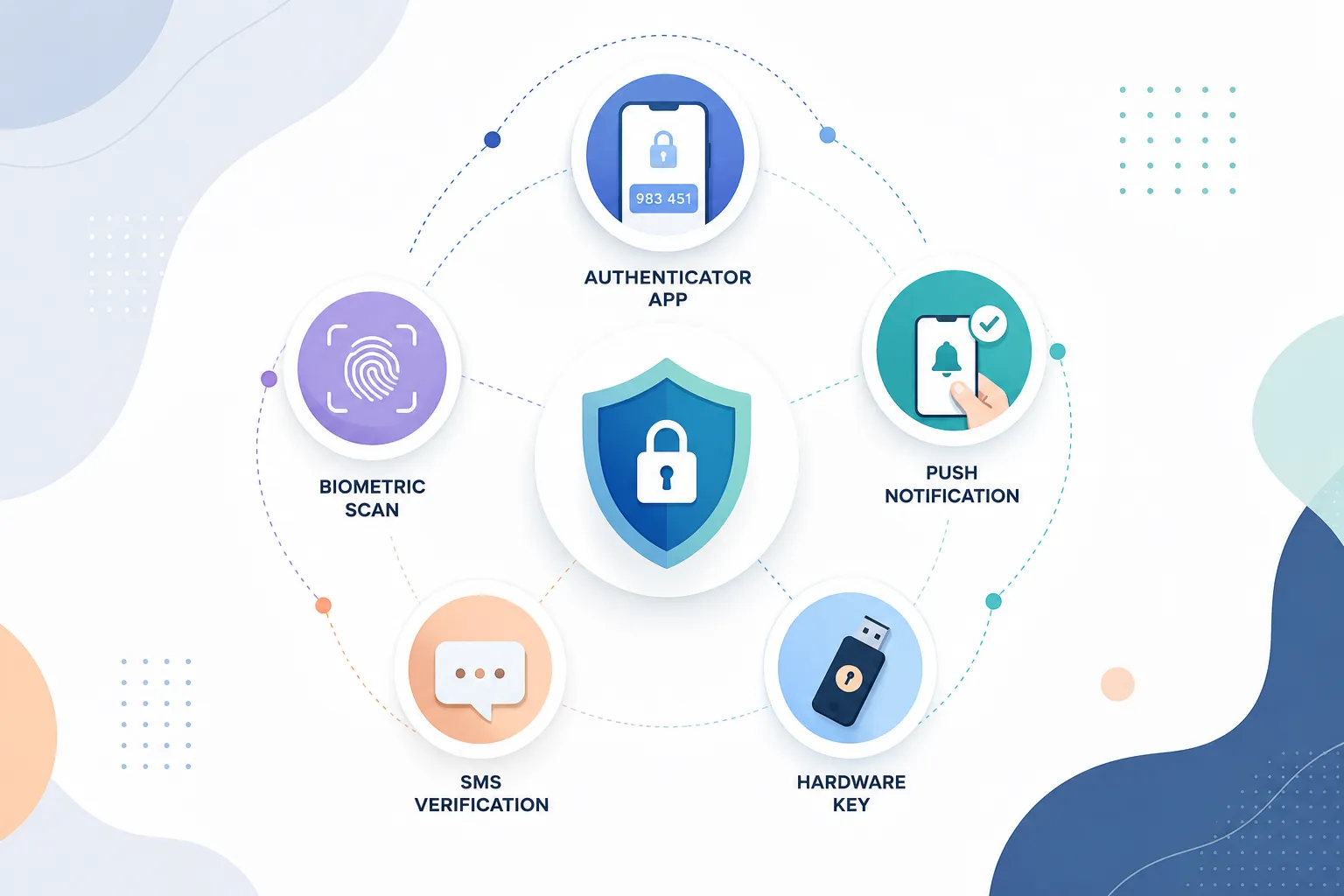
Multi-factor authentication (MFA) is a security method that requires users to provide two or more different types of evidence to verify their identity before accessing an account or system. Instead of relying solely on a password, MFA combines something you know (password), something you have (phone or security key), and something you are (fingerprint or face scan).
The authentication process works by layering these different factors together. When you log into a protected account, you first enter your username and password as usual. The system then prompts for a second factor, such as a code from your phone or a fingerprint scan. Only after successfully providing both factors does the system grant access.
This layered approach makes it exponentially harder for attackers to gain unauthorized access. Even if they steal your password through phishing or a data breach, they still need physical access to your phone or biometric data to complete the login process.
The three main authentication factors include:
- Knowledge factors: Passwords, PINs, or security questions
- Possession factors: Smartphones, hardware tokens, or smart cards
- Inheritance factors: Fingerprints, facial recognition, or voice patterns
For maximum security, businesses should combine factors from at least two different categories. This creates multiple barriers that cybercriminals must overcome to compromise your accounts.
Why Do Small Businesses Need MFA?
Small businesses need MFA because they face the same cyber threats as large corporations but typically have fewer resources to recover from successful attacks. Cybercriminals increasingly target smaller companies, knowing they often lack dedicated IT security teams and comprehensive cybersecurity best practices.
Password-only security simply cannot withstand modern attack methods. Criminals use sophisticated techniques like credential stuffing, where they test millions of stolen username-password combinations across different websites. They also employ social engineering to trick employees into revealing login information or clicking malicious links.
Small businesses are particularly vulnerable because:
- Employees often reuse passwords across multiple business and personal accounts
- Limited IT budgets mean security updates and monitoring may be inconsistent
- Remote work has expanded the attack surface beyond traditional office networks
- Business email compromise attacks specifically target smaller companies with less sophisticated defenses
- Cyber insurance policies increasingly require MFA implementation for coverage
The financial impact of a successful cyberattack can be devastating. Beyond immediate costs like ransom payments or system recovery, businesses face lost productivity, damaged customer relationships, and potential regulatory fines. Many small companies never fully recover their reputation or customer base after a significant breach.
MFA provides peace of mind by creating a reliable barrier against the most common attack vectors. Even if an employee accidentally enters their password on a phishing site, the attacker cannot access company systems without the second authentication factor.
How Much Does MFA Cost for Small Business?
MFA costs for small businesses typically range from free to $6 per user per month, depending on the solution and features required. Many popular business applications like Microsoft 365 and Google Workspace include basic MFA capabilities at no additional cost, making it accessible even for companies with tight IT budgets.
Free MFA options include:
- Microsoft Authenticator app for Microsoft 365 accounts
- Google Authenticator for Google Workspace
- Built-in MFA features in popular business applications
- SMS-based authentication (though less secure than other methods)
Paid MFA solutions typically cost:
- $1-3 per user per month for basic third-party authenticator services
- $3-6 per user per month for enterprise-grade solutions with advanced features
- $20-50 per hardware security key for high-security environments
- Additional costs for integration support and employee training
The return on investment becomes clear when compared to breach costs. The average small business data breach costs over $120,000, while implementing comprehensive MFA across a 20-person company might cost less than $1,200 annually.
Most businesses should start with free built-in MFA options before considering paid solutions. Microsoft 365 MFA, for example, provides robust protection for email and office applications without additional licensing fees. You can always upgrade to more advanced solutions as your security needs grow.
MFA vs Password Manager: Which Is Better?
MFA and password managers serve different but complementary roles in business security, and you need both for comprehensive account security for small business protection. Password managers create and store unique, complex passwords for every account, while MFA adds a verification layer that protects against password theft.
Password managers solve the fundamental problem of password reuse and weak passwords. They generate random, complex passwords for each account and store them securely, so employees only need to remember one master password. This eliminates the common practice of using the same password across multiple business and personal accounts.
Password managers excel at:
- Generating unique, complex passwords for every account
- Automatically filling login credentials to prevent phishing
- Sharing business passwords securely among team members
- Identifying weak or compromised passwords across your organization
MFA provides protection that password managers cannot:
- Defense against password theft through phishing or data breaches
- Protection when employees access accounts on unmanaged devices
- Additional security for high-privilege administrator accounts
- Compliance with cyber insurance and regulatory requirements
The most effective approach combines both technologies. Use a business password manager to ensure every account has a unique, strong password, then enable MFA on all critical business systems. This creates multiple layers of protection that significantly reduce your risk of successful cyberattacks.
Consider starting with MFA implementation if you can only tackle one initiative at a time. MFA provides broader protection against current attack methods, while password managers primarily defend against password-related vulnerabilities.
How to Set Up MFA in Microsoft 365
Setting up Microsoft 365 MFA should be your priority because email compromise leads to most small business cyberattacks. Microsoft provides built-in MFA capabilities that protect all Office applications, including Outlook, Teams, SharePoint, and OneDrive, without additional licensing costs.
Step-by-step Microsoft 365 MFA setup:
- Access the admin center: Sign in to admin.microsoft.com with your administrator account
- Navigate to security settings: Go to Setup > Sign-in and security > Multi-factor authentication
- Enable security defaults: Turn on security defaults for automatic MFA enforcement across all users
- Configure user settings: Choose which users require MFA (recommend all users, not just administrators)
- Set up authentication methods: Allow authenticator apps, phone calls, and SMS as backup options
- Test the configuration: Have each user complete MFA setup during their next login
Alternative method for more control:
If you need granular control over MFA policies, disable security defaults and create conditional access policies instead. This allows you to set different MFA requirements based on user roles, locations, or device types. However, most small businesses benefit from the simplicity of security defaults.
User enrollment process:
When users first log in after MFA enablement, they’ll be prompted to set up their authentication method. Guide employees to choose the Microsoft Authenticator app as their primary method, with SMS as a backup option. The authenticator app provides better phishing protection and works without cellular service.
Common setup challenges:
- Users may need help installing and configuring the authenticator app
- Some employees resist the additional login step initially
- Backup authentication methods are essential for business continuity
- Administrator accounts should use the most secure authentication methods available
Provide same-day support during the initial rollout to address user questions and technical issues. Most employees adapt to the new process within a few days, especially when they understand how MFA protects both company and personal data.
Best MFA Apps for Small Business Teams
The best MFA apps for small business teams balance security, usability, and cost-effectiveness while integrating smoothly with existing business applications. Microsoft Authenticator leads for businesses using Microsoft 365, while other solutions may better serve companies with diverse technology stacks.
Microsoft Authenticator provides the most seamless experience for Microsoft 365 environments. It supports push notifications for passwordless authentication, works offline for code generation, and integrates with other Microsoft security features. The app is free and automatically syncs across devices when users sign in with their Microsoft account.
Google Authenticator offers broad compatibility with various business applications and services. While it lacks cloud sync features, this limitation actually enhances security by keeping authentication codes local to each device. It’s ideal for businesses using Google Workspace or mixed technology environments.
Authy stands out for its backup and sync capabilities, allowing users to access their authentication codes on multiple devices. This reduces help desk calls when employees get new phones but requires careful consideration of the security trade-offs involved in cloud synchronization.
Duo Mobile provides enterprise-grade features including push notifications, offline access, and detailed security reporting. It’s particularly valuable for businesses that need advanced authentication policies and integration with various business applications beyond just email and office suites.
Selection criteria for small businesses:
- Compatibility: Works with your existing business applications and services
- Ease of use: Employees can set up and use without extensive technical support
- Backup options: Provides recovery methods when devices are lost or replaced
- Cost: Fits within your IT budget while providing necessary security features
- Support: Offers reliable customer support and documentation for troubleshooting
Start with the authenticator app that matches your primary business platform. If you use Microsoft 365, begin with Microsoft Authenticator. Google Workspace users should start with Google Authenticator. You can always add additional authentication methods later as your security requirements evolve.
Is MFA Required for Remote Work Security?
MFA is essential for remote work security because employees access business systems from various locations and devices that are outside your direct IT control. Remote work environments create multiple security challenges that password-only authentication cannot adequately address.
Remote work security risks include:
- Unsecured networks: Employees connect from coffee shops, airports, and home networks with varying security levels
- Personal devices: Mixed use of company and personal equipment increases the attack surface
- Phishing attacks: Remote workers may be more susceptible to social engineering attempts
- Credential theft: Home networks may lack enterprise-grade security monitoring and protection
MFA addresses these risks by:
- Protecting against password theft even when employees use unsecured networks
- Providing additional verification when accessing company resources from new locations
- Blocking unauthorized access attempts even if credentials are compromised
- Meeting cyber insurance requirements for remote work coverage
Critical applications requiring MFA for remote workers:
- Email and communication platforms (Microsoft 365, Google Workspace)
- VPN access to company networks and resources
- Cloud storage and file sharing services
- Customer relationship management (CRM) systems
- Financial and accounting applications
- Remote desktop connections to office computers
Implementation considerations:
Remote employees need reliable backup authentication methods since they may not have immediate IT support available. Provide multiple authentication options and clear instructions for troubleshooting common issues. Consider hardware security keys for employees who frequently work from various locations.
The shift to remote work has made MFA a business necessity rather than an optional security enhancement. Companies without MFA protection face significantly higher risks of successful cyberattacks and may struggle to obtain affordable cyber insurance coverage.

How Does MFA Protect Against Phishing Attacks?
MFA provides powerful phishing protection by creating an additional barrier that attackers cannot easily overcome, even when employees inadvertently provide their passwords to fraudulent websites. Modern MFA methods like authenticator apps and hardware keys offer context-aware protection that can detect and block sophisticated phishing attempts.
Traditional phishing vulnerabilities:
When employees enter their username and password on a fake website, attackers immediately gain access to those credentials. Without MFA, criminals can use this information to log into real business accounts within minutes. This speed makes password-only security inadequate against current phishing techniques.
How MFA disrupts phishing attacks:
- Time-sensitive codes: Authentication codes expire quickly, limiting the window for attackers to use stolen credentials
- Device-specific authentication: Codes generated on employee devices cannot be easily replicated by attackers
- Context awareness: Advanced MFA solutions detect unusual login locations or device characteristics
- Push notification verification: Employees receive real-time alerts about login attempts they didn’t initiate
Strongest phishing protection methods:
Hardware security keys provide the highest level of phishing protection because they use cryptographic protocols that verify the authenticity of websites. These keys only work with legitimate websites and cannot be tricked by convincing fake login pages.
Authenticator apps offer strong protection by generating time-based codes that expire every 30-60 seconds. Even if an employee provides both their password and current authentication code to a phishing site, the attacker has a very limited time window to use this information.
SMS limitations:
SMS-based MFA provides basic protection but remains vulnerable to SIM swapping attacks and sophisticated phishing campaigns. Attackers can intercept SMS messages or trick employees into providing authentication codes during fake “verification” calls.
Employee training remains important:
While MFA significantly reduces phishing risks, employee education about recognizing suspicious emails and websites remains crucial. The most effective security strategy combines technical controls like MFA with regular training on cybersecurity best practices.
MFA for Small Business with Limited IT Staff
Small businesses with limited IT staff can successfully implement MFA by choosing solutions that require minimal ongoing management and provide reliable user support resources. The key is selecting authentication methods that employees can set up and maintain independently while ensuring business continuity.
Low-maintenance MFA approaches:
Start with built-in MFA features in your existing business applications rather than deploying separate authentication systems. Microsoft 365 and Google Workspace include robust MFA capabilities that require minimal IT administration once initially configured.
Streamlined implementation strategy:
- Enable security defaults: Use automatic MFA enforcement rather than complex conditional access policies
- Standardize on one authenticator app: Reduce support complexity by having all employees use the same solution
- Create simple setup guides: Develop step-by-step instructions with screenshots for common devices
- Establish backup procedures: Ensure employees have multiple authentication methods configured
- Document recovery processes: Create clear procedures for handling lost devices or authentication issues
Self-service capabilities:
Choose MFA solutions that allow employees to manage their own authentication methods without IT intervention. Modern authenticator apps enable users to add new devices, generate backup codes, and troubleshoot common issues independently.
Vendor support resources:
Leverage manufacturer support resources and documentation rather than trying to provide all technical support internally. Microsoft, Google, and other major providers offer extensive user guides, video tutorials, and direct support options.
Common challenges and solutions:
- User resistance: Emphasize how MFA protects both company and personal information
- Technical difficulties: Provide same-day support during initial rollout, then rely on vendor resources
- Device management: Use cloud-based authenticator apps that sync across multiple devices
- Business continuity: Ensure every user has at least two different authentication methods configured
Outsourcing considerations:
Consider partnering with a local IT service provider for initial MFA implementation and ongoing support. This approach provides access to specialized expertise while maintaining cost-effectiveness for small business budgets.
The goal is implementing strong security without overwhelming your limited IT resources. Focus on solutions that provide maximum security benefit with minimal ongoing administrative overhead.
Do All Employees Need MFA or Just Admin Accounts?
All employees need MFA protection, not just administrator accounts, because modern cyberattacks often target regular user accounts as entry points for broader network compromise. Limiting MFA to administrators creates a false sense of security while leaving significant vulnerabilities throughout your organization.
Why regular employees are targeted:
Cybercriminals frequently compromise standard user accounts first, then use those credentials to move laterally through business systems and escalate their privileges. An attacker who gains access to any employee’s email can often reach sensitive business information, customer data, or financial systems.
Common attack patterns:
- Email compromise: Attackers use employee email accounts to send convincing phishing messages to customers and partners
- Data exfiltration: Regular employees often have access to customer information, financial records, or proprietary business data
- Privilege escalation: Criminals use compromised employee accounts to request password resets for administrator accounts
- Business email compromise: Attackers impersonate employees to redirect payments or authorize fraudulent transactions
Risk-based approach:
While all employees should have MFA enabled, you can implement different security levels based on access requirements. High-privilege accounts like administrators and financial personnel should use the strongest authentication methods, such as hardware security keys.
Practical implementation:
- Standard employees: Authenticator apps with SMS backup for email and basic business applications
- Administrators: Hardware security keys or advanced authenticator methods for all system access
- Financial personnel: Multiple MFA factors for accounting systems and payment processing
- Remote workers: Enhanced MFA requirements for VPN and remote system access
Business justification:
The cost difference between protecting all employees versus just administrators is minimal with modern MFA solutions. Microsoft 365 and Google Workspace include MFA for all users at no additional cost, making selective implementation unnecessary from a budget perspective.
Compliance considerations:
Many cyber insurance policies and regulatory frameworks require MFA protection for all users with access to sensitive data, not just administrators. Implementing comprehensive MFA coverage helps ensure compliance and may reduce insurance premiums.
The most effective security strategy treats every employee account as a potential entry point for attackers and protects accordingly.
Authenticator App vs SMS for MFA: Which Is More Secure?
Authenticator apps provide significantly better security than SMS for business MFA because they generate codes locally on the device and cannot be easily intercepted or redirected by attackers. SMS-based authentication remains vulnerable to several attack methods that specifically target small businesses.
Authenticator app advantages:
- Local code generation: Authentication codes are created on the device using cryptographic algorithms, making interception impossible
- Offline functionality: Apps work without cellular or internet connectivity, ensuring access during network outages
- Phishing resistance: Advanced apps can detect fake websites and refuse to provide codes for fraudulent login pages
- No SIM swapping risk: Attackers cannot redirect authentication codes by taking control of phone numbers
SMS vulnerabilities:
SMS authentication faces multiple security weaknesses that make it unsuitable as a primary MFA method for business use. SIM swapping attacks allow criminals to transfer phone numbers to devices they control, intercepting all authentication codes sent via text message.
Specific SMS attack methods:
- SIM swapping: Attackers convince cellular providers to transfer phone numbers to new devices
- SS7 network exploitation: Criminals exploit telecommunications infrastructure to intercept SMS messages
- Social engineering: Attackers call employees pretending to be IT support and request authentication codes
- Malware interception: Mobile malware can capture and forward SMS messages to attackers
When SMS might be appropriate:
SMS can serve as a backup authentication method when primary options are unavailable, but it should never be the only MFA factor for business accounts. Use SMS as a fallback for account recovery when employees lose access to their primary authenticator app.
Implementation recommendations:
Deploy authenticator apps as the primary MFA method for all business accounts, with SMS available only as an emergency backup option. Popular choices include Microsoft Authenticator, Google Authenticator, or Authy, depending on your business application requirements.
Migration strategy:
If your business currently uses SMS-based MFA, plan a gradual migration to authenticator apps. Enable both methods temporarily while employees set up and test their authenticator apps, then disable SMS once everyone has successfully transitioned.
User training considerations:
Employees may initially prefer SMS because it requires no additional app installation or setup. Provide clear training on why authenticator apps offer better security and how they protect both business and personal information from compromise.
The security benefits of authenticator apps far outweigh the minor additional setup complexity, making them the clear choice for business authentication security.

How to Implement MFA Without Disrupting Workflow
Implementing MFA without disrupting workflow requires careful planning, gradual rollout, and choosing authentication methods that integrate seamlessly with existing business processes. The key is balancing security improvements with user productivity and minimizing friction in daily operations.
Phased implementation approach:
Start with pilot groups of tech-savvy employees who can provide feedback and become internal champions for the new security measures. Begin with less critical systems before moving to essential business applications like email and financial software.
Workflow optimization strategies:
- Single sign-on integration: Use MFA solutions that work with existing SSO systems to reduce the number of authentication prompts
- Remember device options: Configure MFA to remember trusted devices for specified periods, reducing daily authentication requirements
- Batch authentication: Schedule MFA prompts during natural workflow breaks rather than interrupting active work sessions
- Context-aware policies: Implement risk-based authentication that requires MFA only for unusual access patterns or high-risk activities
User experience considerations:
Choose authentication methods that employees can complete quickly without disrupting their focus. Push notifications from authenticator apps typically provide the fastest user experience, requiring just a single tap to approve legitimate login attempts.
Training and communication:
Provide comprehensive training before implementation, emphasizing how MFA protects both company and personal information. Address common concerns about workflow disruption and demonstrate how modern MFA solutions minimize daily friction.
Technical optimization:
- Browser integration: Ensure MFA solutions work smoothly with browsers and applications employees use daily
- Mobile compatibility: Test authentication methods on various mobile devices and operating systems
- Network considerations: Verify MFA works reliably across different network connections and locations
- Backup procedures: Establish clear processes for handling authentication issues without significant downtime
Change management:
Involve department leaders in planning and implementation to ensure MFA rollout aligns with business operations. Provide same-day support during initial deployment and maintain open communication channels for addressing user concerns.
Performance monitoring:
Track key metrics like login success rates, support ticket volume, and user satisfaction to identify and address workflow disruptions quickly. Most businesses find that initial resistance decreases significantly within the first week of implementation.
The goal is making security enhancements feel natural and beneficial rather than burdensome to daily operations.
Common MFA Mistakes Small Business Owners Make
Small business owners often make critical MFA implementation mistakes that reduce security effectiveness or create unnecessary operational challenges. Understanding these common pitfalls helps ensure your multi-factor authentication deployment provides maximum protection while maintaining business productivity.
Protecting only administrator accounts represents the most dangerous mistake. Many businesses enable MFA exclusively for IT administrators while leaving regular employee accounts vulnerable to compromise. Attackers frequently target standard user accounts as entry points for broader network access and privilege escalation.
Relying solely on SMS authentication creates false security confidence while maintaining significant vulnerabilities. SMS codes can be intercepted through SIM swapping attacks, SS7 network exploitation, or social engineering techniques that specifically target small businesses.
Inadequate backup authentication methods lead to business disruption when employees lose or replace their primary MFA devices. Businesses should provide at least two different authentication options for each user, such as an authenticator app with backup codes or hardware keys with SMS fallback.
Insufficient user training results in poor adoption rates and increased vulnerability to social engineering attacks. Employees need to understand not just how to use MFA, but why it’s important and how to recognize attempts to bypass these security measures.
Inconsistent MFA deployment across business applications creates security gaps that attackers can exploit. Enable MFA on all systems containing sensitive data, including email, cloud storage, financial applications, and remote access tools.
Ignoring MFA fatigue attacks where criminals flood users with authentication requests until they approve a fraudulent login attempt. Train employees to never approve MFA prompts they didn’t initiate and to report suspicious authentication requests immediately.
Poor recovery procedures for handling lost devices or forgotten authentication methods can lock employees out of critical business systems. Establish clear processes for identity verification and account recovery that don’t compromise security.
Choosing convenience over security by implementing weak MFA methods or overly permissive policies. While user experience matters, security effectiveness should be the primary consideration when selecting authentication methods.
Lack of regular review and updates means MFA configurations become outdated as business needs change. Regularly audit user access, remove inactive accounts, and update authentication policies based on emerging threats.
Failure to integrate with existing systems creates additional complexity and user resistance. Choose MFA solutions that work seamlessly with your current business applications and IT infrastructure.
The most successful MFA implementations balance strong security with practical usability while avoiding these common deployment mistakes.
What Happens If an Employee Loses Their MFA Device?
When an employee loses their MFA device, businesses need established recovery procedures that restore access quickly without compromising security. Proper planning for device loss scenarios prevents extended downtime while maintaining strong authentication requirements.
Immediate response steps:
Contact your IT administrator or designated security contact immediately to report the lost device. Time is critical because the lost device could potentially be used by someone else to access business accounts if found.
Account security measures:
- Revoke device access: Remove the lost device from all MFA-enabled accounts to prevent unauthorized use
- Review recent activity: Check account logs for any suspicious login attempts or unauthorized access
- Reset authentication methods: Remove compromised authentication factors and set up new ones
- Monitor for unusual activity: Watch for signs of account compromise in the days following device loss
Recovery options:
Backup codes: Pre-generated recovery codes allow temporary access to accounts while setting up new authentication methods. These should be stored securely and separate from primary devices.
Alternative authentication methods: Secondary MFA factors like SMS, phone calls, or hardware keys provide access when primary devices are unavailable.
Administrator assistance: IT administrators can temporarily disable MFA requirements for specific accounts while users set up new authentication methods, though this should be done carefully and for limited time periods.
Identity verification: Businesses should require in-person or video verification of employee identity before resetting MFA settings to prevent social engineering attacks.
Prevention strategies:
- Multiple authentication methods: Configure at least two different MFA factors for each employee
- Cloud-based authenticators: Use authenticator apps that sync across multiple devices
- Backup device enrollment: Encourage employees to set up authentication on both work and personal devices
- Regular backup code updates: Generate and securely store new recovery codes periodically
Business continuity planning:
Establish clear procedures for handling device loss scenarios, including after-hours contact information and emergency access procedures. Document these processes and ensure all employees understand the steps to take when devices are lost or stolen.
Security considerations:
Balance quick access restoration with security requirements. Temporary MFA bypasses should be limited in scope and duration, with enhanced monitoring for accounts undergoing recovery procedures.
The goal is minimizing business disruption while maintaining strong security standards throughout the recovery process.
Business MFA Best Practices for Long-Term Protection
Implementing comprehensive business MFA best practices ensures long-term protection against evolving cyber threats while maintaining operational efficiency. These practices go beyond basic MFA deployment to create a robust authentication security framework that adapts to changing business needs.
Risk-based authentication policies automatically adjust MFA requirements based on user behavior, location, and device characteristics. This approach provides stronger protection for high-risk scenarios while reducing friction for routine access from trusted environments.
Regular security audits should review MFA configurations, user access patterns, and authentication logs to identify potential vulnerabilities or policy improvements. Conduct these reviews quarterly or after significant business changes like new employee onboarding or system deployments.
Employee training programs must address both technical MFA usage and security awareness to prevent social engineering attacks. Include scenarios about MFA fatigue attacks, phishing attempts, and proper procedures for reporting suspicious authentication requests.
Backup and recovery planning ensures business continuity when authentication systems fail or employees lose access to MFA devices. Maintain secure offline backup codes and establish clear procedures for identity verification during account recovery.
Integration with identity and access management systems creates centralized control over user authentication across all business applications. This approach simplifies administration while ensuring consistent security policies throughout your technology environment.
Hardware security keys for high-privilege accounts provide the strongest available protection against sophisticated attacks. Deploy these for administrator accounts, financial system access, and other critical business functions.
Monitoring and alerting systems should track authentication failures, unusual access patterns, and potential security incidents. Set up automated alerts for failed MFA attempts, new device registrations, and access from unusual locations.
Vendor security assessments ensure that business applications and service providers maintain strong MFA implementations. Include authentication security requirements in vendor contracts and service level agreements.
Compliance alignment with industry regulations and cyber insurance requirements helps ensure your MFA implementation meets external standards while providing legal protection in case of security incidents.
Continuous improvement processes incorporate lessons learned from security incidents, user feedback, and emerging threat intelligence into MFA policy updates. Stay informed about new attack techniques and authentication technologies that could improve your security posture.
Documentation and procedures should cover all aspects of MFA implementation, from initial setup through ongoing maintenance and incident response. Keep these materials current and accessible to relevant staff members.
These comprehensive practices create a foundation for long-term security that protects your business as it grows and evolves.