

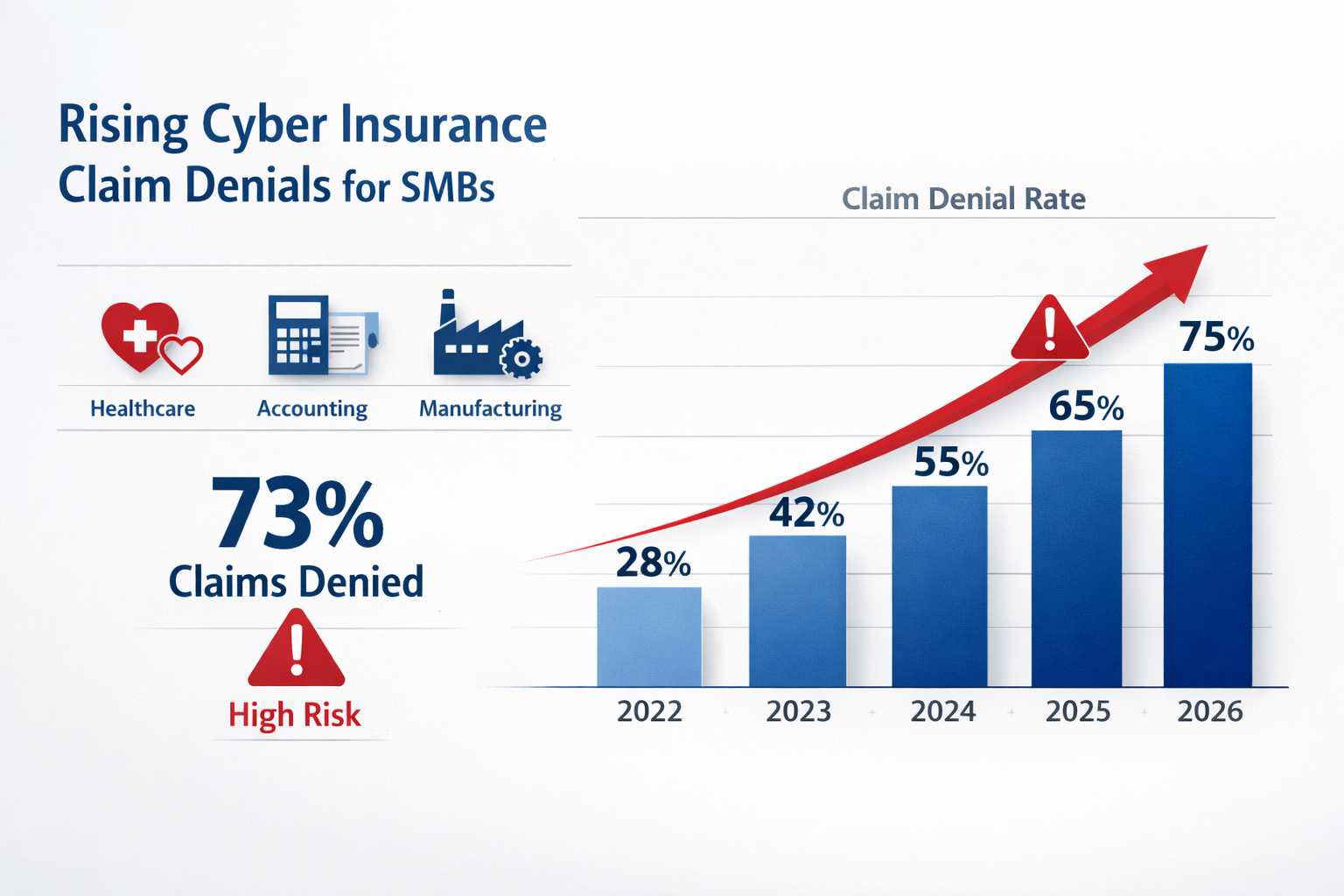
Over 73% of small businesses fail their cyber insurance assessments in 2026, facing either outright coverage denial or premium increases that can exceed 300%. The cyber insurance requirements for small businesses have become significantly more stringent as insurers respond to rising cyber threats and massive claim payouts that reached $7.8 billion in 2025.
Key Takeaways
• Multi-factor authentication (MFA) is now mandatory across all business systems and accounts
• Endpoint Detection and Response (EDR) solutions have replaced basic antivirus as the minimum standard
• Documented backup and recovery procedures with regular testing are required, not optional
• Security awareness training must be completed annually by all employees with certificates
• Patch management policies need formal documentation and consistent implementation
• Most SMBs fail due to poor documentation, misconfigured systems, and reactive security approaches
• Managed IT providers significantly improve approval rates by ensuring proper implementation and documentation
• Coverage denial can leave businesses financially exposed to ransomware attacks, averaging $1.85 million in damages
Why Cyber Insurance Companies Are Tightening Requirements in 2026
Cyber insurers have fundamentally changed their approach after experiencing unprecedented losses from ransomware attacks and data breaches. The shift represents a move from reactive coverage to proactive risk prevention, where insurers now act more like security auditors than traditional insurance providers.
Insurance companies learned expensive lessons when they paid out billions for businesses that had minimal security controls. A single ransomware attack on an unprepared small business can cost insurers millions in ransom payments, business interruption claims, and regulatory fines. As a result, they’ve implemented strict cyber insurance requirements for small businesses that mirror enterprise-level security standards.
The insurance industry also faces pressure from reinsurers – the companies that insure insurance companies. These reinsurers have demanded higher security standards before they’ll provide coverage, creating a ripple effect that reaches every small business seeking cyber protection.
Key factors driving stricter requirements:
- Ransomware attacks increased 41% in 2025, with average payouts exceeding $1.85 million
- Small businesses represent 43% of all cyber attacks, but historically have had the weakest security controls
- Regulatory compliance requirements (like the FTC Safeguards Rule) now carry significant financial penalties
- Insurance fraud related to “convenient” cyber incidents has increased scrutiny of all claims
Core Cyber Insurance Requirements for Small Businesses: The 2026 Checklist
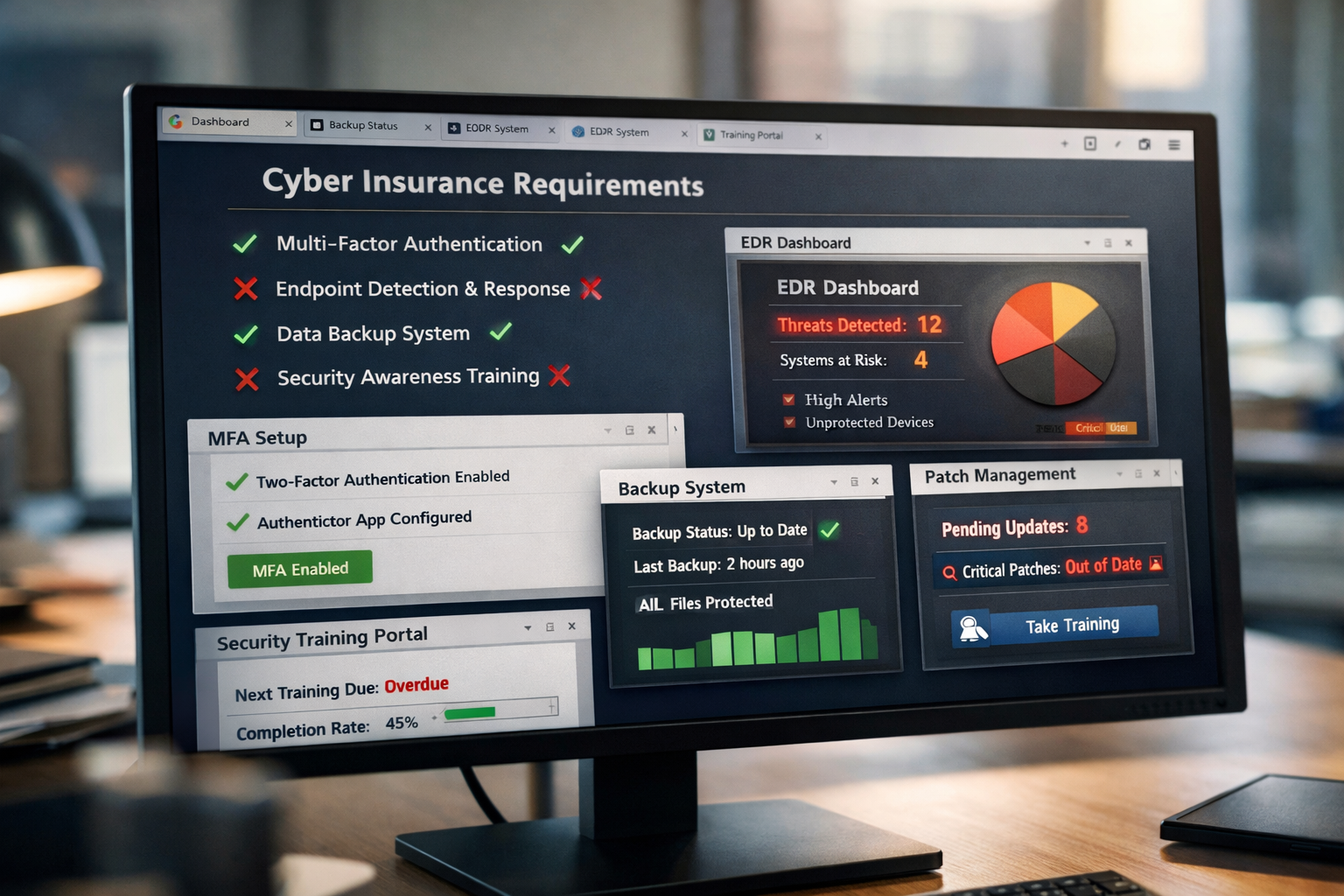
Insurance companies now require documented proof of specific security controls before issuing coverage. These aren’t suggestions; they’re mandatory requirements that determine whether you get approved, denied, or face significantly higher premiums.
Multi-Factor Authentication (MFA) – Non-Negotiable
Every business account, from email to accounting software, must have MFA enabled. Insurance companies specifically require:
- Email systems (Office 365, Google Workspace, etc.)
- Financial software (QuickBooks, banking portals, payroll systems)
- Remote access tools (VPNs, remote desktop connections)
- Administrative accounts for all business systems
- Cloud storage platforms (Dropbox, OneDrive, etc.)
Documentation required: Screenshots showing MFA enabled on all systems, plus a written policy requiring MFA for new accounts.
Endpoint Detection and Response (EDR) Solutions
Basic antivirus software no longer meets insurance standards. EDR solutions actively monitor and respond to threats in real-time, providing the visibility insurers demand.
Required capabilities:
- Real-time threat detection and response
- Behavioral analysis to identify unknown threats
- Centralized management and reporting
- Automated threat containment
- 24/7 monitoring capabilities
Popular EDR solutions for SMBs: CrowdStrike Falcon Go, SentinelOne Singularity, Microsoft Defender for Business, Bitdefender GravityZone.
Backup and Recovery Systems with Testing
Insurance companies require comprehensive backup strategies with regular testing documentation. They’ve seen too many businesses discover their backups don’t work during an actual ransomware attack.
Backup requirements:
- 3-2-1 backup strategy: 3 copies of data, 2 different media types, 1 offsite
- Immutable backups that can’t be encrypted by ransomware
- Monthly restoration testing with documented results
- Recovery time objectives (RTO) are defined for critical systems
- Air-gapped or offline backup copies
Security Awareness Training
Human error causes 95% of successful cyber attacks, so insurers now require formal security training for all employees.
Training requirements:
- Annual security awareness training for all staff
- Phishing simulation testing with documented results
- New employee security orientation within 30 days
- Training certificates and completion tracking
- Incident reporting procedures training
Patch Management and Vulnerability Management
Unpatched systems represent the easiest attack vectors, making patch management a critical insurance requirement.
Patch management standards:
- Automated patching for operating systems and software
- Monthly vulnerability scans with remediation tracking
- Critical security patches applied within 72 hours
- Inventory of all systems and software versions
- Written patch management policy and procedures
Why Small Businesses Fail Cyber Insurance Requirements
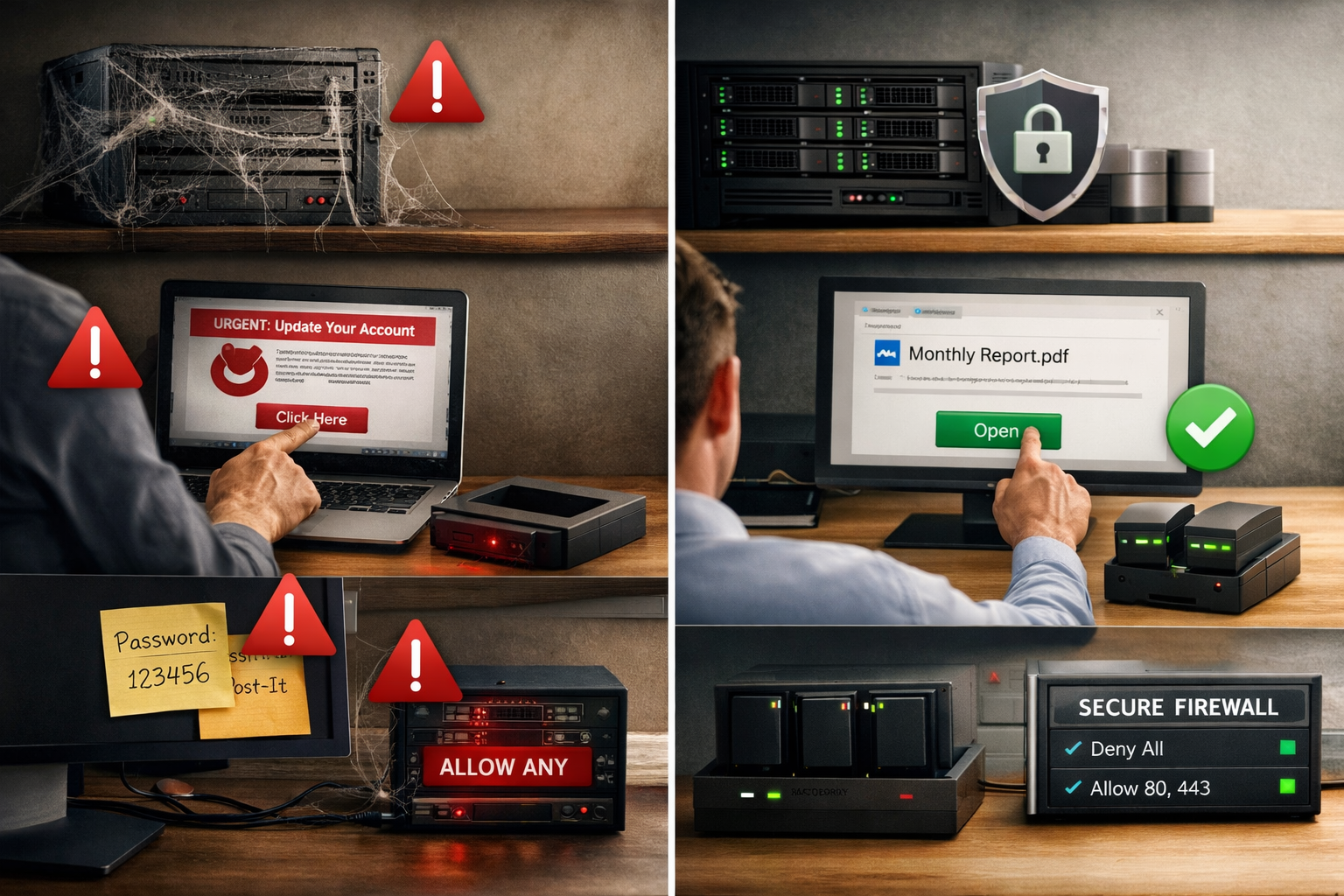
Most small businesses approach cybersecurity reactively, implementing basic protections without the documentation and processes insurers require. The failure rate remains high because business owners underestimate the thoroughness of insurance assessments.
Lack of Documentation
Insurance companies require written policies, procedures, and proof of implementation. Many small businesses have informal security practices but can’t provide the documentation insurers demand.
Common documentation gaps:
- No written cybersecurity policies
- Missing employee training records
- Lack of incident response procedures
- No backup testing documentation
- Absent patch management records
Weak or Inconsistent Controls
Having security tools installed isn’t enough; they must be properly configured, monitored, and maintained. Insurance assessments often reveal security controls that provide false confidence.
Frequent configuration issues:
- MFA is enabled on some systems but not others
- Antivirus software with outdated definitions
- Backup systems that haven’t been tested in months
- Firewalls with default or overly permissive settings
- EDR solutions installed but not actively monitored
Misconfigured Systems and Shadow IT
Small businesses often have systems and applications that IT staff (or business owners) don’t know about. These “shadow IT” resources create security gaps that insurance assessments quickly identify.
Shadow IT risks:
- Employees using personal cloud storage for business files
- Unmanaged devices connecting to business networks
- Software installations without IT approval
- Personal email accounts used for business communication
- Unsecured remote access methods
Reactive Instead of Proactive Approach
Insurance companies favor businesses with proactive security programs over those that respond to problems after they occur. A reactive approach suggests a higher risk and leads to coverage denial or premium increases.
Signs of reactive security:
- Implementing security measures only after incidents
- No regular security assessments or audits
- Waiting for software vendors to force updates
- Limited security monitoring and alerting
- No formal incident response planning
What Happens When You Don’t Qualify for Cyber Insurance
Failing to meet cyber insurance requirements for small businesses creates significant financial and operational risks that extend far beyond the immediate coverage denial.
Direct Financial Exposure
Without cyber insurance, your business bears the full cost of any cyber incident. Recent data shows the average cost of a data breach for small businesses reached $2.98 million in 2025, with costs including:
- Ransom payments (average $220,000 for SMBs)
- Business interruption losses (average 23 days of downtime)
- Data recovery and system restoration ($45,000-$125,000)
- Legal fees and regulatory fines ($85,000-$500,000)
- Customer notification and credit monitoring ($15-$50 per affected individual)
Compliance and Regulatory Penalties
Many industries require cyber insurance as part of regulatory compliance. Healthcare practices need coverage for HIPAA compliance, while financial services face requirements under various state and federal regulations.
Regulatory consequences:
- HIPAA violations: $100-$50,000 per record exposed
- State data breach notification requirements with associated costs
- FTC Safeguards Rule compliance requirements for financial services
- Industry-specific cybersecurity mandates
Competitive Disadvantage
Many larger clients now require their vendors and partners to carry cyber insurance. Without coverage, you may lose business opportunities or face contract restrictions.
Reputation and Customer Trust
A cyber incident without insurance coverage often means longer recovery times and less professional incident response, leading to greater reputation damage and customer loss.
How to Pass Cyber Insurance Requirements: Step-by-Step Implementation

Successfully meeting cyber insurance requirements for small businesses requires a systematic approach that addresses both technical controls and documentation requirements.
Step 1: Conduct a Security Assessment
Start with a comprehensive evaluation of your current security posture against insurance requirements.
Assessment checklist:
- Inventory all systems, software, and data locations
- Document current security controls and their configuration
- Identify gaps between the current state and insurance requirements
- Prioritize improvements based on risk and insurance impact
- Create a timeline for implementing necessary changes
Step 2: Implement Core Security Controls
Focus on the mandatory requirements first, ensuring proper configuration and monitoring.
Implementation priorities:
- Enable MFA on all business accounts and systems
- Deploy EDR solutions across all endpoints with 24/7 monitoring
- Establish backup systems with regular testing schedules
- Implement patch management with automated updates where possible
- Configure network security, including firewalls and network segmentation
Step 3: Develop Documentation and Policies
Create the written policies and procedures that insurance companies require during their assessment process.
Required documentation:
- Cybersecurity policy and procedures manual
- Incident response plan with contact information and procedures
- Employee security training program and records
- Backup and recovery procedures with testing schedules
- Vendor management and third-party risk assessment processes
Step 4: Establish Ongoing Monitoring and Maintenance
Insurance companies expect continuous security monitoring, not one-time implementations.
Ongoing requirements:
- Monthly security assessments and vulnerability scans
- Quarterly backup restoration testing
- Annual security awareness training updates
- Regular policy reviews and updates
- Continuous monitoring of security tool effectiveness
Step 5: Prepare for Insurance Assessment
Organize your documentation and evidence to streamline the insurance application and assessment process.
Assessment preparation:
- Compile all security documentation in organized folders
- Prepare screenshots and configuration evidence
- Document any security incidents and response actions
- Create a summary of your security program and controls
- Identify a point person for insurance company questions
How Managed IT Services Ensure Cyber Insurance Approval
Working with a managed IT provider significantly improves your chances of meeting cyber insurance requirements for small businesses. These providers bring industry expertise, proper tooling, and systematic approaches that individual businesses often lack.
Professional Implementation and Configuration
Managed IT providers have experience implementing security controls across multiple clients and understand the specific requirements insurance companies expect.
Professional advantages:
- Proper EDR deployment and configuration
- Enterprise-grade backup solutions with testing protocols
- Comprehensive patch management across all systems
- Network security implementation and monitoring
- 24/7 security monitoring and incident response
Documentation and Compliance Support
Managed providers maintain the documentation and records that insurance companies require, often using standardized templates and processes developed across multiple client engagements.
Documentation benefits:
- Pre-built policy templates customized for your business
- Automated compliance reporting and evidence collection
- Regular security assessments with formal reports
- Training completion tracking and certificate management
- Incident documentation and response records
Ongoing Monitoring and Maintenance
Insurance companies prefer businesses with continuous security monitoring over those with periodic check-ups. Managed IT providers offer the 24/7 monitoring capabilities that demonstrate proactive security management.
Monitoring capabilities:
- Real-time threat detection and response
- Automated patch management and vulnerability remediation
- Continuous backup monitoring and testing
- Security tool management and optimization
- Regular security posture assessments and improvements
Industry Expertise and Relationships
Experienced managed IT providers often have relationships with cyber insurance companies and understand their specific requirements and assessment processes.
Expertise benefits:
- Knowledge of insurance company preferences and requirements
- Experience with assessment processes and common questions
- Understanding of industry-specific compliance requirements
- Relationships with insurance brokers and underwriters
- Proven track record of successful insurance approvals
The peace of mind that comes with professional IT management extends beyond just meeting insurance requirements – it provides the reliable partner relationship that busy business owners need to eliminate IT headaches and focus on growing their business.