What Are the Most Common Tech Mistakes Startups Make When Scaling
Growing businesses consistently make five critical technology mistakes that can derail their expansion efforts. These mistakes stem from treating IT as an afterthought rather than a growth enabler, leading to costly disruptions when systems can’t handle increased demand.
The most frequent mistake is assuming current systems will automatically scale with the business. Many companies that worked fine with 10 employees suddenly face daily crashes, security vulnerabilities, and productivity losses when they reach 25 or 50 team members. This reactive approach to technology creates a cascade of problems that become exponentially more expensive to fix.
The five most damaging mistakes include:
- Delaying server and network infrastructure upgrades until systems fail
- Underestimating Wi-Fi and bandwidth requirements for larger teams
- Allowing employees to use personal devices without proper management
- Implementing rushed onboarding processes that create security gaps
- Ignoring software licensing compliance until audit time
Each of these mistakes compounds the others, creating what we call “technology debt” that eventually requires emergency fixes, often during the worst possible moments for business operations.
How Do You Avoid Infrastructure Problems During Rapid Business Growth
Successful infrastructure scaling requires planning ahead of your current needs rather than reacting to problems after they occur. The key is implementing systems that can handle 150-200% of your current capacity, giving you breathing room as you add employees and expand operations.
Start by conducting an honest assessment of your current infrastructure’s capacity limits. Most growing businesses discover their network can barely handle current demands, let alone future growth. This assessment should cover server capacity, internet bandwidth, Wi-Fi coverage, and backup systems.

Critical infrastructure upgrades for growing businesses:
- Server capacity: Move to cloud-based solutions that scale automatically with demand
- Network backbone: Upgrade to business-grade internet with guaranteed uptime
- Backup systems: Implement automated, redundant backup solutions with quick recovery
- Security infrastructure: Deploy enterprise-grade firewalls and monitoring systems
- Remote access: Establish secure VPN and remote desktop capabilities
The most successful growing companies work with a reliable partner who provides industry expertise and proactive solutions. This partnership approach ensures infrastructure stays ahead of growth rather than constantly playing catch-up.
Why Do Companies Fail at Technology Implementation During Expansion
Technology implementation failures during expansion typically result from poor planning, inadequate testing, and attempting to do everything at once. Companies often rush implementations to keep pace with growth, skipping critical steps that ensure systems work reliably under real-world conditions.
The biggest failure factor is not involving end users in the planning process. IT decisions made in isolation often ignore how employees actually work, leading to systems that technically function but create daily frustration and reduced productivity.
Common implementation failure patterns:
- Rolling out new systems to everyone simultaneously without pilot testing
- Choosing solutions based on features rather than reliability and support quality
- Underestimating the training time required for new systems
- Failing to plan for data migration and system integration challenges
- Not establishing clear rollback procedures when implementations go wrong
Successful implementations follow a phased approach: pilot with a small group, gather feedback, refine the process, then gradually expand. This methodology reduces risk and ensures systems actually improve operations rather than disrupt them.
What’s the Difference Between Scaling Tech Too Fast vs Too Slow
Scaling technology too fast creates instability and security gaps, while scaling too slowly creates bottlenecks that limit business growth. The optimal approach balances aggressive capacity planning with careful implementation timing.
Scaling too fast typically involves implementing multiple new systems simultaneously, overwhelming both IT resources and employee capacity to adapt. This approach often results in poorly configured systems, inadequate training, and security vulnerabilities that create long-term problems.
Scaling too slowly is equally dangerous, creating productivity bottlenecks that frustrate employees and limit the company’s ability to serve customers effectively. Slow scaling often stems from budget concerns or fear of change, but ultimately costs more through lost opportunities and employee turnover.
Signs you’re scaling too fast:
- Multiple system outages per week
- Employees bypassing official systems with workarounds
- Security incidents increasing
- IT support is overwhelmed with basic requests
Signs you’re scaling too slow:
- Employees are complaining about system performance daily
- Manual processes that should be automated
- Inability to hire new employees due to system limitations
- Competitors gaining advantage through better technology
The sweet spot involves planning 6-12 months ahead of current needs while implementing changes in manageable phases that allow for proper testing and training.
How Much Should a Growing Business Spend on Technology Infrastructure
Growing businesses should budget 8-12% of revenue for technology infrastructure, with higher percentages during rapid expansion phases. This investment should prioritize reliability, security, and scalability over cutting-edge features that don’t directly support business operations.
The key is viewing technology spending as a growth investment rather than an overhead cost. Proper infrastructure enables faster hiring, better customer service, and more efficient operations that directly contribute to revenue growth.
Recommended technology budget allocation:
- 40% – Core infrastructure (servers, networking, security)
- 25% – Software licenses and cloud services
- 20% – IT support and managed services
- 10% – Training and implementation
- 5% – Emergency reserves for unexpected needs
Many growing businesses save money and gain peace of mind by partnering with managed service providers who offer straightforward pricing and eliminate IT headaches. This approach provides enterprise-level capabilities at small business prices while ensuring 24/7 monitoring and same-day support.
What Technology Mistakes Cause the Most Damage to Company Culture
The most culturally damaging technology mistakes create daily frustration that erodes employee morale and productivity. When technology consistently fails or creates unnecessary complexity, employees lose confidence in leadership’s ability to provide proper working conditions.
Poor Wi-Fi performance tops the list of culture-damaging technology problems. Nothing frustrates modern employees more than slow, unreliable internet that makes basic tasks take twice as long. This frustration compounds daily, creating negative attitudes that spread throughout the organization.

Technology problems that damage company culture:
- Unreliable Wi-Fi: Creates daily frustration and reduces productivity
- Slow computers make employees feel undervalued and inefficient
- Complex password policies: Without proper management tools, creates security theater
- Inconsistent software access: Some employees have tools others need but can’t access
- Poor communication systems lead to missed messages and project delays
The solution involves prioritizing employee experience in technology decisions. Systems should make work easier, not harder. When employees have reliable, fast technology that helps them succeed, it demonstrates the company’s commitment to their success and professional growth.
How Do You Know If Your Current Tech Stack Will Support Growth
Your current technology stack likely won’t support significant growth if you’re already experiencing regular performance issues, security concerns, or manual processes that consume excessive staff time. The warning signs appear months before critical failures occur.
Conduct a capacity assessment by monitoring current system performance under normal loads, then project what will happen when you double your user base. Most growing businesses discover their systems are already operating near capacity limits.
Red flags indicating your tech stack won’t scale:
- System slowdowns during busy periods
- Regular need for manual data entry or file transfers
- Employees are using personal apps because the company systems are inadequate
- IT support is spending more time on maintenance than on improvements
- Security updates delayed due to system compatibility concerns
- Backup and recovery processes are taking longer than the acceptable timeframes
The most reliable approach involves working with technology professionals who can assess your current systems objectively and recommend upgrades before problems become critical. This proactive approach prevents emergencies that cost far more and create significant business disruption.
What Are Red Flags That Your Business Isn’t Ready to Scale Technology
Businesses aren’t ready to scale technology when they lack clear processes, adequate budget allocation, or leadership commitment to proper implementation. These red flags indicate that technology scaling attempts will likely fail and create more problems than they solve.
The biggest red flag is treating technology decisions as purely cost centers rather than growth investments. Companies with this mindset consistently choose the cheapest options, leading to systems that can’t support business growth and require expensive emergency replacements.
Critical readiness red flags:
- No documented IT processes or system configurations
- Leadership unwilling to invest in proper training
- Existing systems are already failing regularly
- No clear understanding of current technology costs
- Employees routinely work around system limitations
- No partnership with qualified IT support providers
Before scaling technology, establish solid foundations: document current systems, create realistic budgets, and ensure leadership understands that proper technology enables business growth rather than just consumes resources.
How Do You Migrate Systems Without Disrupting Operations During Growth
Successful system migrations during growth periods require careful planning, extensive testing, and phased implementation that maintains business continuity throughout the process. The key is never migrating everything simultaneously and always having rollback procedures ready.
Start by identifying which systems are most critical to daily operations and migrate those during low-activity periods with full backup systems ready. Non-critical systems can be migrated during normal business hours with less risk of operational disruption.
Migration best practices for growing businesses:
- Pilot testing: Test new systems with small user groups first
- Parallel operations: Run old and new systems simultaneously during transition
- Staff training: Ensure employees are comfortable with new systems before full deployment
- Data validation: Verify all data transfers correctly before decommissioning old systems
- Communication plans: Keep all stakeholders informed of migration schedules and potential impacts
The most successful migrations involve partnering with experienced IT professionals who can manage the technical complexity while business leaders focus on operations. This approach ensures migrations happen smoothly without disrupting the growth momentum that makes them necessary.
What Security Issues Arise When Businesses Grow Too Quickly
Rapid business growth creates security vulnerabilities through hasty hiring processes, unmanaged devices, and systems that aren’t properly configured for larger user bases. These vulnerabilities often go unnoticed until a security incident occurs, making prevention critical.
The most dangerous security issue during rapid growth is the proliferation of unmanaged devices and accounts. Each new employee typically brings personal devices and creates accounts across multiple systems, often without proper security protocols or monitoring.
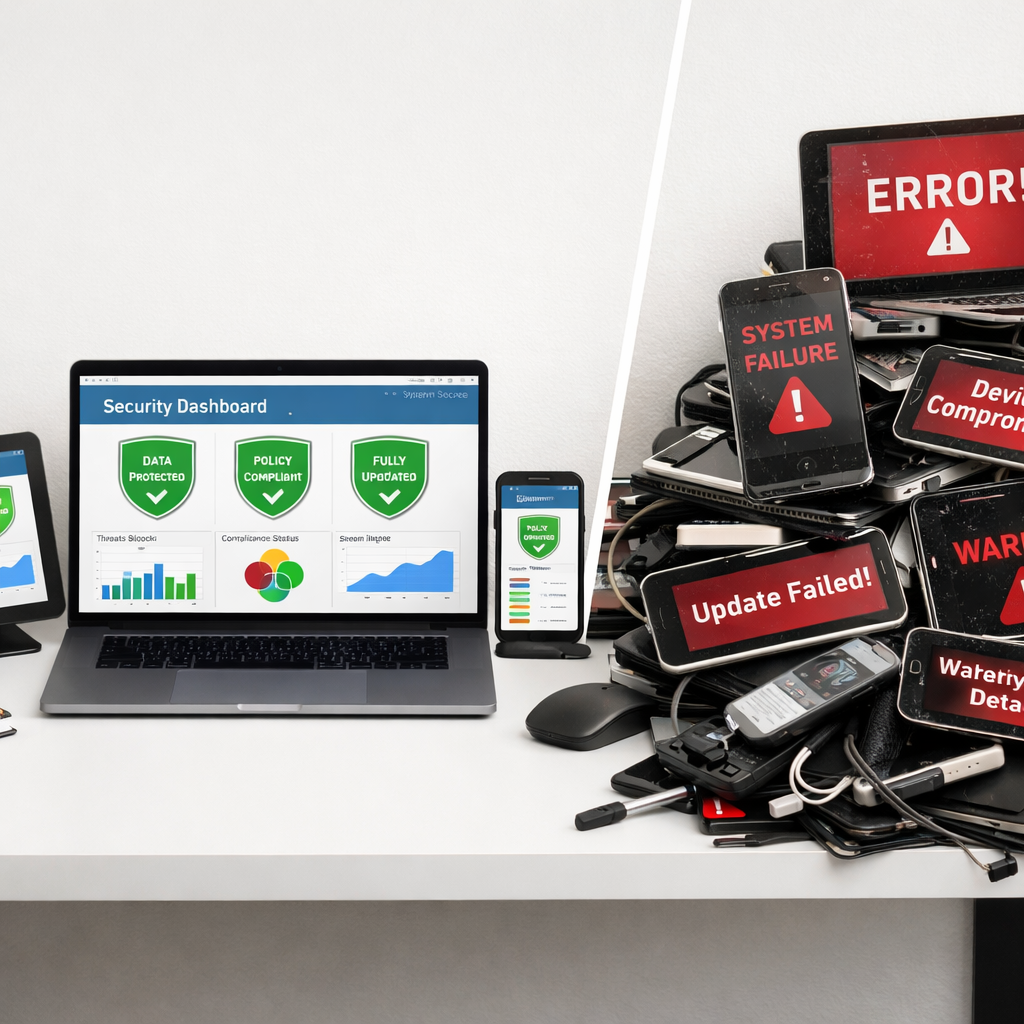
Common security vulnerabilities during rapid growth:
- Unmanaged endpoints: Personal devices accessing company systems without security controls
- Weak access controls: New employees getting excessive system permissions for convenience
- Outdated security policies: Procedures designed for smaller teams that don’t scale properly
- Inadequate monitoring: Security systems that can’t handle increased user activity
- Poor offboarding: Former employees retaining access to company systems and data
Maintaining security during growth requires implementing scalable security policies from the beginning and ensuring all devices and users are properly managed. This includes 24/7 monitoring, regular security assessments, and partnerships with security professionals who understand growing business needs.
Should We Build Custom Software or Buy Off-the-Shelf Solutions When Scaling
Growing businesses should almost always choose proven off-the-shelf solutions over custom development when scaling. Custom software development consumes enormous resources, takes much longer than expected, and often results in systems that are harder to maintain and scale than commercial alternatives.
Off-the-shelf solutions provide immediate functionality, regular updates, professional support, and integration capabilities that custom solutions rarely match. The time and money saved by using proven solutions can be invested in business growth rather than software development projects.
When to choose off-the-shelf solutions:
- Established solutions exist that meet 80% or more of your needs
- You need functionality quickly to support growth
- Your team lacks extensive software development expertise
- Integration with other business systems is important
- Ongoing maintenance and updates are concerns
When custom development might make sense:
- Your business model is truly unique, with no comparable solutions available
- You have significant development resources and expertise in-house
- The custom solution provides a substantial competitive advantage
- Off-the-shelf options would require extensive customization anyway
For most growing businesses, the smart approach involves implementing proven solutions quickly, then customizing or developing specialized tools only for truly unique business requirements that provide clear competitive advantages.
How Do You Prevent Technology Debt from Killing Your Company
Technology debt accumulates when businesses consistently choose quick fixes over proper solutions, eventually creating systems so complex and unreliable that they prevent further growth. Preventing this debt requires treating technology decisions as long-term investments rather than short-term expenses.
The most effective prevention strategy involves establishing technology standards and sticking to them, even when quick fixes seem tempting. This means choosing quality solutions from the beginning, maintaining proper documentation, and regularly updating systems before they become obsolete.
Technology debt prevention strategies:
- Standardize on proven platforms: Avoid mixing multiple solutions that don’t integrate well
- Maintain proper documentation: Ensure system configurations and processes are recorded
- Regular system updates: Keep software and security patches current
- Plan for replacement cycles: Budget for system upgrades before they become critical
- Partner with reliable providers: Work with companies that provide long-term support and expertise
The key insight is that preventing technology debt costs far less than fixing it after problems accumulate. Companies that invest in proper systems from the beginning scale much more efficiently than those that constantly fight technology problems.
What’s the Biggest Tech Mistake Companies Regret After Rapid Growth
The biggest regret most rapidly growing companies share is not investing in proper IT infrastructure and support early enough in their growth journey. This mistake forces them into expensive emergency upgrades during critical business periods, often disrupting operations when stability is most important.
Companies consistently underestimate how quickly technology problems compound during growth phases. What starts as minor inconveniences quickly becomes major operational barriers that limit hiring, reduce productivity, and create security vulnerabilities that threaten the entire business.
Most regretted technology decisions:
- Choosing consumer-grade equipment to save money initially
- Delaying network and Wi-Fi upgrades until productivity suffers significantly
- Attempting to manage IT internally without proper expertise
- Ignoring backup and disaster recovery until data loss occurs
- Postponing security investments until after a breach or compliance audit
The companies that scale most successfully treat technology as a growth enabler from the beginning, investing in reliable systems and professional support that provide peace of mind and allow leadership to focus on business development rather than IT firefighting.
How Do You Choose the Right Team to Handle Technology During Expansion

Choosing the right technology team during expansion involves evaluating whether internal hiring, external partnerships, or hybrid approaches best serve your growth objectives. Most growing businesses benefit from partnering with experienced managed service providers who offer enterprise-level expertise without the overhead of full-time specialized staff.
Internal IT teams work best when you have consistent, complex technology needs that require dedicated attention and a deep understanding of your specific business processes. However, building internal expertise takes time and significant investment in both salaries and ongoing training.
Factors favoring internal IT teams:
- Complex, specialized technology requirements unique to your industry
- Sufficient budget for competitive salaries and benefits
- Need for immediate, on-site support during all business hours
- Highly regulated environment requiring dedicated compliance expertise
Factors favoring managed service partnerships:
- Need for diverse expertise across multiple technology areas
- Desire for predictable, straightforward pricing
- Requirement for 24/7 monitoring and same-day support
- Limited budget for full-time specialized positions
- Focus on core business activities rather than IT management
The most successful approach often combines internal coordination with external expertise, ensuring someone on your team understands technology needs while leveraging professional services for implementation, monitoring, and support.