

What Is Proactive IT Support for Small Businesses?
Proactive IT support focuses on preventing problems before they happen, rather than waiting to fix issues after they’ve already disrupted your business. This approach combines continuous monitoring, regular maintenance, and strategic planning to keep your technology running smoothly.
Unlike traditional break-fix support, where you call for help after something breaks, proactive IT services work behind the scenes. Your IT partner monitors your systems around the clock, applies security updates automatically, and performs routine maintenance during off-hours. When issues do arise, they’re often resolved before you even notice them.
Key components of proactive IT support include:
• Real-time monitoring of servers, networks, and critical business applications
• Automated patch management for operating systems and software updates
• Regular system maintenance, including disk cleanup, performance optimization, and hardware health checks
• Backup monitoring to ensure your data protection systems work properly
• Security management with continuous threat detection and response
• Strategic IT planning aligned with your business growth and budget
This comprehensive approach transforms IT from a constant source of stress into a reliable business asset. You gain peace of mind knowing that experienced professionals are watching over your technology infrastructure, allowing you to focus on growing your business instead of troubleshooting computer problems.
Proactive vs Reactive IT Support: The Critical Difference
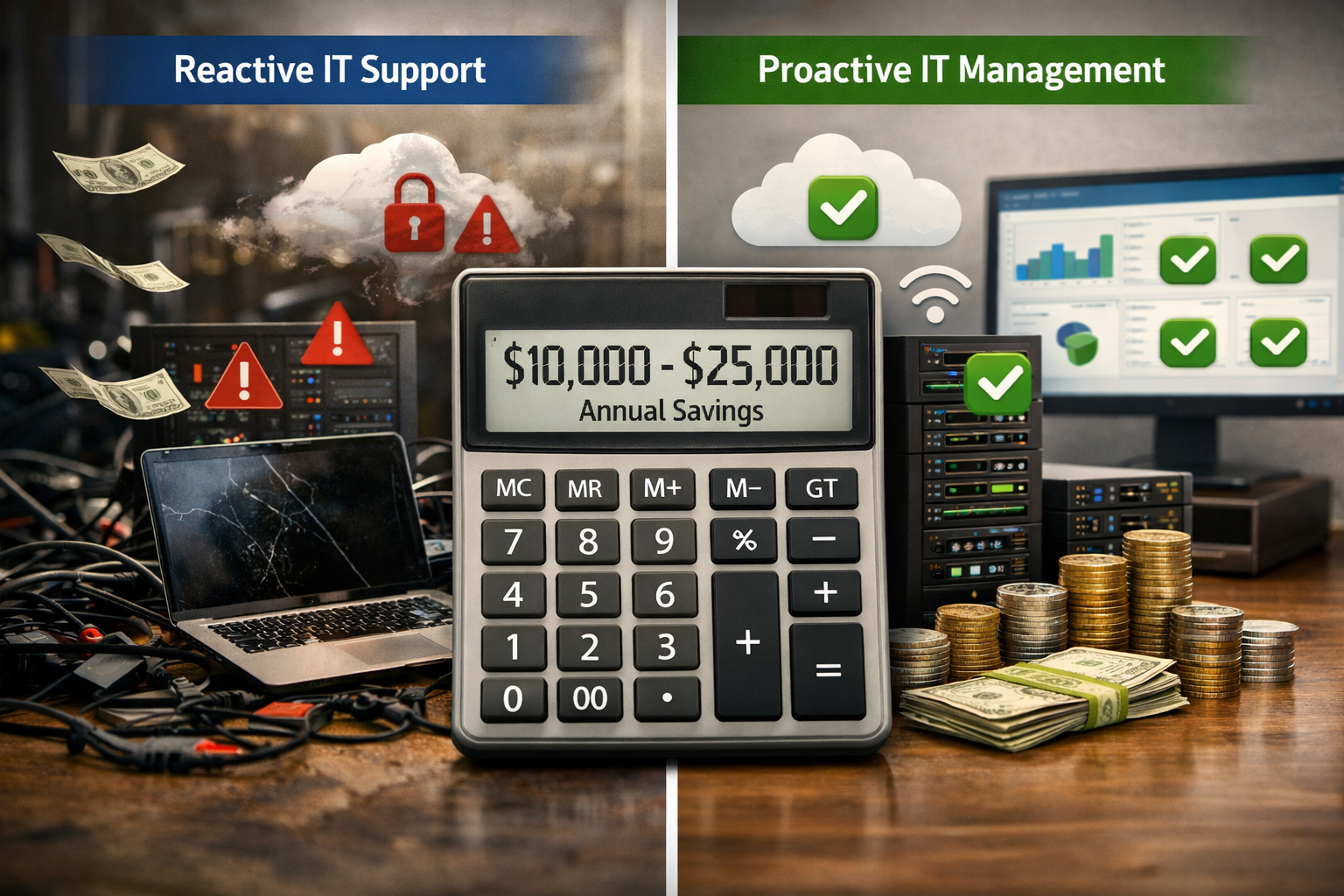
Reactive IT support operates on a “break-fix” model where you pay for repairs after problems occur, while proactive support prevents most issues from happening in the first place. The difference in cost and business impact is substantial for small businesses.
Reactive IT Support Characteristics:
• You call for help after systems fail or slow down significantly
• Emergency service calls often cost $150-$300 per hour with rush fees
• Downtime continues until a technician arrives and diagnoses the problem
• No ongoing monitoring means small issues become major failures
• Unpredictable costs make budgeting difficult and cash flow planning nearly impossible
Proactive IT Support Benefits:
• Issues are identified and resolved before they impact your operations
• Fixed monthly costs make budgeting predictable and manageable
• 24/7 monitoring means problems are caught during off-hours when possible
• Regular maintenance prevents most emergencies from occurring
• Strategic planning ensures your technology supports business growth
The financial impact becomes clear when you consider that a single server failure can cost a small business $8,000-$25,000 in lost productivity, emergency repairs, and potential data recovery. Proactive monitoring typically prevents 85-90% of these costly incidents.
Common reactive IT scenarios that proactive support prevents:
• Server crashes during busy periods due to overheating or disk failures
• Network outages caused by outdated firmware or configuration drift
• Security breaches from unpatched vulnerabilities in software systems
• Data loss from backup failures that went unnoticed for weeks or months
• Email system failures that disrupt customer communication and sales processes
Small businesses using reactive support often experience 3-5 major IT incidents per year, each requiring emergency service calls and causing significant downtime. Proactive support reduces this to less than one major incident annually, with most issues resolved automatically or during scheduled maintenance windows.
Hidden Costs of Reactive IT That Drain Your Budget
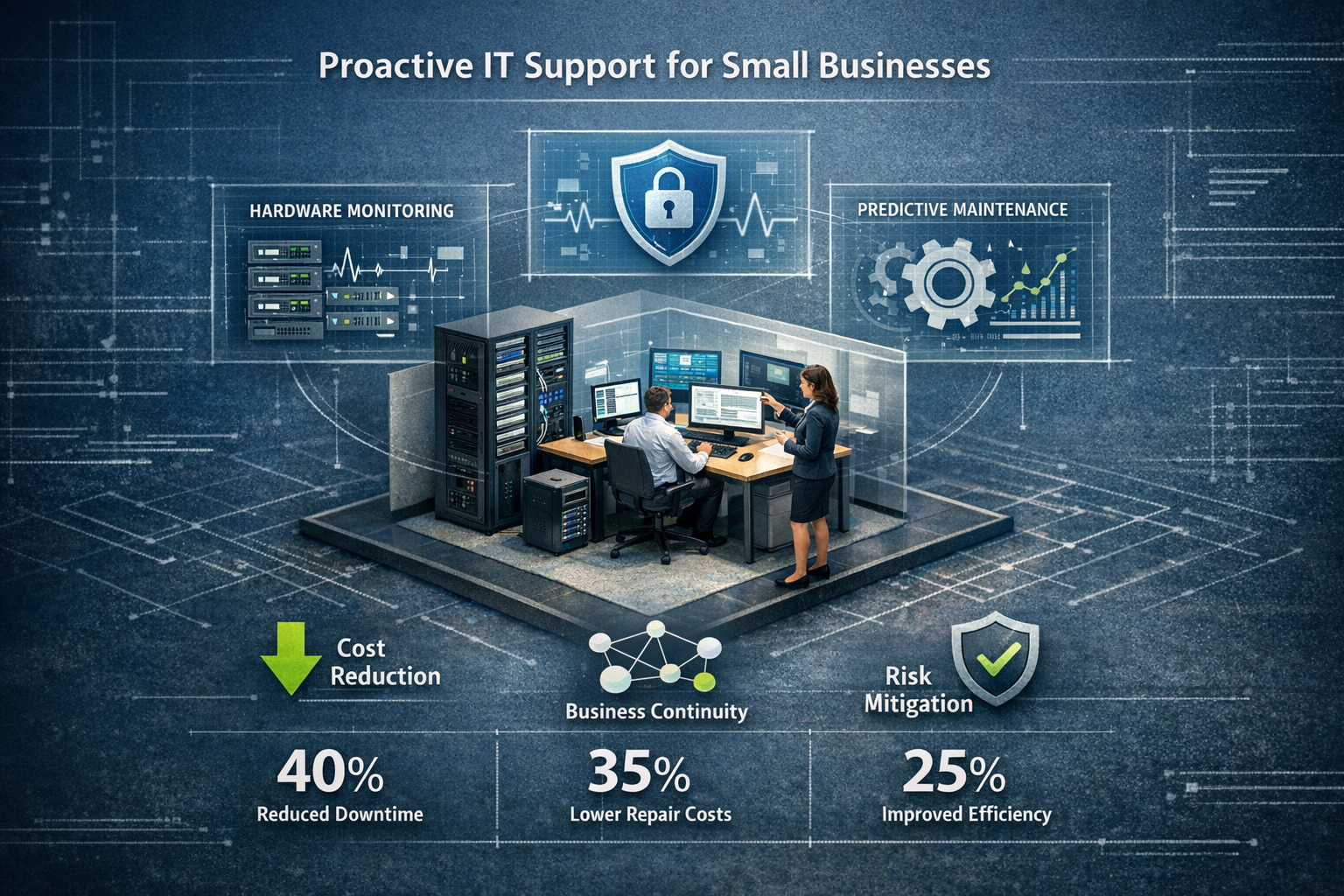
Reactive IT support creates multiple layers of hidden costs that can devastate a small business budget. Beyond the obvious repair bills, these unexpected expenses compound quickly and create ongoing financial stress.
Downtime Losses Add Up Fast
Every minute your systems are down costs money in lost productivity, missed sales opportunities, and frustrated customers. A typical small business loses $427 per minute during IT outages, according to industry research. Even a “minor” 4-hour server problem costs over $100,000 in lost productivity and revenue.
Real-world downtime scenarios:
• Accounting firm loses $15,000 during tax season when their practice management system crashes for 6 hours
• Medical practice cancels 30 appointments due to electronic health record system failure, losing $8,000 in revenue
• Manufacturing company stops production for 8 hours due to network failure, costing $45,000 in delayed orders
Emergency Repair Costs Multiply Quickly
Break-fix IT support charges premium rates for emergency service calls, especially outside normal business hours. What starts as a $200 service call often becomes a $2,000+ repair project once technicians discover additional problems that weren’t being monitored.
Common cost escalations include:
• Initial diagnostic fee: $200-$300
• Emergency after-hours rate: 1.5x to 2x normal hourly charges
• Rush hardware replacement: 25-50% markup on equipment costs
• Data recovery services: $1,500-$5,000 for failed drives
• Temporary workaround solutions while waiting for parts or repairs
Lost Productivity Compounds the Problem
When IT systems fail, your entire team sits idle or works at reduced efficiency. A 20-person office losing 4 hours of productivity costs approximately $3,200 in wages alone, not counting the missed work that must be made up later or the stress impact on employee morale.
Security Vulnerabilities Create Ongoing Risk
Reactive IT support leaves security gaps open between service calls. Unpatched systems, outdated antivirus definitions, and misconfigured firewalls create vulnerabilities that cybercriminals actively exploit. A single ransomware attack costs small businesses an average of $84,000 in recovery costs, downtime, and lost data.
The cumulative effect of these hidden costs often exceeds $30,000-$75,000 annually for small businesses, making reactive support far more expensive than proactive managed IT services that prevent most of these problems from occurring.
How Proactive IT Services Reduce Costs and Prevent Problems

Proactive IT support transforms unpredictable technology expenses into manageable, budgetable costs while preventing the majority of problems that drain small business resources. The key lies in continuous monitoring, preventive maintenance, and strategic planning that addresses issues before they become expensive emergencies.
24/7 Monitoring Catches Problems Early
Professional monitoring systems watch your servers, networks, and critical applications around the clock. When performance metrics indicate potential problems, automated alerts notify technicians who can often resolve issues remotely before they impact your business operations.
Monitoring prevents costly failures by detecting:
• Hard drive health declining before complete failure occurs
• Memory usage patterns that predict system crashes
• Network congestion that could cause communication failures
• Temperature fluctuations that might damage server equipment
• Backup job failures that leave your data unprotected
This early warning system typically prevents 85-90% of the IT emergencies that plague businesses using reactive support. Instead of discovering problems when employees can’t work, issues are resolved during off-hours or scheduled maintenance windows.
Regular Maintenance Extends Equipment Life
Proactive IT maintenance keeps your technology running efficiently and extends hardware lifespan by 2-3 years on average. This scheduled approach costs far less than emergency repairs and helps you plan equipment replacements within your budget cycle.
Maintenance activities that save money include:
• Software updates and security patches applied during off-hours
• Disk cleanup and defragmentation to maintain system performance
• Hardware health checks to identify components nearing end-of-life
• Network optimization to ensure efficient data flow and communication
• Backup system testing to verify data protection works when needed
Predictable Monthly Costs Improve Cash Flow
Managed IT services replace unpredictable emergency bills with fixed monthly fees that make budgeting straightforward. You know exactly what IT will cost each month, allowing better cash flow management and strategic planning for technology investments.
Cost predictability benefits:
• No surprise repair bills that strain operating budgets
• Straightforward pricing that includes most services and support
• Planned equipment replacements spread over manageable timeframes
• Reduced insurance costs due to better security and backup practices
Strategic IT Planning Aligns Technology with Business Goals
Proactive IT partners work with you to develop technology strategies that support business growth rather than just fixing immediate problems. This planning approach ensures your IT investments deliver maximum value and avoid costly mistakes.
The combination of prevention, maintenance, and planning typically reduces total IT costs by 40-60% compared to reactive support while dramatically improving system reliability and business continuity. Most small businesses see positive ROI within 3-6 months of switching to proactive managed IT services.
Real-World Cost Scenarios: Before and After Proactive IT
Understanding the financial impact becomes clearer when you see specific examples of how proactive IT support transforms small business technology costs and operations.
Scenario 1: 25-Employee Accounting Firm
Before Proactive IT (Annual Costs):
• Break-fix service calls: $18,000 (12 incidents averaging $1,500 each)
• Server failure during tax season: $35,000 (downtime + emergency replacement)
• Ransomware recovery: $15,000 (data recovery + system rebuilding)
• Lost productivity from various IT issues: $22,000
• Total Annual IT Problems: $90,000
After Proactive IT (Annual Costs):
• Managed IT services: $36,000 ($3,000/month for comprehensive support)
• Minor incidents requiring additional support: $2,400
• Planned hardware refresh (spread over 3 years): $8,000
• Total Annual IT Investment: $46,400
• Annual Savings: $43,600
Scenario 2: 15-Employee Medical Practice
Before Proactive IT (Annual Costs):
• Emergency repairs and service calls: $12,000
• EHR system downtime (lost appointments): $28,000
• Compliance violations from security gaps: $8,500
• Data backup failure and recovery: $11,000
• Total Annual IT Problems: $59,500
After Proactive IT (Annual Costs):
• Managed IT services with healthcare compliance: $24,000
• Planned equipment upgrades: $6,000
• Additional training and optimization: $1,800
• Total Annual IT Investment: $31,800
• Annual Savings: $27,700
Scenario 3: 40-Employee Manufacturing Company
Before Proactive IT (Annual Costs):
• Production network failures: $65,000 (downtime costs)
• Break-fix repairs and emergency calls: $25,000
• Security incident and recovery: $18,000
• Inefficient systems slowing operations: $35,000
• Total Annual IT Problems: $143,000
After Proactive IT (Annual Costs):
• Comprehensive managed services: $48,000
• Infrastructure improvements (amortized): $15,000
• Specialized manufacturing software support: $8,000
• Total Annual IT Investment: $71,000
• Annual Savings: $72,000
Key Success Factors in These Transformations
Each successful transition to proactive IT support included several critical elements:
• Comprehensive monitoring that caught problems before they caused downtime
• Industry expertise from IT partners who understood specific business requirements
• Personalized service that adapted to each company’s workflow and priorities
• Secure and compliant systems that met regulatory requirements without complexity
• Same-day support when issues did occur, minimizing any business impact
The pattern across all scenarios shows that proactive IT support typically costs 40-60% less than reactive break-fix approaches while delivering better reliability and peace of mind. Most businesses achieve full ROI within 6 months and continue saving money year after year.
Calculating IT Support ROI for Your Small Business
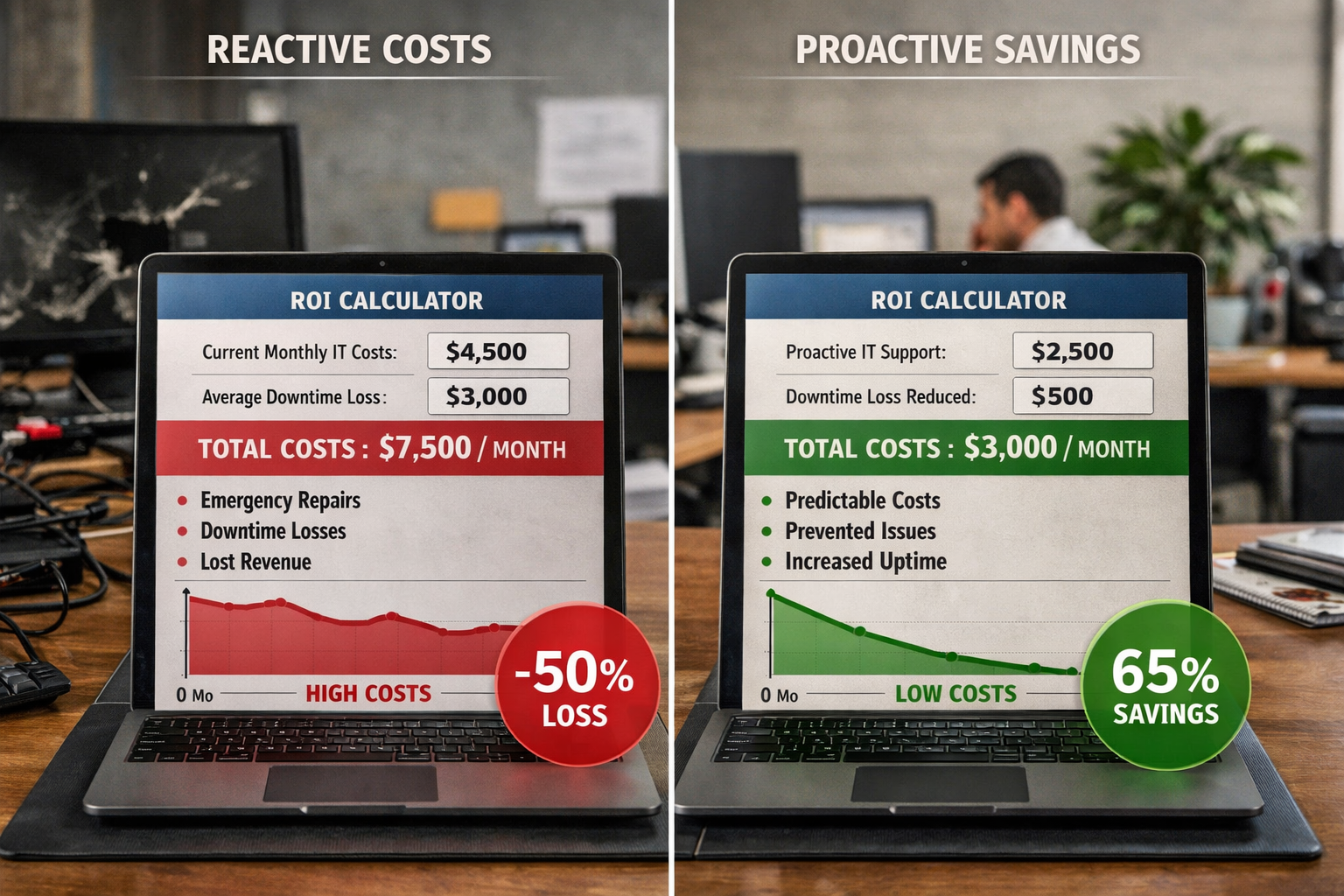
Measuring the return on investment for proactive IT support helps you make informed decisions about technology spending and understand the true value of preventing problems rather than fixing them after they occur.
Basic ROI Calculation Framework
Step 1: Calculate Current Reactive IT Costs
• Annual break-fix service calls and repairs
• Estimated downtime costs (hours down × hourly productivity loss)
• Security incident recovery expenses
• Lost productivity from IT problems
• Emergency hardware replacements and rush shipping fees
Step 2: Estimate Proactive IT Investment
• Monthly managed services fee × 12 months
• Planned hardware refresh costs (spread over useful life)
• Initial setup and migration expenses (one-time)
• Additional training or optimization services
Step 3: Calculate Annual Savings and ROI
• Annual savings = Current reactive costs – Proactive investment
• ROI percentage = (Annual savings ÷ Proactive investment) × 100
Typical ROI Ranges by Business Size
5-15 Employees:
• Proactive IT investment: $18,000-$30,000 annually
• Typical savings: $25,000-$45,000 annually
• Average ROI: 150-200% in first year
16-35 Employees:
• Proactive IT investment: $30,000-$50,000 annually
• Typical savings: $40,000-$80,000 annually
• Average ROI: 120-180% in first year
36-75 Employees:
• Proactive IT investment: $50,000-$85,000 annually
• Typical savings: $70,000-$150,000 annually
• Average ROI: 100-160% in first year
Factors That Improve ROI
Industry-Specific Expertise: IT partners who understand your business type deliver better results because they know common problems and optimal solutions. Healthcare practices, accounting firms, and manufacturing companies have unique technology needs that generic support can’t address effectively.
Comprehensive Service Coverage: Higher ROI comes from managed services that include monitoring, maintenance, security, backup management, and strategic planning rather than just basic support. Comprehensive coverage prevents more problems and reduces the need for additional vendors.
Local Partnership Benefits: Working with a reliable partner in your area provides faster response times, better relationship building, and an understanding of local business conditions. This personal connection often translates to better service and improved outcomes.
Hidden ROI Benefits
Beyond direct cost savings, proactive IT support delivers additional value that’s harder to quantify but significantly impacts your business:
• Improved employee productivity from reliable, fast-performing systems
• Better customer satisfaction due to fewer service interruptions
• Enhanced business reputation from consistent availability and professional operations
• Reduced stress and peace of mind for business owners and managers
• Strategic technology guidance that supports business growth and competitive advantage
Most small businesses find that the stress reduction and peace of mind alone justify the investment in proactive IT support, making the substantial cost savings an additional bonus rather than the primary benefit.
When to Switch from Break-Fix to Managed IT Services
Recognizing the right time to transition from reactive break-fix support to proactive managed IT services can save your business thousands of dollars and prevent costly disasters. Several clear indicators suggest it’s time to make the switch.
Warning Signs You Need Proactive IT Support
Frequent IT Emergencies: If you’re calling for IT help more than once per month or experiencing system failures that disrupt business operations, reactive support isn’t meeting your needs. Proactive monitoring would catch most of these problems before they become emergencies.
Unpredictable IT Costs: Monthly IT expenses that vary wildly from $500 to $5,000+ make budgeting impossible and often indicate underlying problems that aren’t being addressed systematically. Managed services provide predictable monthly costs that make financial planning straightforward.
Security Concerns: If you’re unsure about your cybersecurity posture, haven’t updated systems recently, or worry about data protection, proactive IT support includes comprehensive security management that keeps you protected and compliant.
Growth Planning Challenges: When technology decisions feel overwhelming, or you’re unsure how to scale your IT infrastructure as your business grows, managed services include strategic planning that aligns technology investments with business goals.
Business Size Considerations
5-15 Employees: This is often the sweet spot for transitioning to managed services. You have enough technology complexity to benefit from professional management, but aren’t large enough for a full-time IT person. Managed services typically cost less than hiring even a part-time IT employee while providing much more comprehensive coverage.
16-50 Employees: At this size, IT problems significantly impact productivity and revenue. The cost of downtime and inefficient systems often exceeds the investment in proactive support within just a few months. You likely need industry expertise and 24/7 monitoring that break-fix support can’t provide.
50+ Employees: Larger small businesses almost always benefit from managed services because the complexity and critical nature of their IT infrastructure requires professional management. The risk of major failures and their business impact makes proactive support essential rather than optional.
Financial Readiness Indicators
Stable Monthly Revenue: If your business has predictable monthly income, you can budget for managed services more easily than dealing with surprise IT repair bills that strain cash flow during slower periods.
Growth Investment Mindset: Companies ready to invest in business growth rather than just fixing immediate problems are ideal candidates for managed services. Proactive IT support becomes a strategic business investment rather than just an expense.
Risk Management Focus: Businesses that understand the importance of preventing problems rather than just reacting to them will appreciate the comprehensive risk management that managed services provide.
Making the Transition Smooth
Choose the Right Partner: Look for managed service providers with industry expertise, local presence, and a track record of helping businesses similar to yours. The relationship matters more than just the technical services.
Plan the Migration: Professional managed service providers will assess your current systems, identify immediate risks, and create a transition plan that minimizes disruption while quickly improving your IT reliability.
Set Clear Expectations: Understand what’s included in your managed services agreement, how support requests are handled, and what additional services might be needed as your business grows.
The best time to switch is before you experience a major IT disaster, not after. Proactive IT support provides the most value when it prevents problems rather than just cleaning up after they occur.
Frequently Asked Questions
How much does proactive IT support typically cost for small businesses?
Proactive IT support usually costs $100-$200 per employee per month, depending on your industry requirements and technology complexity. This predictable monthly fee replaces unpredictable break-fix costs that often total much more annually.
What’s included in most managed IT service packages?
Comprehensive managed services typically include 24/7 monitoring, regular maintenance, security management, backup oversight, help desk support, and strategic IT planning. Many providers also include hardware and software procurement assistance at no additional cost.
How quickly can I expect to see ROI from switching to proactive IT?
Most small businesses see positive ROI within 3-6 months due to reduced downtime, fewer emergency repairs, and improved productivity. The savings compound over time as preventive maintenance extends equipment life and reduces replacement costs.
Will switching to managed services disrupt my current operations?
Professional managed service providers design transition plans that minimize disruption to your business. Most migrations happen gradually during off-hours, with immediate monitoring and support starting right away to improve reliability during the transition.
How do I choose the right managed service provider?
Look for providers with experience in your industry, local presence for faster support, transparent pricing, and strong references from similar businesses. Industry expertise matters because different business types have unique compliance and operational requirements.
What happens if I’m not satisfied with my managed service provider?
Reputable providers offer service level agreements with performance guarantees and typically allow contract modifications or termination with reasonable notice. Choose providers who are confident enough in their service quality to offer flexible terms.
Can managed services help with compliance requirements?
Yes, experienced managed service providers understand industry compliance requirements like HIPAA for healthcare, SOX for financial services, and other regulations. They can implement and maintain the technical controls needed for compliance.
Do I need to replace all my equipment when switching to managed services?
Not necessarily. Good managed service providers will assess your current equipment and help you prioritize replacements based on age, reliability, and business impact. They often extend the useful life of existing equipment through better maintenance.
How does remote monitoring work, and is it secure?
Remote monitoring uses encrypted connections to track system health, performance, and security status. Reputable providers use bank-level security protocols and can provide detailed information about their monitoring tools and security practices.
What if I need help outside normal business hours?
Most managed service providers offer 24/7 support for critical issues, with different response time guarantees based on the severity of the problem. Emergency support is typically included in your monthly fee rather than charged separately.
Can managed services help me plan for business growth?
Absolutely. Strategic IT planning is a key component of managed services, helping you scale technology infrastructure efficiently as your business grows. This planning prevents costly mistakes and ensures your technology investments support business objectives.
How do managed services handle cybersecurity threats?
Comprehensive managed services include continuous security monitoring, automatic patch management, threat detection and response, employee security training, and incident response planning. This multi-layered approach provides much better protection than most small businesses can implement independently.
Conclusion
The choice between reactive break-fix IT support and proactive managed services isn’t just about technology—it’s about transforming how your business operates and grows. Small businesses that switch to proactive IT support typically save $25,000-$75,000 annually while gaining the peace of mind that comes from reliable, professionally managed technology.
The evidence is clear: proactive IT support prevents the costly emergencies that drain small business budgets and disrupt operations. With 24/7 monitoring, regular maintenance, and strategic planning, managed services deliver predictable costs, improved reliability, and the industry expertise your business needs to compete effectively.
Your technology should support your business goals, not create constant stress and unexpected expenses. Proactive IT support transforms technology from a necessary burden into a competitive advantage, allowing you to focus on growing your business instead of troubleshooting computer problems.
The best time to make this transition is before you experience your next major IT disaster. Every day you wait is another opportunity for preventable problems to cost your business money and productivity.
Ready to eliminate IT headaches and start saving money? Contact us today for a free IT cost analysis. We’ll show you exactly how much proactive IT support can save your business and create a personalized plan that fits your budget and growth objectives. Let’s turn your technology challenges into competitive advantages with straightforward pricing and same-day support when you need it most.