

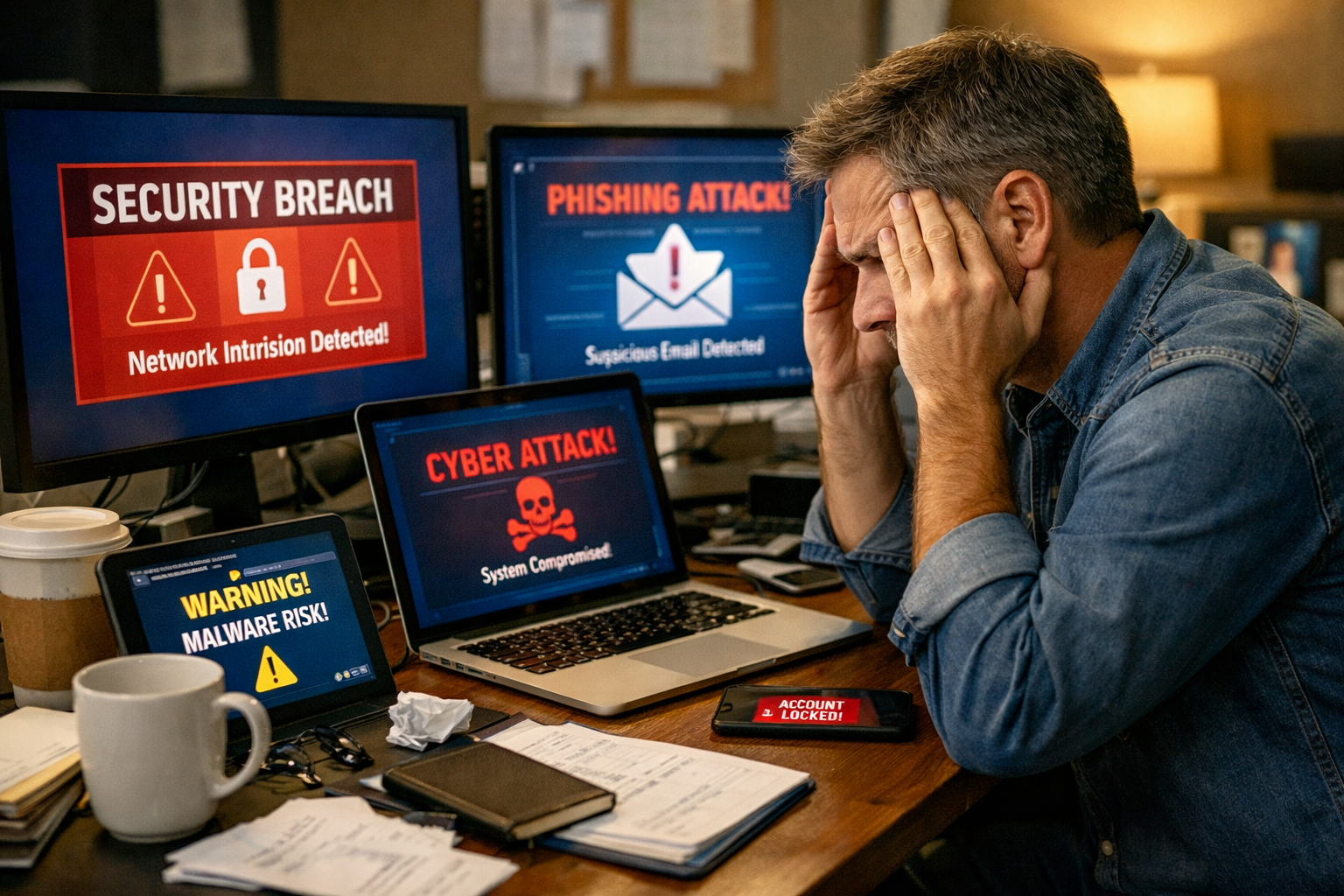
Why Remote Work Disruptions Are Targeting Small Businesses
Remote work disruptions have become the new reality for small businesses across Metro Atlanta and beyond. These aren’t just minor inconveniences anymore; they’re serious threats that can shut down operations, expose sensitive data, and cost thousands in lost productivity.
I’ve seen firsthand how a simple phishing email can bring a thriving accounting firm to its knees, or how an unsecured home network can give cybercriminals access to a dental practice’s patient records. The shift to remote and hybrid work has created new vulnerabilities that many small business owners don’t even realize exist.
The numbers tell a sobering story. Small businesses are now three times more likely to experience a security incident when employees work remotely compared to traditional office environments. This isn’t because remote work is inherently dangerous; it’s because most companies haven’t adapted their security measures to match their new reality.
Common Remote Work Disruption Scenarios
Let me walk you through the most frequent disruptions we see affecting small businesses:
Internet Outages and Connectivity Issues
When your employee’s home internet goes down, it’s not just their problem anymore. If they’re handling client calls or managing critical systems, the entire business feels the impact. Without backup connectivity plans, these outages can last hours or even days.
Device Compromise and Malware
Personal devices used for work often lack enterprise-grade security. One infected laptop can spread malware throughout your entire network the next time that employee connects to company systems.
Phishing Attacks and Social Engineering
Remote workers receive 67% more phishing attempts than office-based employees. Without IT staff nearby to verify suspicious emails, employees are more likely to fall for sophisticated scams.
Cloud Access Failures
When cloud services go down, or employees lose access to critical applications, remote workers have fewer alternatives than office staff. They can’t simply walk to another computer or ask IT for immediate help.
Data Exposure Through Unsecured Networks
Public WiFi at coffee shops, shared networks in co-working spaces, and poorly secured home networks create opportunities for data interception and unauthorized access.
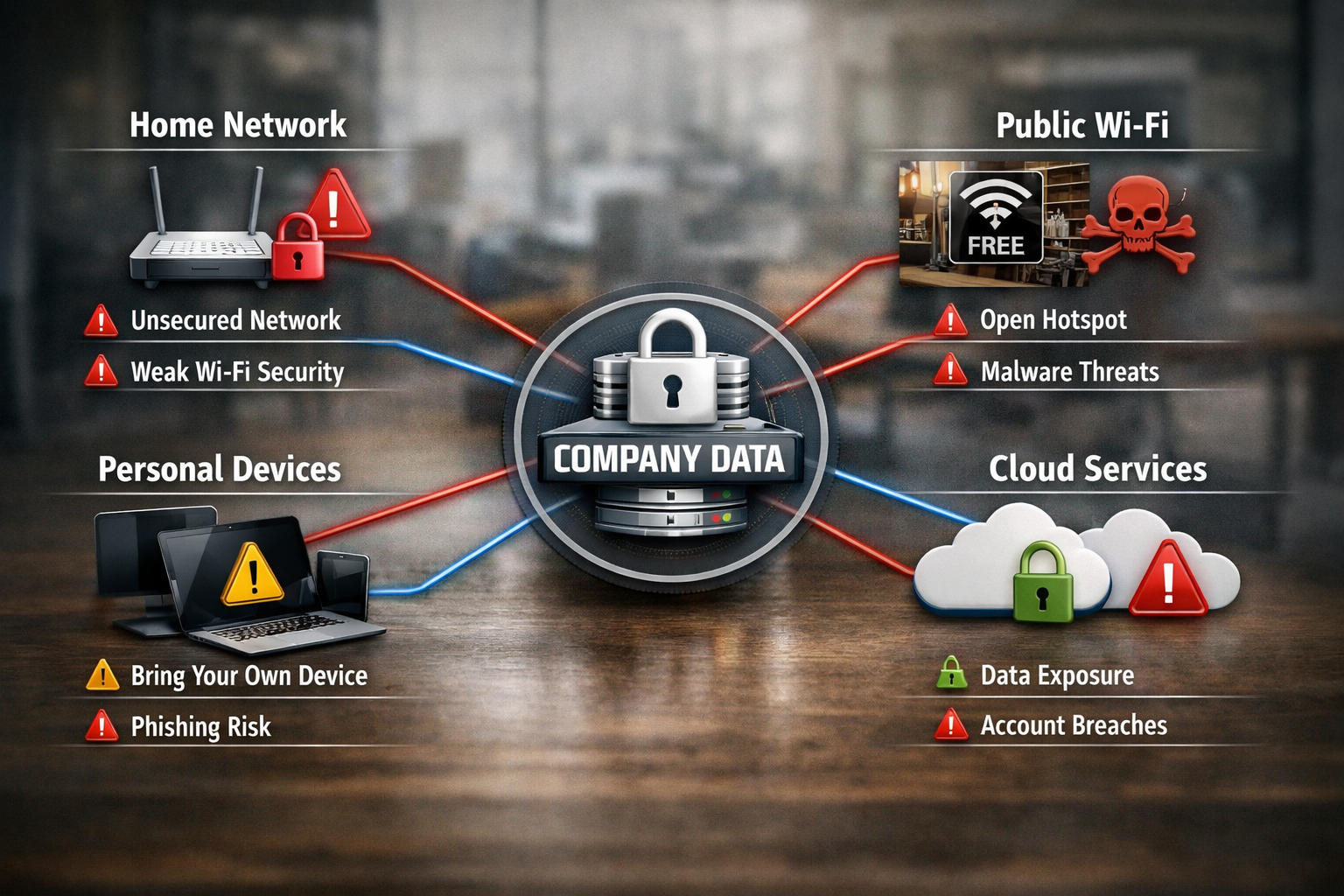
Remote Workforce Security Risks That Keep Business Owners Awake
The security landscape for remote work is fundamentally different from traditional office environments. When employees work from home, your company’s security perimeter extends to every home office, coffee shop, and co-working space your team uses.
Unsecured Home Networks Create Backdoors
Most home WiFi networks use basic security settings that wouldn’t pass a corporate security audit. When employees connect company devices to these networks, they’re essentially creating a bridge between your business systems and potentially compromised home networks.
I recently worked with a small manufacturing company where cybercriminals had compromised an employee’s home router. For months, attackers had access to everything that employees did on their work laptops, including customer data, financial records, and proprietary manufacturing processes.
Personal Device Mixing Increases Risk
The line between personal and professional device use has blurred significantly. Employees check work emails on personal phones, use personal laptops for business tasks, and store company files on devices that also contain personal data.
This mixing creates several problems:
- Inconsistent security standards across devices
- Difficulty tracking and managing company data
- Compliance issues in regulated industries
- Data recovery challenges when devices are lost or stolen
Shadow IT and Unauthorized Applications
Remote workers often adopt new tools and applications without IT approval. While they’re trying to be productive, they’re unknowingly introducing security vulnerabilities and compliance risks.
The Human Factor in Remote Security
Isolation Reduces Security Awareness
When employees work alone, they’re more likely to let their guard down. They might click on suspicious links, use weak passwords, or skip security protocols that seem inconvenient.
Reduced IT Visibility and Support
Traditional security measures rely on network monitoring and immediate IT support. When employees work remotely, IT teams have less visibility into potential threats and can’t provide instant assistance when problems arise.
Communication Gaps During Incidents
When a security incident occurs, remote employees might not know who to contact or how to respond quickly. This delay can turn a minor issue into a major breach.
Remote Work IT Challenges and Business Continuity Solutions
Small businesses face unique IT challenges when managing remote teams. Unlike large corporations with dedicated IT departments, most small businesses must balance security, productivity, and cost-effectiveness with limited resources.
The Infrastructure Challenge
Your office network was designed with security controls, backup systems, and professional-grade equipment. Remote workers operate in environments you can’t control, using internet connections you can’t monitor, and storing data in locations you can’t secure.
Effective business continuity for remote work requires rethinking your entire IT strategy. You need systems that work reliably regardless of where employees are located, and backup plans that don’t depend on physical office access.
Essential Components of Remote Business Continuity
Cloud-First Data Strategy
Moving critical business data and applications to secure cloud platforms ensures employees can access what they need from anywhere. But this isn’t just about convenience, it’s about survival when traditional systems fail.
Redundant Communication Systems
When primary communication channels fail, remote teams need alternatives. This means having backup internet options, multiple communication platforms, and clear escalation procedures.
Distributed Backup and Recovery
Traditional backup systems often rely on office-based servers and infrastructure. Remote-ready businesses need backup solutions that protect data regardless of where it’s created or stored.
Incident Response for Distributed Teams
When something goes wrong, you need procedures that work for employees who might be hundreds of miles away from your office. This includes remote diagnostic tools, clear communication protocols, and local support options.
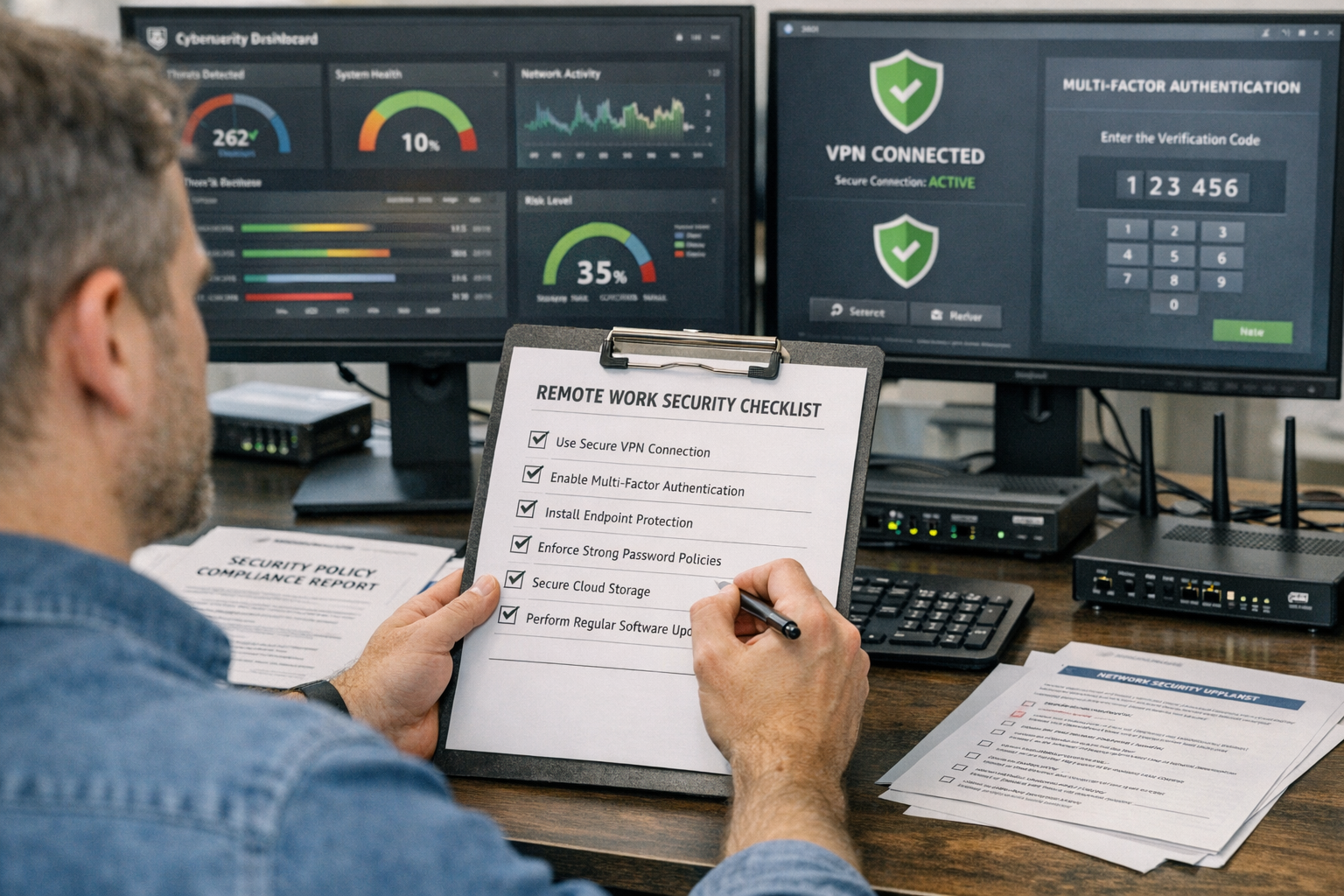
Your Remote Work Security Readiness Checklist
Creating a secure remote work environment doesn’t happen overnight, but you can start with these essential steps. I’ve organized this checklist based on priority and impact, so you can tackle the most critical items first.
Immediate Actions (Complete This Week)
Implement Multi-Factor Authentication (MFA)
Enable MFA on all business applications and email accounts. This single step prevents most credential-based attacks, even if passwords are compromised.
Establish Secure Remote Access
Set up a business-grade VPN that encrypts all data transmission between remote workers and company systems. Consumer-grade VPNs aren’t sufficient for business use.
Create an Incident Response Contact List
Ensure every remote employee knows exactly who to call when they encounter security issues, technical problems, or suspicious activity.
Backup Critical Data Daily
Implement automated backup solutions that don’t depend on employees remembering to save files in specific locations.
Short-Term Improvements (Complete This Month)
Device Management and Security
- Install endpoint security software on all devices used for business
- Require automatic security updates for operating systems and applications
- Establish policies for personal device use in business contexts
- Create procedures for reporting lost or stolen devices
Employee Security Training
- Conduct phishing simulation tests to identify vulnerable employees
- Provide training on recognizing social engineering attempts
- Establish clear policies for password management and sharing
- Create guidelines for working from public locations
Network Security Standards
- Guide on securing home WiFi networks
- Establish requirements for internet connection quality and backup options
- Create policies for using public WiFi and shared networks
Long-Term Strategic Planning (Complete This Quarter)
Comprehensive Security Assessment
Work with IT professionals to identify vulnerabilities in your current remote work setup. This assessment should cover technical infrastructure, employee practices, and business processes.
Business Continuity Documentation
Develop written procedures for maintaining operations during various disruption scenarios. Include contact information, system access procedures, and decision-making authority.
Regular Security Monitoring
Implement 24/7 monitoring systems that can detect and respond to threats across your distributed workforce.
Hybrid Work Security Solutions and Endpoint Protection
The future of work isn’t fully remote or fully in-office, it’s hybrid. This creates unique security challenges because employees move between different environments, networks, and security contexts throughout their workday.
Endpoint security for remote workers becomes critical when devices regularly transition between trusted office networks and potentially compromised external connections. Your security strategy must work equally well whether an employee is at their desk or at a client site.
Advanced Security Measures for Hybrid Teams
Zero Trust Network Architecture
Traditional security models assumed that anything inside the office network was trustworthy. Hybrid work requires a “zero trust” approach where every device and user must be verified regardless of location.
Dynamic Security Policies
Modern security systems can adjust protection levels based on location, device type, and user behavior. For example, accessing sensitive financial data from a coffee shop might trigger additional authentication requirements.
Continuous Monitoring and Response
Unlike traditional office environments, where IT staff can physically inspect systems, hybrid work requires automated monitoring that can detect and respond to threats in real-time across all locations.
Integration with Business Operations
Seamless User Experience
Security measures that interfere with productivity often get bypassed or ignored. Effective hybrid security solutions work invisibly in the background, protecting data without slowing down business operations.
Scalable Management
As your business grows and your team becomes more distributed, security management must scale accordingly. This means choosing solutions that can handle increasing complexity without requiring proportionally more IT resources.

The Role of Professional Remote IT Support
Managing remote work security isn’t a part-time job, but most small businesses can’t justify hiring full-time IT security specialists. This is where professional remote IT support becomes invaluable – providing enterprise-level expertise and 24/7 monitoring at a fraction of the cost of internal staff.
Proactive Threat Detection
Professional IT services use advanced monitoring tools to identify potential security threats before they become actual breaches. This includes monitoring for unusual network activity, unauthorized access attempts, and signs of malware infection across all remote endpoints.
Same-Day Response to Critical Issues
When remote work disruptions occur, time is critical. Professional IT support provides immediate response to security incidents, system failures, and connectivity issues that could otherwise shut down your business for hours or days.
What Professional Support Provides
Comprehensive Security Management
- Real-time monitoring of all remote endpoints
- Automated patch management and security updates
- Regular vulnerability assessments and remediation
- Incident response and forensic analysis when breaches occur
Business Continuity Planning
- Backup and disaster recovery solutions designed for distributed teams
- Redundant systems that maintain operations during outages
- Regular testing of recovery procedures to ensure they work when needed
Employee Support and Training
- Help desk services for remote workers experiencing technical issues
- Regular security awareness training tailored to current threats
- Clear escalation procedures when employees encounter problems
Compliance and Documentation
- Maintaining security documentation required for industry compliance
- Regular security audits and reporting
- Policy development and enforcement across remote teams
The Peace of Mind Factor
Running a small business means wearing many hats, but an IT security specialist shouldn’t have to be one of them. Professional remote IT support eliminates the constant worry about whether your systems are secure, your data is protected, and your team can work productively from anywhere.
When you have a reliable partner handling your IT infrastructure, you can focus on growing your business instead of troubleshooting technical problems. That’s the kind of peace of mind every business owner deserves.
Making the Investment in Remote Work Security
The cost of implementing comprehensive remote work security might seem significant, but it’s a fraction of what you’d pay to recover from a major security breach or extended business disruption.
Consider the Real Costs of Being Unprepared:
- Average small business data breach costs exceed $25,000 in direct expenses
- Business interruption from cyber attacks typically lasts 3-7 days
- Customer trust and reputation damage can take years to rebuild
- Regulatory fines for data breaches continue to increase each year
The Value of Professional Partnership
Working with experienced IT professionals provides straightforward pricing and predictable costs. Instead of emergency repair bills and crisis management fees, you get proactive solutions that prevent problems before they impact your business.
Most small businesses find that professional IT support costs less than hiring a single full-time IT employee, while providing access to an entire team of specialists with industry expertise across security, networking, cloud services, and business continuity planning.
Conclusion
Remote work disruptions aren’t going away – they’re becoming more frequent and sophisticated. Small businesses that prepare now will thrive in this new environment, while those that wait will continue facing costly interruptions and security incidents.
The key is taking a comprehensive approach that addresses technology, processes, and people. You need a secure infrastructure, clear procedures, and well-trained employees working together as part of a cohesive security strategy.
Remember, you don’t have to figure this out alone. Professional IT partners can provide the expertise, monitoring, and support needed to keep your remote team secure and productive. The investment in proper remote work security pays for itself by preventing the much higher costs of business disruptions and security breaches.
Your next step is simple: conduct an honest assessment of your current remote work security posture. Identify the gaps, prioritize the risks, and create a plan for addressing the most critical vulnerabilities first.
Ready to ensure your small business is prepared for remote work disruptions? Let’s discuss your specific situation and develop a customized security strategy that fits your budget and business needs. Contact AlphaCIS today for a comprehensive remote work security assessment.