

Last month, I helped a 25-employee accounting firm migrate from their aging server room to Microsoft 365. Within three months, they’d eliminated their $800 monthly server maintenance costs and gained the ability to work securely from client sites. But the journey wasn’t without challenges, and that’s exactly why you need a clear understanding of both the opportunities and risks before making the move.
What Does Cloud Migration Mean for Small Businesses?
Cloud migration for small businesses means moving your company’s digital operations, email, file storage, applications, and data from physical servers in your office to internet-based cloud platforms. Instead of maintaining expensive hardware on-site, you access everything through secure internet connections.
Think of it like moving from owning a building to renting office space. You get the same functionality without the overhead of maintenance, utilities, and upgrades. Your team can access files, email, and business applications from anywhere with an internet connection.
Common migration scenarios for SMBs include:
• Moving from on-premise Exchange servers to Microsoft 365
• Replacing physical file servers with cloud storage solutions
• Transitioning from desktop-only software to web-based applications
• Migrating backup systems to cloud-based disaster recovery
Choose cloud migration if your business has outgrown its current IT setup, needs better remote work capabilities, or wants to reduce IT maintenance headaches. Hold off if your internet connection is unreliable or you’re dealing with highly regulated data that requires specific compliance measures.
The key difference for small businesses is that cloud migration isn’t just about technology; it’s about gaining access to enterprise-level capabilities without enterprise-level costs or complexity.
Small Business Cloud Migration Benefits: Why Companies Are Making the Move
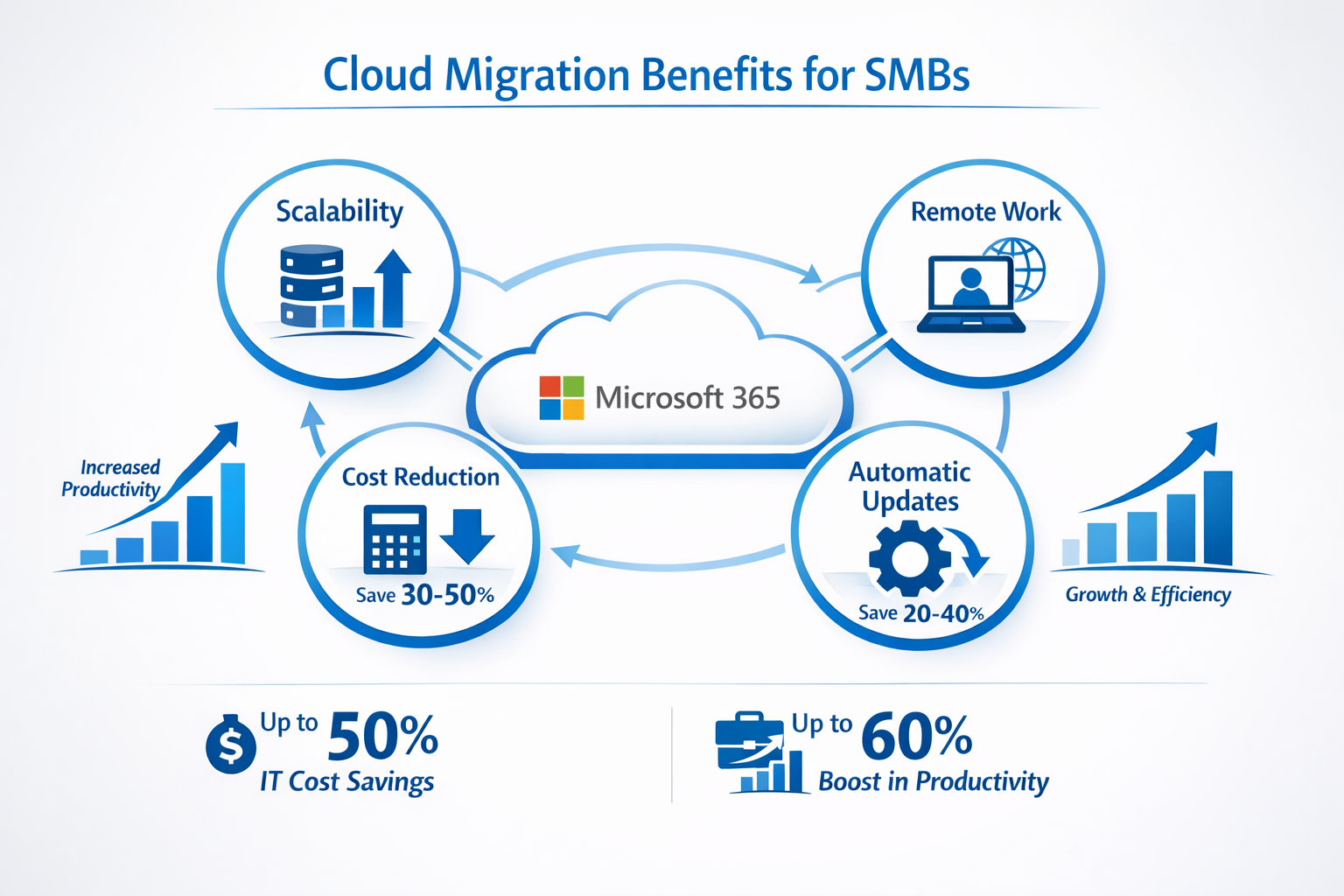
Small business cloud migration benefits extend far beyond simple cost savings. Companies that migrate to cloud platforms typically experience improved operational efficiency, enhanced security, and better business continuity within the first six months.
Immediate Cost Reductions
The most tangible benefit is eliminating hardware expenses. Instead of spending $15,000-$30,000 every 3-5 years on new servers, you pay predictable monthly fees. A typical 20-person business might spend $200-400 monthly on cloud services versus $1,200+ monthly when factoring in server hardware, maintenance, and energy costs.
Hardware elimination includes:
• No more server purchases or leases
• Reduced electricity and cooling costs
• Eliminated maintenance contracts
• No need for backup hardware
Enhanced Remote Work Capabilities
Cloud platforms provide secure access to business applications from any location. Your team can work from home, client sites, or while traveling without compromising security or functionality. This flexibility has become essential for attracting and retaining talent.
Automatic Updates and Maintenance
Cloud providers handle software updates, security patches, and system maintenance automatically. This means your team always has access to the latest features without downtime or IT intervention. Microsoft 365, for example, rolls out new capabilities monthly without requiring any action from your business.
Improved Collaboration and Productivity
Cloud-based tools enable real-time collaboration on documents, seamless file sharing, and integrated communication platforms. Teams can work on the same project simultaneously, reducing version control issues and speeding up project completion.
Common productivity improvements:
• Real-time document editing and sharing
• Integrated video conferencing and chat
• Mobile access to business applications
• Automated backup and file recovery
Choose cloud migration for productivity gains if your team frequently collaborates on projects, works with external partners, or needs mobile access to business data. Avoid rushing migration if your team isn’t comfortable with technology changes. Proper training is essential for realizing productivity benefits.
Understanding Cloud Migration Risks for SMBs
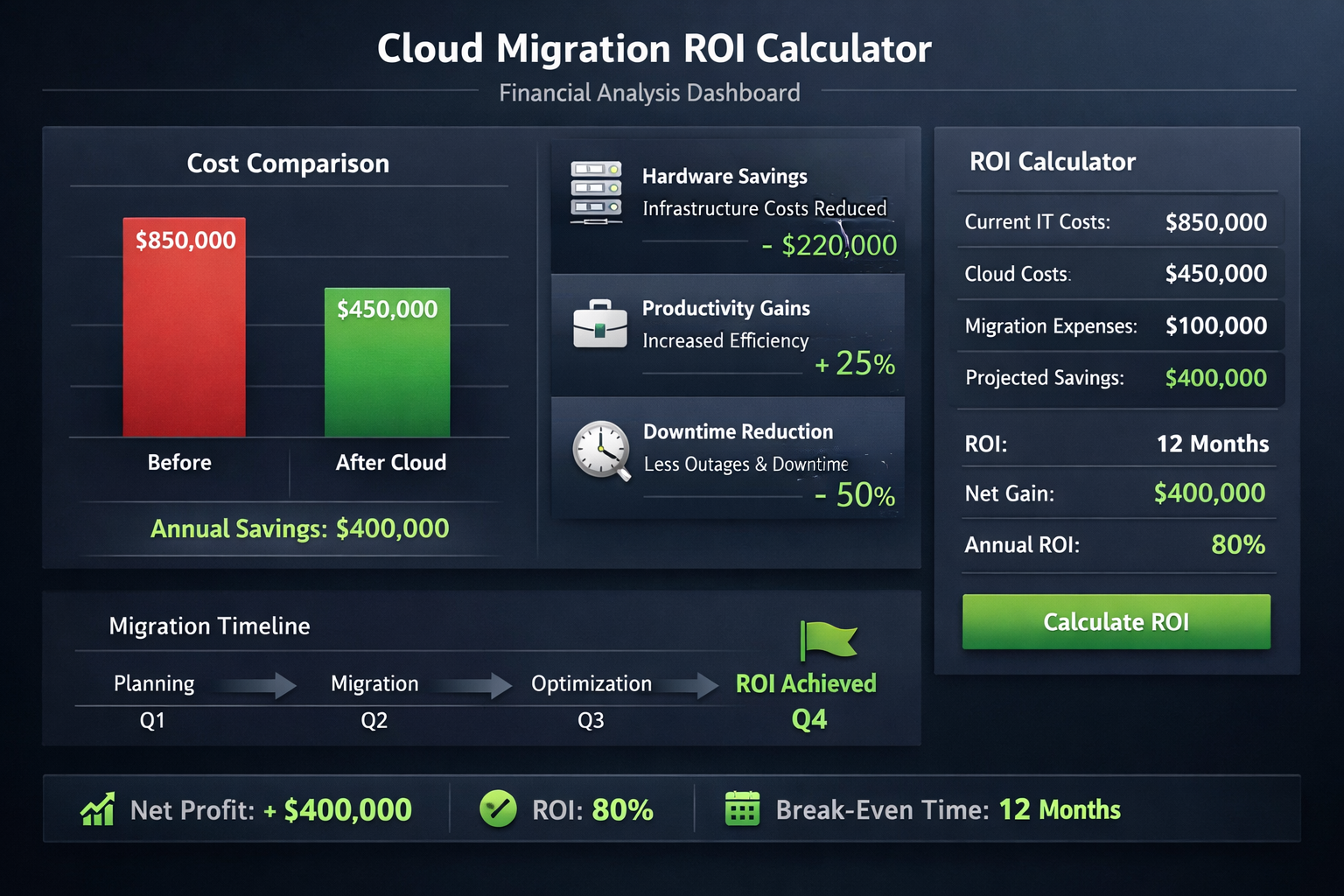
Cloud migration risks for small businesses are manageable when you understand them up front and plan accordingly. The most common issues stem from poor planning, inadequate security configuration, and unrealistic timeline expectations.
Migration-Related Downtime
Poorly planned migrations can result in hours or days of system unavailability. This happens when businesses attempt to migrate everything at once or fail to account for data transfer times and system dependencies.
Minimize downtime by:
• Migrating in phases rather than all at once
• Scheduling migrations during low-activity periods
• Maintaining parallel systems during transition
• Testing all systems before going live
Security Misconfiguration
Cloud platforms offer robust security features, but they must be configured correctly. Many small businesses inadvertently create security gaps by using default settings or failing to implement proper access controls.
Common security mistakes include:
• Using weak passwords or sharing accounts
• Failing to enable multi-factor authentication
• Incorrect file sharing permissions
• Inadequate employee training on cloud security
Data Loss During Migration
While rare, data loss can occur if migration processes aren’t properly tested and validated. This risk increases when businesses attempt DIY migrations without proper backup procedures.
Protect against data loss by:
• Creating complete backups before migration
• Validating data integrity after each migration phase
• Testing restore procedures before going live
• Working with experienced migration specialists
Unexpected Cost Overruns
Cloud costs can exceed expectations if usage isn’t monitored and managed properly. This often happens when businesses don’t understand their actual resource needs or fail to optimize their cloud configuration.
Control costs by:
• Starting with basic plans and scaling up as needed
• Monitoring usage reports monthly
• Removing unused licenses and services
• Working with providers who offer transparent pricing
Consider delaying migration if your business lacks reliable internet connectivity, has complex compliance requirements that haven’t been addressed, or doesn’t have access to experienced IT support during the transition.
ROI for Small Business Cloud Computing: Breaking Down the Numbers
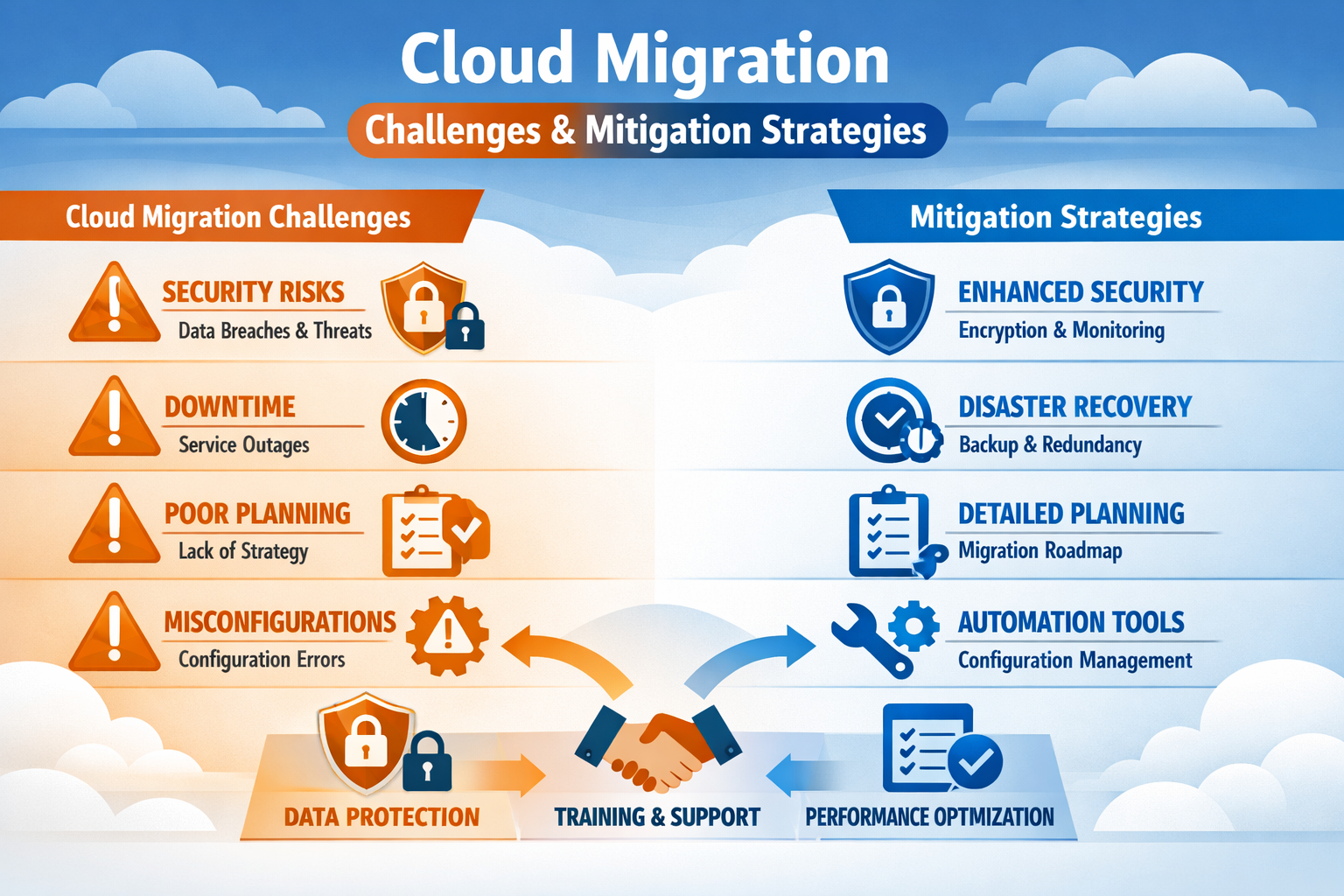
ROI for small business cloud computing typically ranges from 150-300% within the first year when migration is executed properly. The return comes from three primary sources: direct cost savings, productivity improvements, and risk reduction.
Direct Cost Savings Breakdown
Hardware elimination savings:
• Server hardware: $15,000-30,000 every 3-5 years
• Maintenance contracts: $200-500 monthly
• Energy costs: $100-300 monthly
• Backup systems: $5,000-15,000 initial cost
Example calculation for a 20-employee business:
• Current IT costs: $1,400 monthly (server maintenance, energy, support)
• Cloud platform costs: $600 monthly (Microsoft 365, cloud storage)
• Monthly savings: $800
• Annual savings: $9,600
• Three-year savings: $28,800
Productivity Gains
Productivity improvements are harder to quantify but often represent the largest ROI component. Cloud platforms reduce time spent on IT issues, enable faster collaboration, and provide better mobile access to business tools.
Measurable productivity improvements:
• Reduced IT support tickets by 60-80%
• Faster file sharing and collaboration
• Decreased email downtime
• Improved remote work capabilities
Conservative productivity calculation:
• Average employee hourly rate: $25
• Time saved per employee monthly: 4 hours
• Monthly productivity value: $2,000 (20 employees × 4 hours × $25)
• Annual productivity gain: $24,000
Risk Reduction Value
Cloud platforms provide better disaster recovery, improved security, and reduced compliance risks compared to typical small businesses’ on-premise setups.
Risk reduction benefits:
• Automatic daily backups vs. weekly manual backups
• Professional-grade security vs. basic firewall protection
• 99.9% uptime guarantees vs. potential server failures
• Compliance tools for data protection regulations
Total ROI Calculation Example
Investment: $7,200 annually (cloud platform costs)
Returns: $33,600 annually ($9,600 cost savings + $24,000 productivity gains)
ROI: 367% in year one
This ROI calculation applies when businesses properly plan their migration, provide adequate training, and optimize their cloud configuration. Results may be lower if migration is poorly executed or teams don’t adapt to new workflows.
Small Business Cloud Migration Strategy: Planning for Success
A successful small business cloud migration strategy starts with a thorough assessment and follows a phased approach that minimizes disruption while maximizing benefits. The most effective migrations happen in 3-6 month timeframes with careful attention to change management.
Phase 1: Assessment and Planning (4-6 weeks)
Start by documenting your current IT environment and identifying migration priorities. This phase determines which systems to migrate first and helps establish realistic timelines and budgets.
Assessment checklist:
• Inventory all current applications and data
• Evaluate internet bandwidth requirements
• Identify compliance and security needs
• Document current IT costs and pain points
• Survey team members about workflow requirements
Migration priority framework:
- High impact, low risk: Email and basic file sharing
- High impact, medium risk: Collaboration tools and document management
- Medium impact, higher risk: Line-of-business applications and databases
Phase 2: Infrastructure Setup (2-4 weeks)
Configure your cloud environment before migrating any data. This includes setting up security policies, user accounts, and integration with existing systems.
Infrastructure setup steps:
• Configure cloud platform security settings
• Set up user accounts and access permissions
• Establish data backup and recovery procedures
• Test internet connectivity and performance
• Create migration rollback procedures
Phase 3: Pilot Migration (2-3 weeks)
Start with a small group of users or non-critical systems to validate your migration process and identify potential issues before full deployment.
Pilot migration best practices:
• Choose tech-savvy team members for initial testing
• Migrate non-critical data first
• Document any issues and solutions
• Gather feedback on user experience
• Refine procedures based on pilot results
Phase 4: Full Migration (4-8 weeks)
Roll out the migration in waves, typically by department or system type. This approach allows you to address issues quickly without affecting your entire organization.
Migration wave strategy:
• Week 1-2: Administrative functions (HR, accounting)
• Week 3-4: Sales and marketing teams
• Week 5-6: Operations and customer service
• Week 7-8: Specialized applications and final systems
Phase 5: Optimization and Training (Ongoing)
Focus on maximizing the value of your cloud investment through user training, cost optimization, and feature adoption.
Optimization activities:
• Monitor usage and costs monthly
• Provide ongoing user training
• Implement additional cloud features gradually
• Review security settings quarterly
• Plan for future scalability needs
This strategy works best when you have dedicated project management resources and can commit to following the phased approach. Consider alternative approaches if your business has urgent migration drivers or very simple IT environments that can be migrated quickly.
Microsoft 365 Migration Benefits for Small Businesses
Microsoft 365 migration benefits make it the most popular cloud platform choice for small businesses, with over 300 million users worldwide. The platform combines email, file storage, collaboration tools, and business applications in a single, integrated solution.
Integrated Business Applications
Microsoft 365 provides familiar applications like Word, Excel, and PowerPoint alongside modern collaboration tools like Teams and SharePoint. This integration eliminates the need for multiple software subscriptions and reduces training requirements.
Core applications included:
• Email and calendar (Outlook)
• Office applications (Word, Excel, PowerPoint)
• Video conferencing and chat (Teams)
• File storage and sharing (OneDrive, SharePoint)
• Business intelligence (Power BI)
Enhanced Security Features
Microsoft invests over $1 billion annually in cybersecurity, providing small businesses with enterprise-grade protection that would be impossible to implement independently.
Security features include:
• Advanced threat protection for email
• Multi-factor authentication
• Data loss prevention policies
• Mobile device management
• Compliance tools for various regulations
Predictable Licensing and Costs
Microsoft 365 uses straightforward per-user monthly pricing, making it easy to budget and scale. Most small businesses choose the Business Premium plan at $22 per user monthly, which includes all core applications and advanced security features.
Licensing benefits:
• No upfront software purchases
• Automatic updates included
• Flexible user scaling
• Transparent pricing structure
Seamless Integration with Existing Workflows
Many small businesses already use Microsoft Office applications, making the transition to Microsoft 365 relatively smooth. Users can continue working with familiar interfaces while gaining cloud capabilities.
Migration advantages:
• Minimal retraining required
• Compatible with existing Office documents
• Gradual feature adoption possible
• Strong third-party application integration
Choose Microsoft 365 if your team already uses Office applications, needs integrated communication tools, or wants a comprehensive business platform. Consider alternatives if your business uses Mac computers primarily or has specialized industry software requirements.
Cloud Security for Small Business: Protecting Your Data
Cloud security for small businesses requires a different approach than traditional on-premise security, but properly configured cloud platforms often provide better protection than small businesses can achieve independently.
Shared Responsibility Model
Cloud security operates on a shared responsibility model where the cloud provider secures the infrastructure while your business secures the data and user access. Understanding this division is crucial for maintaining proper protection.
Cloud provider responsibilities:
• Physical data center security
• Network infrastructure protection
• Platform security updates
• Basic compliance certifications
Your business responsibilities:
• User account management and access controls
• Data classification and protection policies
• Employee security training
• Application-level security configuration
Essential Security Configurations
Most cloud security breaches result from misconfiguration rather than platform vulnerabilities. Implementing these essential security measures dramatically reduces your risk profile.
Required security settings:
• Multi-factor authentication for all users
• Strong password policies and enforcement
• Regular access reviews and user deprovisioning
• Data backup and recovery procedures
• Email security and spam filtering
Employee Training and Awareness
Your team represents the biggest security risk and your strongest defense. Regular security training helps employees recognize threats and follow proper procedures.
Training topics to cover:
• Recognizing phishing emails and social engineering
• Proper password management and sharing policies
• Safe remote work practices
• Incident reporting procedures
• Mobile device security guidelines
Compliance Considerations
Many small businesses must comply with industry regulations like HIPAA, PCI-DSS, or state privacy laws. Cloud platforms can simplify compliance but require proper configuration and documentation.
Compliance best practices:
• Document your security policies and procedures
• Implement data retention and deletion policies
• Monitor access logs and user activities
• Conduct regular security assessments
• Work with compliance-experienced IT providers
Cloud security works best when you treat it as an ongoing process rather than a one-time setup. Increase security investments if your business handles sensitive customer data, financial information, or operates in regulated industries.
Hybrid Cloud Solutions for SMBs: Best of Both Worlds
Hybrid cloud solutions for SMBs combine on-premise infrastructure with cloud services, allowing businesses to maintain control over sensitive data while gaining cloud benefits for other applications. This approach works particularly well for businesses with specific compliance requirements or existing IT investments.
When Hybrid Makes Sense
Hybrid cloud solutions address specific business needs that pure cloud or on-premise solutions can’t meet effectively. The approach requires more management complexity but provides greater flexibility.
Ideal hybrid scenarios:
• Regulatory requirements mandate on-premise data storage
• Existing applications can’t be easily migrated to the cloud
• Internet connectivity is unreliable or limited
• Large data sets make cloud storage cost-prohibitive
• Legacy systems require local network access
Common Hybrid Configurations
Cloud-first hybrid: Most applications run in the cloud with specific systems remaining on-premise for compliance or technical reasons.
Data-centric hybrid: Applications run in the cloud while sensitive data remains on local servers with secure cloud synchronization.
Disaster recovery hybrid: Primary systems run on-premise with cloud-based backup and disaster recovery capabilities.
Implementation Considerations
Hybrid solutions require careful planning to ensure secure connectivity and seamless user experience between on-premise and cloud systems.
Technical requirements:
• Reliable VPN or dedicated internet connections
• Identity management across both environments
• Data synchronization and backup procedures
• Security policies that cover both platforms
• Monitoring and management tools for hybrid infrastructure
Cost and Complexity Trade-offs
Hybrid solutions often cost more than pure cloud implementations due to maintaining both on-premise and cloud infrastructure. However, they can provide better ROI when specific business requirements justify the additional complexity.
Choose a hybrid if you have specific compliance requirements, significant existing IT investments, or applications that can’t be migrated to the cloud. Opt for full cloud migration if you want to minimize IT complexity and don’t have regulatory constraints requiring on-premise infrastructure.
When NOT to Migrate to the Cloud Yet
Sometimes waiting is the right strategy. Certain business conditions make cloud migration risky or unlikely to deliver expected benefits. Recognizing these situations helps you avoid costly mistakes and time your migration for maximum success.
Infrastructure Readiness Issues
Unreliable internet connectivity is the biggest barrier to successful cloud migration. If your internet connection frequently drops or provides insufficient bandwidth, cloud applications will frustrate users and reduce productivity.
Minimum connectivity requirements:
• 25 Mbps download speed per 10 users
• Less than 5% packet loss during business hours
• Backup internet connection for business continuity
• Quality of service (QoS) configuration for critical applications
Organizational Readiness Gaps
Change management challenges can derail even technically perfect migrations. If your team strongly resists technology changes or lacks basic computer skills, migration success becomes unlikely without significant training investment.
Readiness indicators to evaluate:
• Team comfort level with current technology
• Previous experience with technology changes
• Available time for training and adaptation
• Management support for process changes
Financial Constraints
While cloud migration often saves money long-term, it requires upfront investment in migration services, training, and potential productivity losses during transition.
Budget considerations:
• Migration project costs (typically $2,000-10,000 for SMBs)
• Temporary productivity reduction during transition
• Training and change management expenses
• Potential overlap costs during parallel system operation
Regulatory and Compliance Complications
Some industries have specific data residency, security, or audit requirements that complicate cloud migration. While solutions exist for most compliance needs, they require careful planning and potentially specialized cloud configurations.
Complex compliance scenarios:
• Government contractors with FedRAMP requirements
• Healthcare organizations with strict HIPAA interpretations
• Financial services with specific data residency rules
• International businesses with cross-border data restrictions
Wait to migrate if you can’t address these foundational issues first. Proceed with caution if you can resolve these concerns, but need specialized expertise to do so safely.
The Role of Managed Cloud Services in SMB Success
Managed cloud services provide the expertise and ongoing support that small businesses need to maximize their cloud investment while minimizing risks. These services bridge the gap between complex cloud technologies and practical business needs.
What Managed Services Include
Managed cloud services go beyond basic technical support to provide strategic guidance, proactive monitoring, and ongoing optimization of your cloud environment.
Core managed services:
• Migration planning and execution
• 24/7 monitoring and support
• Security management and compliance
• Cost optimization and usage monitoring
• User training and change management
• Backup and disaster recovery management
The Expertise Gap Solution
Most small businesses lack the internal expertise to properly configure, secure, and optimize cloud platforms. Managed service providers bring specialized knowledge that would be expensive to develop internally.
Expertise areas that matter:
• Cloud platform configuration and optimization
• Security best practices and threat management
• Compliance requirements and audit preparation
• Integration with existing business applications
• Disaster recovery planning and testing
Proactive vs. Reactive Support
Traditional IT support responds to problems after they occur. Managed cloud services focus on preventing issues through proactive monitoring, maintenance, and optimization.
Proactive support benefits:
• Issues identified and resolved before users are affected
• Regular performance optimization and cost reviews
• Security updates and patch management
• Capacity planning and scaling recommendations
• User training and adoption support
Cost-Effectiveness for SMBs
While managed services add monthly costs, they often provide better ROI than hiring internal IT staff or dealing with reactive support issues.
Cost comparison example (20-person business):
• Internal IT specialist: $60,000+ annually plus benefits
• Managed cloud services: $2,000-4,000 annually
• Break-even point: Preventing just 2-3 major IT issues per year
Choosing the Right Managed Service Provider
Look for providers with specific experience in small business cloud migrations and a track record of successful implementations in your industry.
Evaluation criteria:
• SMB-focused service offerings and pricing
• Industry expertise and compliance knowledge
• Local presence and same-day support capabilities
• Transparent pricing and service level agreements
• References from similar businesses
Managed services provide the most value when your business lacks internal IT expertise, wants to focus on core business activities, or needs guaranteed uptime and security. Consider self-management only if you have experienced IT staff and simple cloud requirements.
Cost Savings Through Cloud Migration: Real-World Examples
Cost savings through cloud migration typically range from 20-40% for small businesses, but the actual savings depend on your current IT setup, chosen cloud platform, and how well you optimize your new environment.
Real SMB Migration Case Studies
Case 1: 15-Person Marketing Agency
• Before: $1,800 monthly (server lease, maintenance, software licenses)
• After: $750 monthly (Microsoft 365, cloud storage, managed services)
• Annual savings: $12,600
• Additional benefits: Remote work capabilities, automatic backups, improved collaboration
Case 2: 30-Employee Manufacturing Company
• Before: $2,400 monthly (on-premise Exchange, file servers, backup systems)
• After: $1,200 monthly (cloud email, storage, business applications)
• Annual savings: $14,400
• Additional benefits: Mobile access to inventory systems, better disaster recovery
Case 3: 8-Person Accounting Firm
• Before: $900 monthly (server maintenance, software updates, backup services)
• After: $400 monthly (cloud-based accounting software, Microsoft 365)
• Annual savings: $6,000
• Additional benefits: Client portal access, automated software updates, enhanced security
Hidden Cost Savings
Beyond obvious IT cost reductions, cloud migration often eliminates hidden expenses that are difficult to quantify but add up significantly over time.
Hidden savings include:
• Reduced employee time spent on IT issues
• Eliminated emergency IT support calls
• Decreased software license management overhead
• Reduced physical office space requirements (smaller server rooms)
• Lower insurance costs due to improved data protection
Avoiding Cost Overruns
Some businesses experience higher-than-expected cloud costs due to poor planning or a lack of ongoing optimization. Understanding common cost traps helps you maintain your savings.
Common cost management mistakes:
• Over-provisioning storage or user licenses
• Failing to remove unused services and applications
• Not monitoring usage patterns and optimizing accordingly
• Choosing premium features that don’t provide business value
Cost optimization strategies:
• Start with basic service tiers and upgrade as needed
• Review usage reports monthly and adjust accordingly
• Remove licenses for departed employees promptly
• Work with providers who offer transparent pricing and usage alerts
Maximum cost savings occur when you properly size your initial cloud deployment, monitor usage regularly, and optimize configurations based on actual business needs. Savings may be lower if you over-buy services upfront or fail to optimize your environment after migration.
Frequently Asked Questions
How long does cloud migration take for a small business?
Most small business cloud migrations take 2-4 months from planning to completion. Simple migrations (email and file storage only) can be completed in 4-6 weeks, while complex migrations involving multiple applications may take 3-6 months. The timeline depends on data volume, number of applications, and how much customization is required.
What internet speed do I need for cloud computing?
Plan for at least 25 Mbps download speed per 10 users for basic cloud applications. Businesses using video conferencing, large file transfers, or cloud-based design software should consider 50-100 Mbps per 10 users. Upload speed is equally important – aim for at least 10 Mbps upload per 10 users.
Is my data safe in the cloud?
When properly configured, cloud platforms often provide better security than small businesses’ on-premise systems. Major providers like Microsoft and Google invest billions in security and offer enterprise-grade protection. However, your data is only as secure as your configuration – proper setup, strong passwords, and multi-factor authentication are essential.
How much does cloud migration cost?
Migration costs typically range from $2,000-10,000 for small businesses, depending on complexity and whether you use professional services. Ongoing cloud platform costs usually range from $15-50 per user monthly. Most businesses see positive ROI within 6-12 months through reduced hardware and maintenance costs.
Can I migrate gradually instead of all at once?
Yes, and gradual migration is often the best approach for small businesses. Start with email and file storage, then migrate other applications over time. This phased approach reduces risk, allows for learning and adjustment, and minimizes business disruption.
What happens if my internet goes down?
Internet outages will limit access to cloud applications, which is why reliable connectivity and backup internet options are important. Many cloud applications offer offline modes for basic functionality, and mobile hotspots can provide temporary connectivity. Consider this risk when evaluating cloud readiness.
Do I still need IT support after migrating to the cloud?
Yes, but your IT support needs to change. Instead of hardware maintenance and server management, you’ll need help with user management, security configuration, and optimization. Many small businesses find that managed cloud services provide better support than traditional break-fix IT models.
Can I go back to on-premise systems if the cloud doesn’t work out?
While possible, migrating back to on-premise systems is expensive and complex. It’s better to address concerns upfront through proper planning, pilot testing, and working with experienced providers. Most businesses that experience cloud migration problems can resolve them through better configuration or training.
How do I choose between different cloud platforms?
Consider your current software, team skills, and business requirements. Microsoft 365 works well for businesses already using Office applications. Google Workspace suits companies preferring web-based tools. Industry-specific platforms may be better for specialized businesses. Start with the platform that requires the least change to your current workflows.
What compliance requirements apply to cloud computing?
Compliance requirements depend on your industry and the type of data you handle. Most major cloud platforms offer compliance certifications for common standards like HIPAA, PCI-DSS, and SOC 2. However, you’re responsible for configuring the platform correctly and maintaining compliance policies. Work with compliance-experienced providers if you operate in regulated industries.
How do I train my team on new cloud applications?
Start training before migration begins with basic concepts and platform overviews. Provide hands-on training during pilot phases with small groups. Offer ongoing support through documentation, video tutorials, and regular check-ins. Consider designating power users as internal champions to help their colleagues adapt.
What should I do if my cloud migration project goes wrong?
Have a rollback plan prepared before starting migration. This includes maintaining backup systems during transition and documenting procedures to restore previous configurations. Work with experienced migration specialists who can troubleshoot issues quickly. Most migration problems can be resolved without starting over if you have proper planning and support.