
Last month, I received a panicked call from Sarah, who owns a dental practice here in Metro Atlanta. Her entire patient management system was locked up with a ransomware message demanding $50,000. What made it worse? Her last backup was three weeks old, and she had no idea what to do next.
Unfortunately, Sarah’s story isn’t unique. Small business ransomware defense has become critical as cybercriminals increasingly target companies with 5-100 employees. They know smaller businesses often lack the robust cybersecurity for small business infrastructure that larger corporations have, making them easier targets.
But here’s the good news: you don’t need a massive IT budget to protect your business. With the right preparation and a solid ransomware recovery plan, you can significantly reduce your risk and ensure business continuity even if an attack occurs.
Why Ransomware Criminals Target Small Businesses
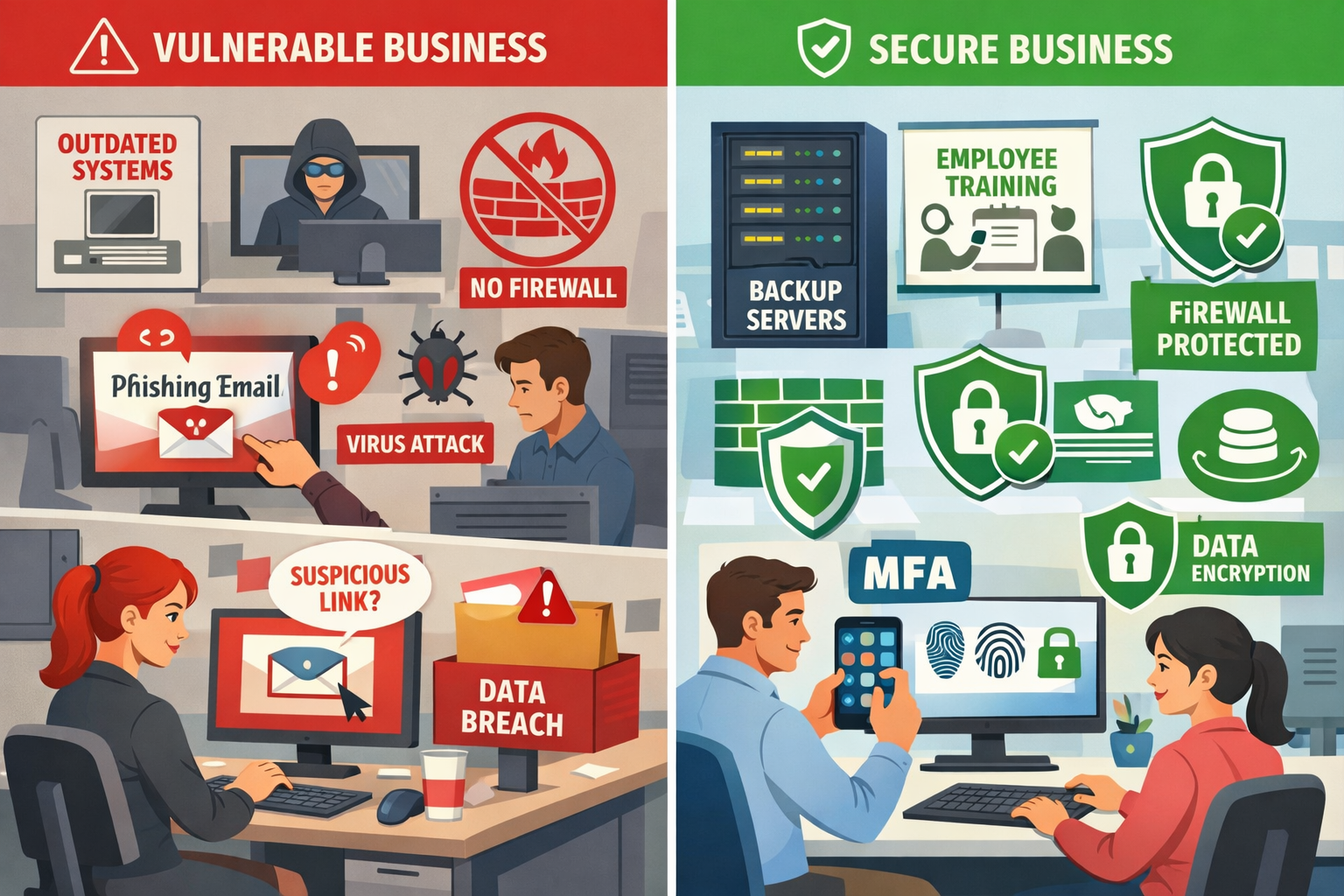
Small businesses face disproportionate ransomware risk because they typically have valuable data but limited security resources. Cybercriminals view SMBs as the “sweet spot” – companies with enough digital assets to make an attack profitable, but without the dedicated security teams that larger enterprises employ.
Here’s what makes small businesses attractive targets:
Limited IT Security Budgets
Most small businesses allocate just 3-7% of their revenue to IT, with security being a fraction of that. This means outdated software, minimal monitoring, and often no dedicated security personnel.
High-Value Data
Whether you’re a healthcare practice with patient records, an accounting firm with financial data, or a manufacturing company with proprietary designs, small businesses often handle sensitive information that criminals can monetize.
Faster Payment Likelihood
Small businesses typically can’t afford extended downtime. A dental practice that can’t access patient records or a law firm locked out of case files often feels pressure to pay quickly rather than endure weeks of recovery.
Weaker Backup Systems
Many SMBs rely on simple backup solutions that ransomware can easily encrypt along with primary systems. Without proper backup and disaster recovery for SMB infrastructure, businesses face total data loss.
The reality is that 60% of small businesses that experience a major cyber incident go out of business within six months. But with proper cyber resilience for SMB planning, you can avoid becoming part of that statistic.
How Ransomware Attacks Actually Happen
Most ransomware attacks begin with a single employee clicking a malicious email link or downloading an infected attachment. Understanding this attack chain helps you build better defenses at each stage.
Stage 1: Initial Access
- Phishing emails (85% of attacks) – fake invoices, shipping notifications, or urgent security alerts
- Compromised websites – legitimate sites infected with malicious code
- USB drives – infected devices left in parking lots or common areas
- Remote access vulnerabilities – weak passwords on VPN or remote desktop connections
Stage 2: Lateral Movement
Once inside your network, ransomware spreads by:
- Scanning for shared drives and network resources
- Using stolen credentials to access additional systems
- Exploiting unpatched software vulnerabilities
- Moving through connected devices and servers
Stage 3: Data Encryption
The ransomware encrypts files across your network, typically targeting:
- Document files (.doc, .pdf, .xlsx)
- Database files
- Backup systems (if accessible)
- Email archives
- Financial records
Stage 4: Ransom Demand
Attackers display their demands, usually requesting payment in cryptocurrency within 72 hours. They often threaten to publish stolen data if payment isn’t made.
Understanding this process shows why phishing and ransomware protection must be your top priority. If you can stop the initial access, you prevent the entire attack chain.
Warning Signs Before an Attack
Recognizing early warning signs can help you stop an attack before it fully deploys. Many ransomware variants have telltale behaviors that alert security systems and observant users.
Network Performance Issues
- Unusually slow file access or network speeds
- Frequent disconnections from shared drives
- Applications are timing out or crashing unexpectedly
Suspicious File Activity
- Files with strange extensions (.encrypted, .locked, .crypto)
- Duplicate files appear with different names
- Inability to open recently accessed documents
System Behavior Changes
- Computers are running slower than normal
- Unexpected pop-ups or error messages
- Programs failing to launch properly
- Antivirus software is being disabled
Email and Communication Red Flags
- Employees reporting suspicious emails
- Unusual login attempts on user accounts
- Requests for password resets from multiple users
If you notice these signs, immediately disconnect affected systems from your network and contact your IT support team. Quick action can often contain an attack before it spreads throughout your infrastructure.
Step-by-Step Ransomware Attack Checklist for Small Businesses
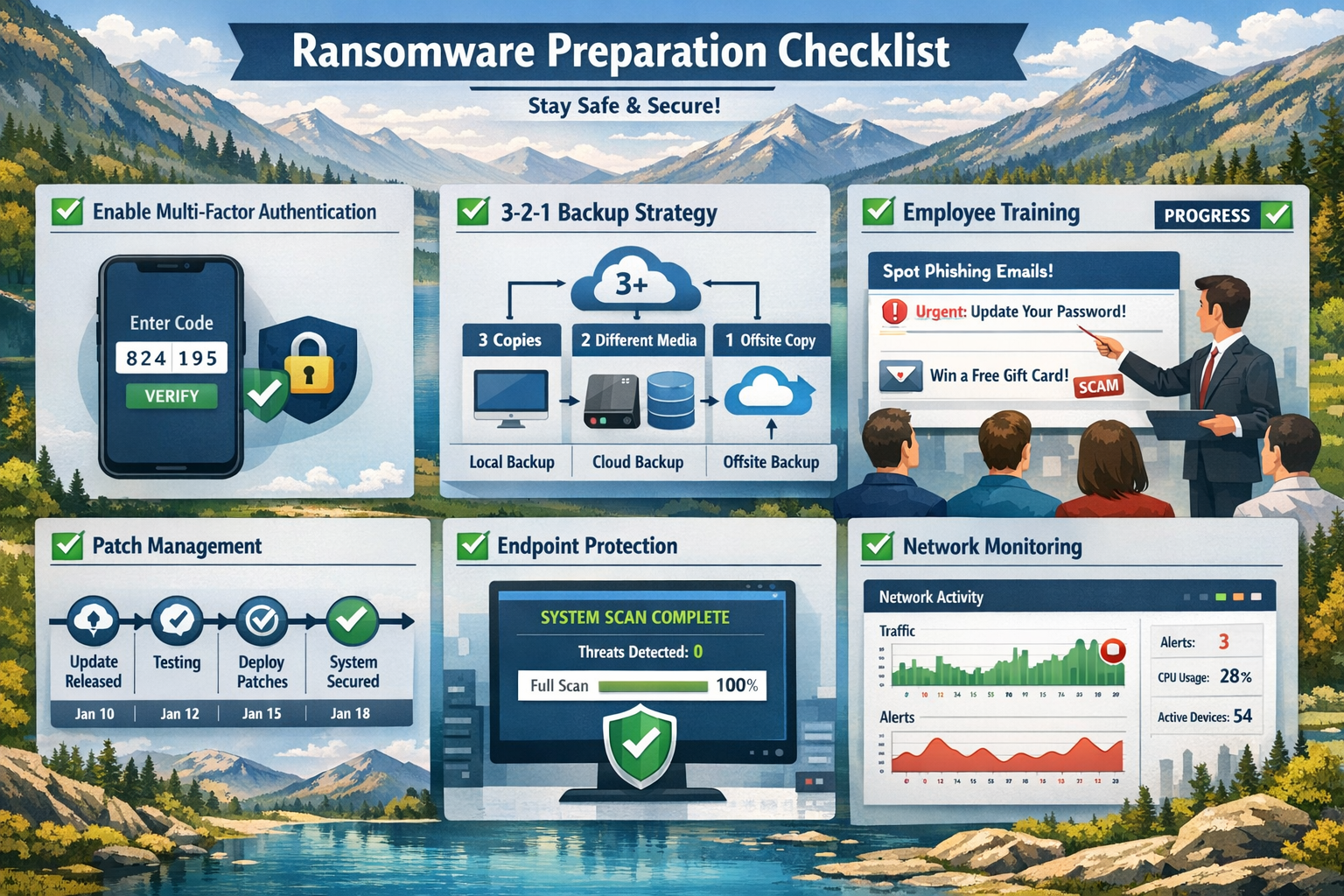
A comprehensive preparation checklist ensures you’ve covered all critical security areas before an attack occurs. This ransomware attack checklist addresses the most common vulnerabilities we see in small businesses.
Multi-Factor Authentication (MFA)
Enable MFA on every business account that supports it – this single step blocks 99.9% of automated attacks.
Priority accounts for MFA:
- Email systems (Office 365, Gmail)
- Cloud storage (OneDrive, Dropbox, Google Drive)
- Financial software and banking
- Customer relationship management (CRM) systems
- Remote access tools (VPN, remote desktop)
Implementation tips:
- Use authenticator apps rather than SMS when possible
- Provide backup authentication methods for employees
- Test MFA setup with each user before full deployment
- Document the process for new employee onboarding
Backup Strategy: The 3-2-1 Rule
Maintain 3 copies of critical data, on 2 different media types, with 1 copy stored offsite. This backup and disaster recovery for SMB approach ensures ransomware can’t destroy all your data.
3 Copies:
- Original working files
- Local backup (external drive or network storage)
- Cloud backup (automatically synchronized)
2 Media Types:
- Combine local storage (hard drives, NAS devices) with cloud storage
- Avoid keeping all backups on the same type of system
1 Offsite:
- Cloud storage that’s not constantly connected to your network
- Physical backup stored at a different location
- Consider “air-gapped” backups that are periodically disconnected
Backup testing schedule:
- Monthly: Verify backups are running successfully
- Quarterly: Test file restoration from backups
- Annually: Perform full system restoration test
Employee Training Program
Train employees to recognize and report phishing attempts – your team is both your biggest vulnerability and strongest defense.
Monthly training topics:
- Identifying suspicious email characteristics
- Verifying requests for sensitive information
- Proper password creation and management
- Safe web browsing practices
- USB and device security
Simulated phishing exercises:
- Send test phishing emails quarterly
- Track click rates and improvement over time
- Provide immediate training for employees who click test links
- Celebrate teams that consistently identify threats
Patch Management System
Keep all software updated with the latest security patches – many attacks exploit known vulnerabilities in outdated software.
Critical systems to monitor:
- Operating systems (Windows, macOS, Linux)
- Web browsers and plugins
- Office productivity software
- Industry-specific applications
- Network equipment firmware
Patch management process:
- Enable automatic updates where possible
- Schedule monthly manual checks for critical systems
- Test updates in a controlled environment first
- Maintain an inventory of all software and versions
Endpoint Protection
Deploy comprehensive endpoint protection for small businesses on every device that accesses your network.
Essential protection features:
- Real-time malware scanning
- Behavioral analysis to detect unknown threats
- Web filtering to block malicious sites
- Email security scanning
- Device control for USB and external media
Deployment considerations:
- Choose solutions designed for small business management
- Ensure compatibility with your existing systems
- Configure centralized monitoring and reporting
- Train employees on security software alerts
Network Monitoring
Implement 24/7 monitoring to detect suspicious activity before it becomes a full-scale attack.
Key monitoring capabilities:
- Unusual network traffic patterns
- Failed login attempts
- File access anomalies
- System performance changes
- Security software alerts
Many small businesses benefit from managed cybersecurity services that provide professional monitoring without the cost of hiring dedicated security staff.
What to Do During a Ransomware Attack
If you suspect a ransomware attack, immediately disconnect affected systems from your network and activate your incident response plan. Quick action in the first few minutes can dramatically reduce the scope and impact of an attack.
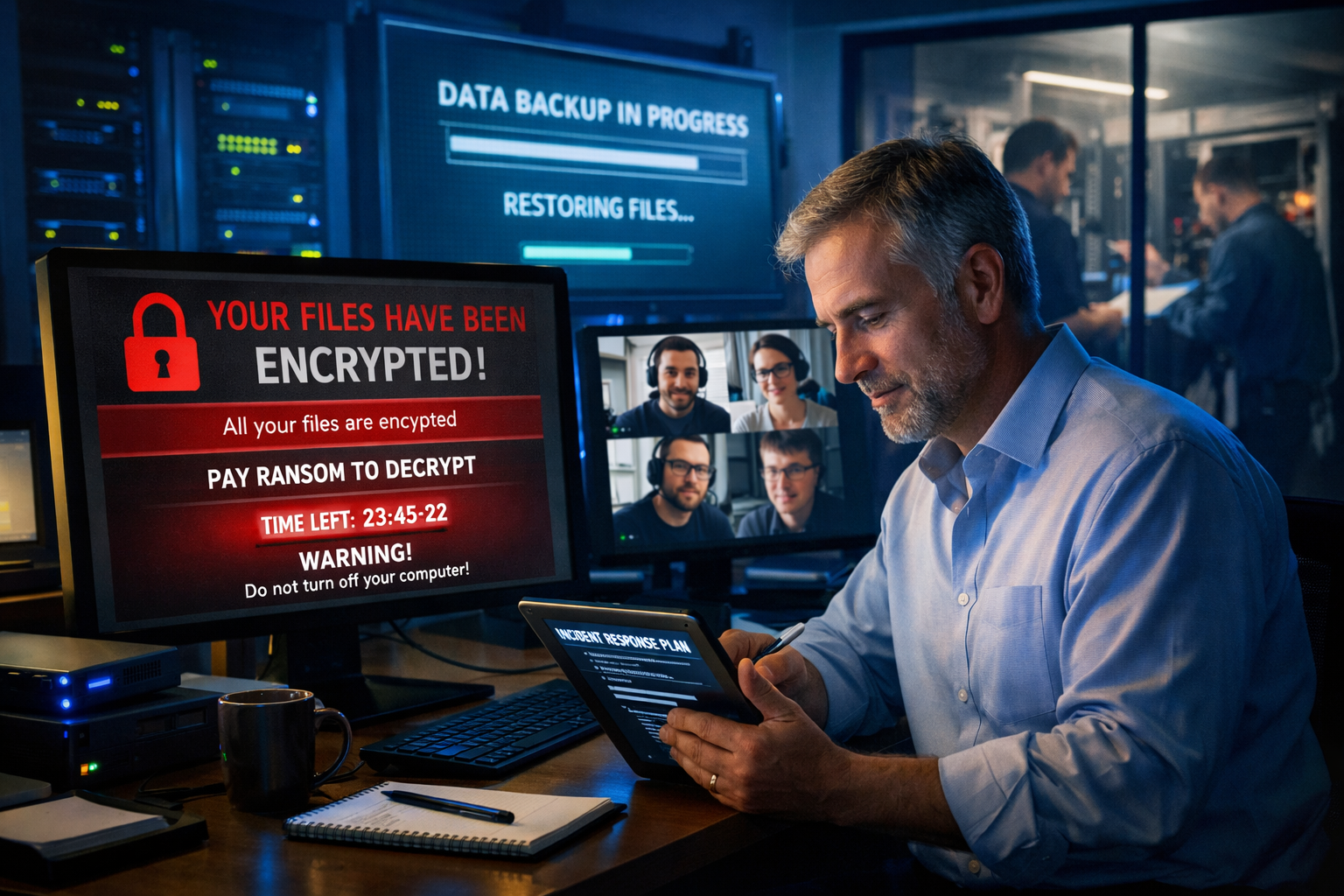
Immediate Response Steps (First 30 Minutes)
Isolate and Assess
- Disconnect affected computers from the network (unplug Ethernet cables, disable Wi-Fi)
- Do not shut down infected computers – this may trigger additional encryption
- Identify which systems are affected and which remain clean
- Take photos of ransom messages for documentation
Activate Your Response Team
- Contact your IT support provider or managed cybersecurity services team
- Notify key stakeholders (business owner, office manager, department heads)
- Begin documenting the incident timeline
- Preserve evidence for potential law enforcement involvement
Secure Unaffected Systems
- Change passwords on all administrative accounts
- Enable additional monitoring on clean systems
- Verify backup systems are isolated and secure
- Implement temporary security measures
Communication Protocol
Maintain clear communication with employees, customers, and partners while avoiding panic or oversharing sensitive details.
Internal communications:
- Brief all employees on the situation without technical details
- Establish alternative communication methods if email is compromised
- Assign specific roles and responsibilities to key team members
- Set regular update intervals to keep everyone informed
External communications:
- Notify customers only if their data may be affected
- Contact cyber insurance providers within the required timeframes
- Coordinate with legal counsel on regulatory notification requirements
- Prepare public statements if media attention is likely
Recovery Decision Framework
Evaluate whether to pay the ransom or restore from backups based on your specific situation and available options.
Factors supporting backup restoration:
- Recent, verified backups of all critical data
- Acceptable downtime for the restoration process
- Strong cybersecurity posture to prevent re-infection
- Legal or compliance restrictions on ransom payments
Factors that may require ransom consideration:
- No viable backups or significant data gaps
- Critical business operations that can’t sustain extended downtime
- Evidence that attackers have stolen sensitive data
- Guidance from cybersecurity professionals and legal counsel
Important note: Law enforcement and cybersecurity experts generally recommend against paying ransoms, as it funds criminal operations and doesn’t guarantee data recovery.
Recovery vs Prevention: The True Cost Comparison
Investing in ransomware prevention costs significantly less than recovering from an attack. The numbers tell a compelling story about why preparation makes financial sense.
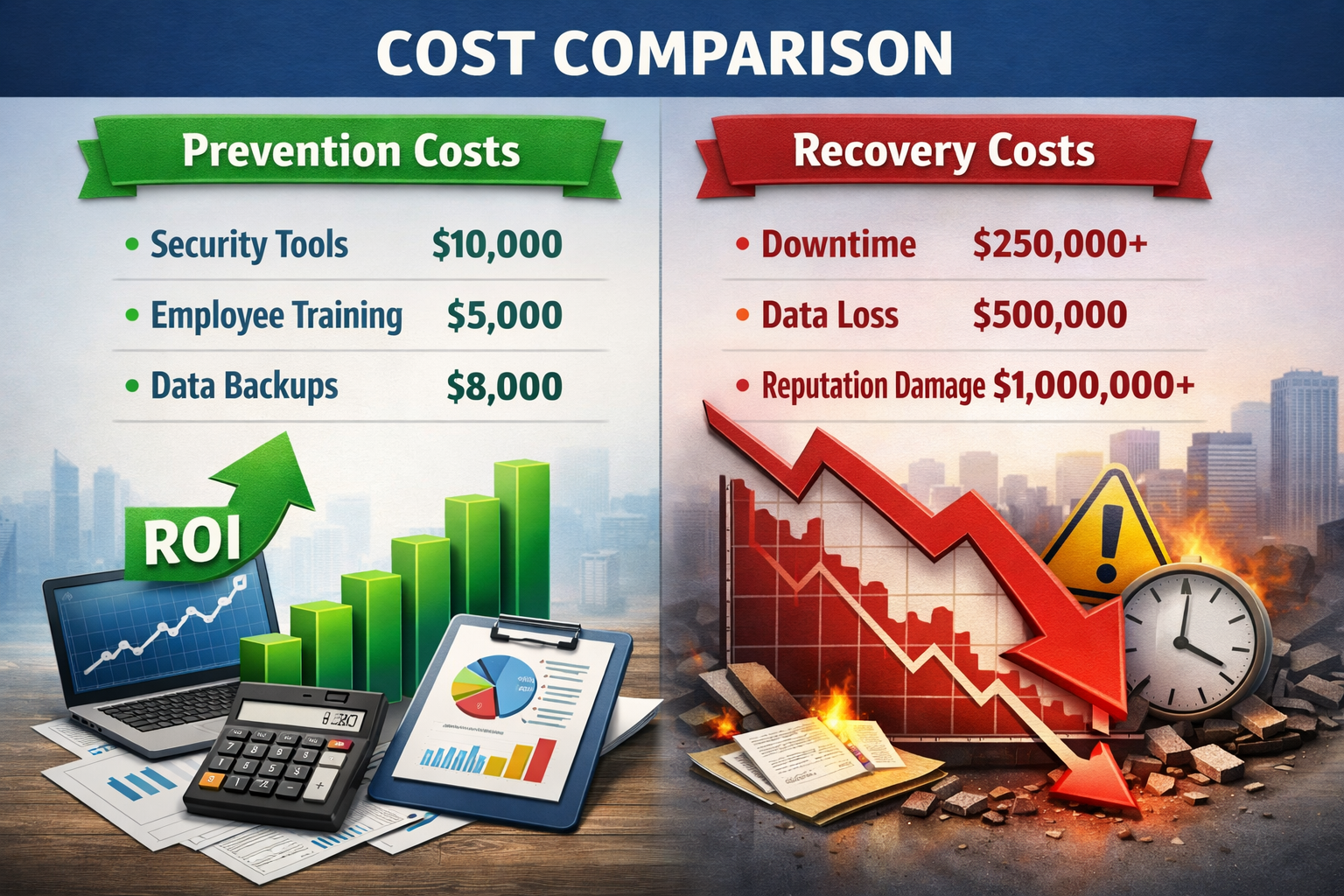
Prevention Investment Costs
Annual cybersecurity budget for a typical 25-employee business:
- Endpoint protection: $1,500-3,000
- Backup and disaster recovery: $2,000-4,000
- Employee training: $1,000-2,000
- Multi-factor authentication: $500-1,500
- Professional security assessment: $2,000-5,000
- Total annual investment: $7,000-15,500
Attack Recovery Costs
Average costs for small business ransomware recovery:
- Ransom payment: $10,000-100,000+ (no guarantee of data recovery)
- Business downtime: $8,000-25,000 per day
- IT recovery services: $15,000-50,000
- Legal and compliance: $5,000-25,000
- Customer notification: $2,000-10,000
- Reputation damage: Difficult to quantify, often substantial
- Total recovery costs: $50,000-300,000+
The Business Continuity Factor
Beyond direct costs, consider the operational impact:
With proper preparation:
- Recovery time: 1-3 days
- Data loss: Minimal (hours, not days)
- Customer impact: Limited
- Business reputation: Protected
Without preparation:
- Recovery time: 2-6 weeks
- Data loss: Potentially catastrophic
- Customer impact: Severe service disruption
- Business reputation: Long-term damage
The math is clear: comprehensive ransomware protection for small businesses pays for itself many times over, even if you never experience an attack.
Building Long-Term Cyber Resilience
True cyber resilience goes beyond preventing attacks – it’s about building systems that can withstand, adapt to, and quickly recover from any cybersecurity incident. This approach gives you the peace of mind that comes with knowing your business can handle whatever threats emerge.
Quarterly Security Reviews
Schedule regular assessments to identify new vulnerabilities and ensure your defenses evolve with changing threats.
Review checklist:
- Update software inventory and patch status
- Test backup restoration procedures
- Analyze security monitoring reports
- Review employee training effectiveness
- Assess new business processes for security implications
Vendor Risk Management
Evaluate the cybersecurity practices of your key suppliers and service providers – their vulnerabilities can become your vulnerabilities.
Key questions for vendors:
- What cybersecurity certifications do they maintain?
- How do they protect your data in their systems?
- What’s their incident response process?
- Do they carry cyber insurance?
- How quickly would they notify you of a breach?
Technology Evolution Planning
Stay informed about emerging threats and defensive technologies that could impact your business.
As we move through 2026, key trends include:
- AI-powered threat detection is becoming more accessible to SMBs
- Increased focus on supply chain security
- Growing importance of mobile device security
- Evolution of cloud security best practices
Working with experienced managed cybersecurity services providers helps ensure you benefit from the latest defensive technologies without needing to become a cybersecurity expert yourself.