

The Hidden Costs of Slow and Vulnerable CAD Workstations
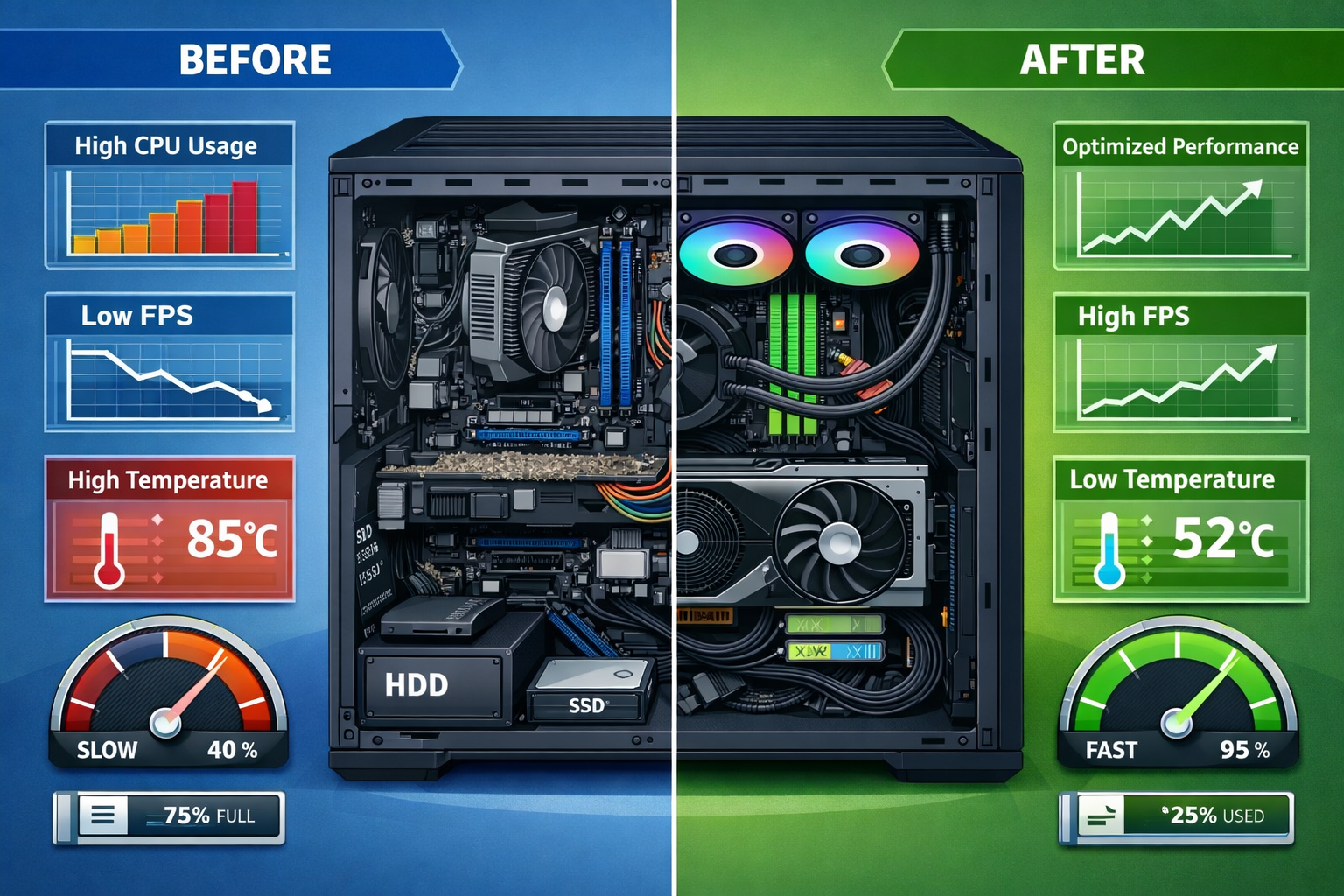
Last month, I worked with a Metro Atlanta architectural firm that was losing nearly $15,000 per week due to slow CAD workstations. Their design team was spending more time waiting for files to load than actually designing. Even worse, they discovered that their workstations had been compromised by malware that was quietly stealing project files and client data.
This story isn’t unique. Across Metro Atlanta, businesses are struggling with CAD workstations that can’t keep up with modern demands. The cost of poor performance extends beyond mere frustration; it directly impacts your ability to meet deadlines, secure new projects, and safeguard sensitive information.
The good news? With the right approach to keeping your CAD workstations running fast and securely, you can eliminate these IT headaches and give your team the reliable tools they need to succeed.
Optimizing CAD Workstation Hardware for Peak Performance
Understanding Your Hardware Needs
CAD software is incredibly demanding on computer hardware. Unlike typical office applications, CAD programs need powerful graphics processing, massive amounts of RAM, and lightning-fast storage to handle complex 3D models and large assemblies.
The foundation of learning how to keep your CAD workstations running fast and secure starts with having the right hardware in place. Here’s what matters most:
Graphics Cards Are Your Workstation’s Engine Professional graphics cards like NVIDIA Quadro or AMD Radeon Pro series are specifically designed for CAD work. These cards include features like error-correcting code (ECC) memory and optimized drivers that consumer gaming cards simply don’t offer. While they cost more upfront, they provide the reliability and performance your design team needs.
RAM: More Is Almost Always Better CAD applications are memory-hungry beasts. While 16GB might seem like plenty, complex assemblies can easily consume 32GB or more. I recommend starting with 32GB as a baseline for serious CAD work, with the ability to expand to 64GB or 128GB for your most demanding projects.
Storage Speed Makes a Real Difference Traditional hard drives are the enemy of fast CAD performance. Solid-state drives (SSDs), particularly NVMe drives, can reduce file load times from minutes to seconds. Consider a tiered storage approach with fast SSDs for active projects and larger traditional drives for archived work.
Regular Hardware Maintenance
Even the best hardware needs regular care to maintain peak performance. Dust buildup is one of the biggest enemies of CAD workstations, causing overheating and thermal throttling that can cut performance in half.
Monthly Cleaning Schedule Set up a monthly cleaning routine that includes:
- Compressed air cleaning of all fans and heat sinks
- Checking cable connections for looseness
- Monitoring temperatures under load
- Updating graphics drivers and firmware
Temperature Monitoring CAD workstations generate significant heat during intensive rendering operations. Install temperature monitoring software and set up alerts when components exceed safe operating temperatures. Consistent overheating not only reduces performance but can also lead to hardware failures that cost thousands to repair.
Smart Software License Management for CAD Environments

The True Cost of License Mismanagement
Software licensing represents one of the largest ongoing expenses for CAD-dependent businesses, often accounting for 20-30% of total IT costs. Yet most companies I work with in Metro Atlanta have little visibility into how their licenses are actually being used.
Poor license management doesn’t just waste money; it creates legal compliance risks that can result in hefty fines during software audits. Understanding how to keep your CAD workstations running fast and secure includes having a solid grasp on your software licensing situation.
License Optimization Strategies The key to effective license management is matching your licensing model to your actual usage patterns. Many businesses overpay by purchasing individual licenses when network licenses would be more cost-effective, or vice versa.
Consider these approaches:
- Network licensing for teams that don’t all use CAD software simultaneously
- Subscription models for seasonal workloads or project-based work
- Educational licenses if you qualify, which can offer significant savings
- Volume licensing agreements for larger organizations
Automated License Tracking
Manual license tracking is a recipe for disaster. Implement automated tools that monitor license usage in real-time and provide alerts when you’re approaching your limits or when licenses are sitting unused.
Key Metrics to Monitor:
- Peak concurrent usage times
- License utilization rates by user and department
- Upcoming renewal dates and costs
- Compliance status across all software packages
Modern license management tools can also help you identify opportunities to optimize your licensing mix. For example, if you discover that certain expensive licenses are only used 20% of the time, you might be able to reduce the number of licenses and implement a check-out system for occasional users.
Preventing File Corruption in Shared CAD Environments
The Nightmare of Lost Work
Few things are more devastating to a design team than discovering that hours or days of work have been lost to file corruption. In shared CAD environments, where multiple team members collaborate on complex projects, the risk of corruption multiplies exponentially.
File corruption in CAD environments typically occurs due to:
- Network interruptions during file saves
- Multiple users attempting to modify the same file simultaneously
- Hardware failures during write operations
- Improper shutdowns or power outages
- Storage system errors or disk failures
Understanding how to keep your CAD workstations running fast and secure means implementing robust file protection strategies that prevent these scenarios from causing data loss.
Implementing Version Control Systems
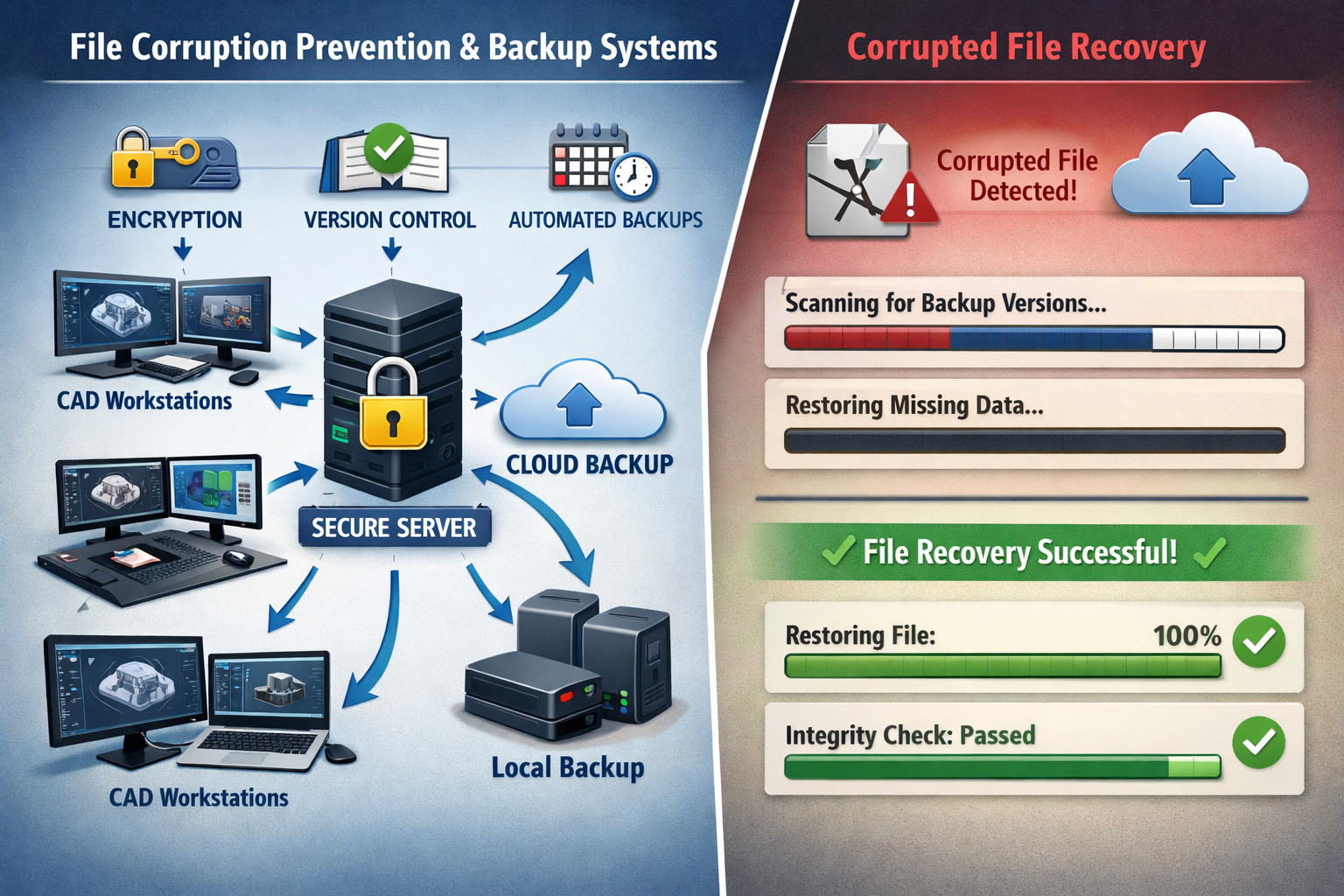
Version control isn’t just for software developers; it’s essential for any team working with valuable CAD files. A proper version control system tracks every change made to your files, allowing you to recover previous versions if corruption occurs.
Essential Version Control Features:– Automated backups every time a file is saved
- Branch management for different design iterations
- Conflict resolution when multiple users edit the same file
- Audit trails showing who made what changes and when
- Rollback capabilities to restore previous versions instantly
Popular solutions like Autodesk Vault, SOLIDWORKS PDM, or even cloud-based systems like Dropbox Business with version history can provide this protection. The key is ensuring that your team actually uses the system consistently; which requires proper training and clear procedures.
Network Infrastructure Considerations
Your network infrastructure plays a crucial role in preventing file corruption. Slow or unreliable networks increase the likelihood of interrupted file transfers, which can corrupt CAD files.
Network Best Practices:
- Use wired connections for CAD workstations whenever possible
- Implement Quality of Service (QoS) rules to prioritize CAD traffic
- Ensure adequate bandwidth for large file transfers
- Deploy redundant network paths to prevent single points of failure
- Monitor network performance and address issues proactively
Consider implementing a dedicated network segment for CAD workstations, separate from general office traffic. This ensures that large file transfers don’t slow down other business operations and reduces the risk of network-related corruption.
Comprehensive Security Strategies for CAD Workstations
The Evolving Threat Landscape
CAD workstations face unique security challenges that go beyond typical office computers. These machines often contain valuable intellectual property, including proprietary designs, manufacturing specifications, and client confidential information. The theft or compromise of this data can be catastrophic for your business.
In 2026, cyber criminals are increasingly targeting design and engineering firms because they know these companies often have valuable data but may lack robust security measures. Learning how to keep your CAD workstations running fast and secure requires a multi-layered security approach that protects against both external threats and internal risks.
Multi-Layered Security Implementation
Endpoint Protection Traditional antivirus software isn’t enough for CAD workstations. You need endpoint detection and response (EDR) solutions that can identify and stop sophisticated threats in real-time. These tools monitor system behavior and can detect unusual activities that might indicate a compromise.
Look for security solutions that:
- Provide real-time threat detection and response
- Include behavioral analysis to catch zero-day threats
- Offer centralized management across all workstations
- Don’t significantly impact CAD performance
- Include data loss prevention features
Network Segmentation Isolate your CAD workstations on a separate network segment from general office computers and guest networks. This limits the potential damage if one system becomes compromised and makes it harder for attackers to move laterally through your network.
Access Controls Implement strict access controls that ensure only authorized personnel can access CAD workstations and files. This includes:
- Multi-factor authentication for all users
- Role-based access permissions
- Regular access reviews and updates
- Secure remote access solutions for work-from-home scenarios
- Privileged access management for administrative functions
Data Protection and Backup Strategies
Automated Backup Systems Your backup strategy should include multiple layers of protection:
- Local backups for quick recovery of recent files
- Network backups to centralized storage systems
- Cloud backups for off-site protection and disaster recovery
- Versioned backups that maintain multiple copies over time
Test your backups regularly to ensure they actually work when you need them. I’ve seen too many businesses discover their backup systems weren’t functioning properly only after they needed to recover critical files.
Encryption at Rest and in Transit All CAD files should be encrypted both when stored and when transmitted over networks. This ensures that even if data is intercepted or stolen, it remains unreadable without the proper decryption keys.
Modern encryption solutions can protect your data without significantly impacting performance. Look for solutions that integrate seamlessly with your existing CAD software and don’t require users to change their workflows.
Establishing Proactive Maintenance Schedules
The Power of Prevention
The most effective way to keep your CAD workstations running fast and secure is to prevent problems before they occur. Reactive maintenance—waiting until something breaks—is expensive, disruptive, and often results in lost productivity and data.
A proactive maintenance approach includes regular system monitoring, preventive updates, and scheduled maintenance windows that minimize disruption to your team’s work.
Daily, Weekly, and Monthly Maintenance Tasks
Daily Monitoring (Automated)
- System health checks and performance monitoring
- Security scan results review
- Backup completion verification
- Temperature and hardware status monitoring
- License usage tracking
Weekly Tasks
- Software updates and patch installation
- Security definition updates
- System performance analysis
- Storage space monitoring and cleanup
- User access review
Monthly Deep Maintenance
- Hardware cleaning and inspection
- Full system security scans
- Backup system testing and verification
- Performance benchmarking and optimization
- License compliance auditing
- Hardware replacement planning
Building Your Maintenance Team
Whether you handle maintenance in-house or work with a reliable partner like AlphaCIS, having a clear maintenance strategy is essential. The key is finding someone with industry expertise who understands the unique requirements of CAD environments.
Look for maintenance providers who offer:
- 24/7 monitoring of your critical systems
- Same-day support when issues arise
- Proactive solutions that prevent problems
- Straightforward pricing with no surprise costs
- Personalized service tailored to your specific needs
Real-World Success Stories

Case Study: Atlanta Manufacturing Firm
Last year, I worked with a Metro Atlanta manufacturing company that was struggling with CAD workstation performance issues that were costing them nearly $20,000 per month in lost productivity. Their design team was spending more time waiting for systems to respond than actually designing products.
After implementing the strategies outlined in this article—including hardware upgrades, proper license management, and comprehensive security measures—they saw immediate improvements:
- 75% reduction in file load times
- 90% fewer system crashes and freezes
- Zero security incidents in the following 12 months
- $180,000 annual savings through improved productivity and license optimization
The key was taking a holistic approach that addressed hardware, software, security, and maintenance as interconnected components of a complete system.
Lessons from Implementation
The most successful CAD workstation optimizations I’ve seen share common characteristics:
- Leadership buy-in from business owners who understand that IT infrastructure is a business investment, not just a cost center
- User training that ensures the team knows how to use new systems and follows best practices
- Regular reviews that identify new optimization opportunities as business needs evolve
- Partnership approach with IT providers who act as trusted advisors rather than just vendors
Taking Action: Your Next Steps
Learning how to keep your CAD workstations running fast and secure is just the beginning; the real value comes from implementation. Here’s how to get started:
Immediate Actions (This Week)
- Assess your current workstation performance using the calculator above
- Review your software license usage and costs
- Check when your systems were last updated or maintained
- Verify that your backup systems are working properly
Short-Term Planning (Next Month)
- Develop a comprehensive maintenance schedule
- Evaluate your security measures against current threats
- Plan any necessary hardware upgrades
- Establish relationships with reliable IT support providers
Long-Term Strategy (Next Quarter)
- Implement automated monitoring and maintenance systems
- Develop disaster recovery and business continuity plans
- Create training programs for your team
- Establish regular review cycles to ensure continued optimization
The investment you make in properly maintaining your CAD workstations will pay dividends in improved productivity, reduced downtime, and peace of mind knowing your critical business systems are protected.
Conclusion
Keeping your CAD workstations running fast and secure isn’t just about technology; it’s about protecting your business’s ability to compete and grow. In today’s fast-paced business environment, slow or vulnerable workstations can quickly become a competitive disadvantage that costs you projects and profits.
The strategies we’ve covered, from hardware optimization and license management to security implementation and proactive maintenance, work together to create a robust foundation for your design operations. When implemented properly, these approaches eliminate IT headaches and give your team the reliable tools they need to focus on what they do best: creating innovative designs that drive your business forward.
Remember, you don’t have to tackle this alone. Working with a reliable partner who understands the unique challenges of CAD environments can help you implement these strategies more effectively and maintain them over time. The key is finding someone who offers personalized service, industry expertise, and proactive solutions that align with your business goals.
Ready to transform your CAD workstation performance and security? The time to act is now. Your design team—and your bottom line—will thank you for it.