

If you’re running a small business in 2026, you’re facing a harsh reality: cybercriminals see you as an easy target. They assume you don’t have the resources, knowledge, or dedicated security staff that larger companies possess. Unfortunately, they’re often right.
The good news? Most small business cyber risks stem from seven common cybersecurity mistakes that are surprisingly easy to fix. You don’t need a massive IT budget or a computer science degree to protect your business. You just need to know what you’re doing wrong and how to do it right.
As someone who’s helped hundreds of small businesses strengthen their security posture, I’ve seen the same patterns repeatedly. The businesses that get hit by ransomware, data breaches, and costly downtime almost always make these same preventable mistakes. But the businesses that stay secure? They’ve implemented straightforward solutions that provide real peace of mind.
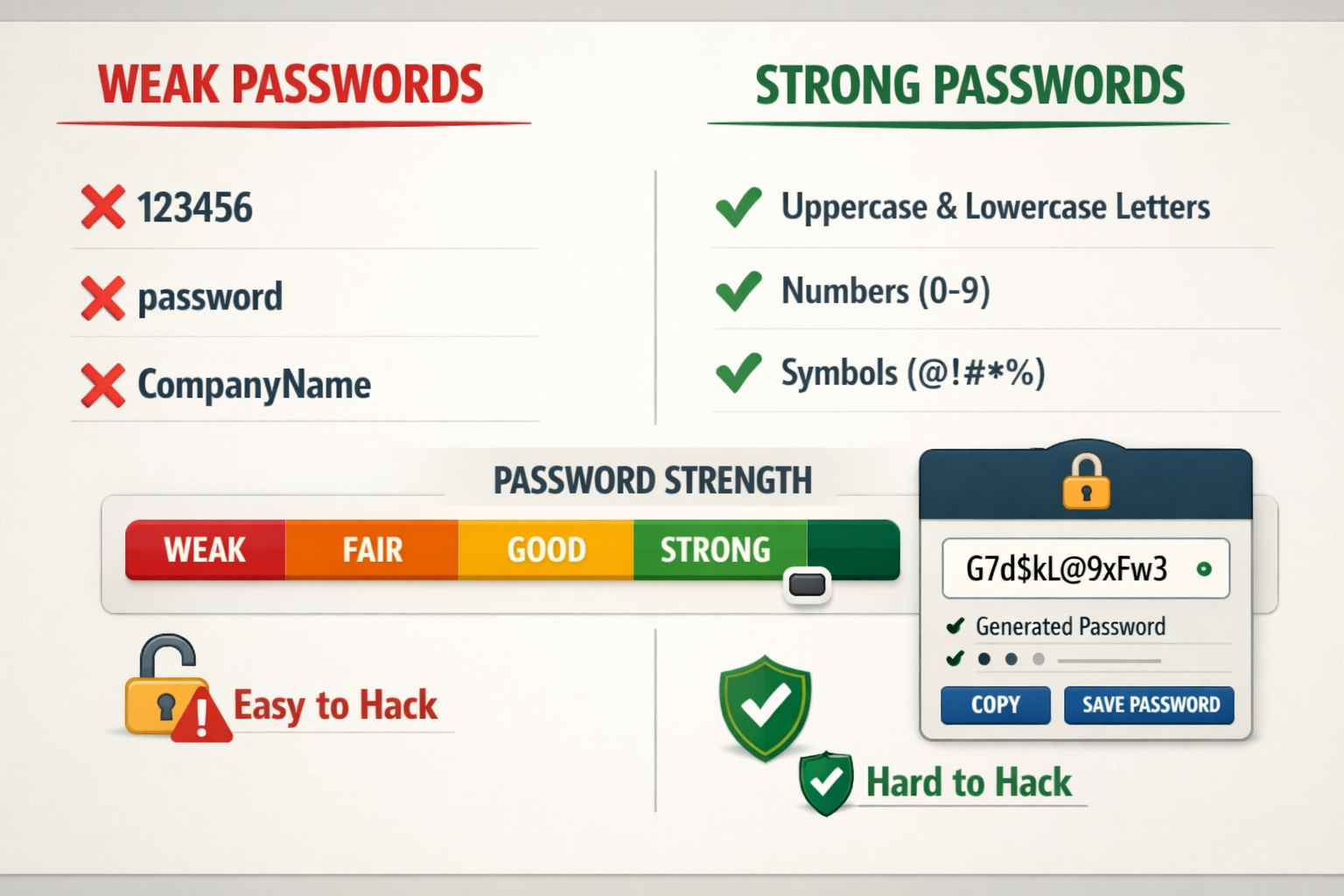
Mistake #1: Using Weak Passwords Across Your Business
The Problem: Your employees are using passwords like “Password123” or your company name followed by the current year. Even worse, they’re reusing the same password across multiple business accounts.
Why It Matters: Weak passwords are the digital equivalent of leaving your front door unlocked. Cybercriminals use automated tools that can crack simple passwords in seconds. When employees reuse passwords, one compromised account can lead to a complete business takeover.
How to Fix It:
Implement a password policy immediately. Require passwords that are at least 12 characters long and include uppercase letters, lowercase letters, numbers, and symbols. But here’s the key – don’t make employees memorize complex passwords.
Deploy a business password manager. Tools like Bitwarden Business or 1Password Business generate and store unique, complex passwords for every account. Your employees only need to remember one master password, and the manager handles everything else.
Enable password requirements in your business systems. Most software platforms allow administrators to enforce password complexity rules. Turn these on in your email system, accounting software, and any other business-critical applications.
Conduct a password audit. Check if any of your business email addresses appear in known data breaches using tools like HaveIBeenPwned. If they do, those passwords need to be changed immediately.
The investment in a business password manager typically costs $3-8 per employee per month – far less than the average $4.45 million cost of a data breach.
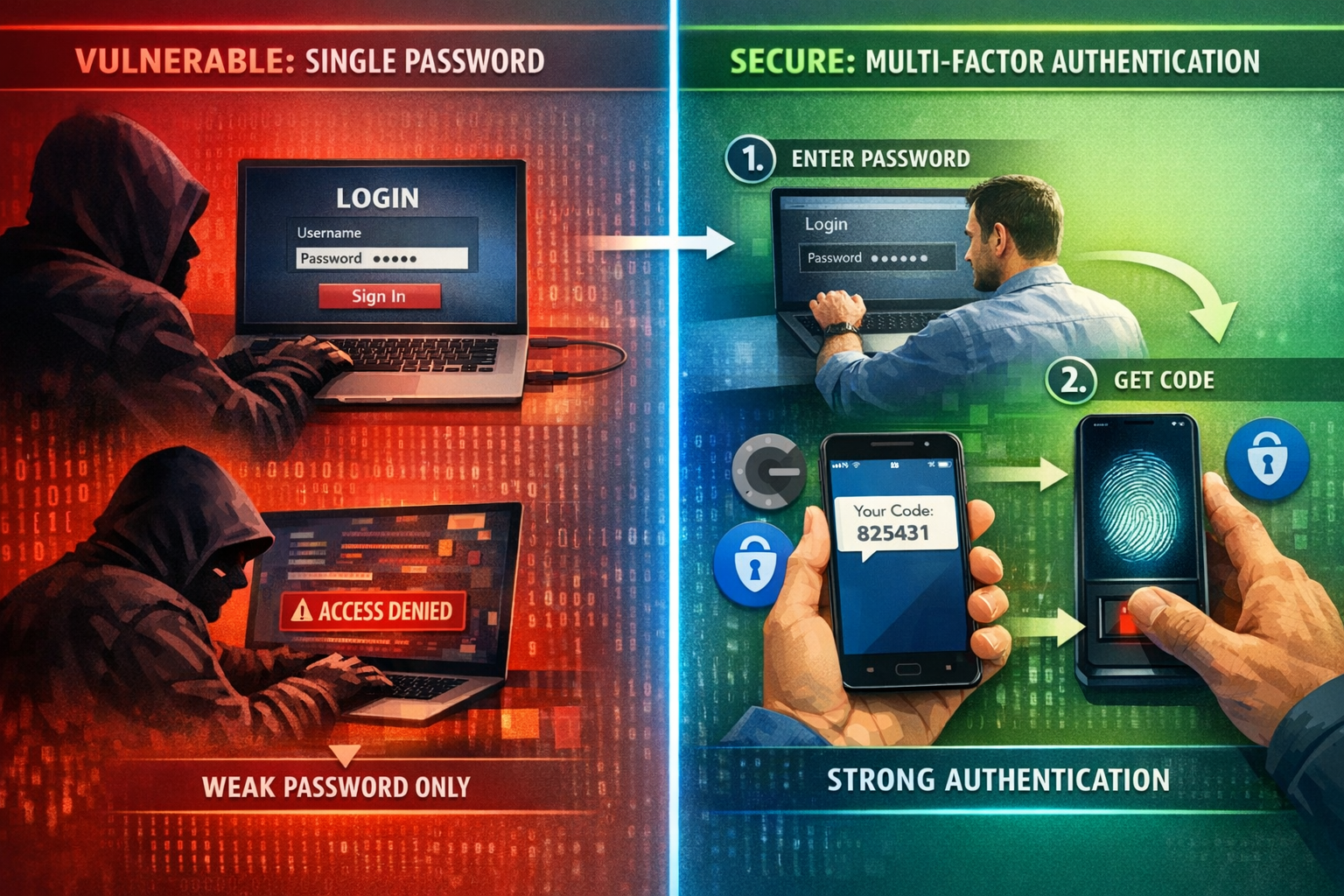
Mistake #2: Skipping Multi-Factor Authentication (MFA)
The Problem: Your business relies solely on passwords to protect critical accounts like email, banking, and cloud storage. If someone gets the password, they have complete access.
Why It Matters: Even if cybercriminals steal or crack your passwords, multi-factor authentication blocks 99.9% of automated attacks. Without MFA, you’re essentially trusting that passwords alone will keep sophisticated attackers out of your business.
How to Fix It:
Start with your most critical accounts. Enable MFA on business email, cloud storage, banking, and any software that contains customer data. These should be your absolute priority.
Choose the right MFA method for your team. Authenticator apps like Microsoft Authenticator or Google Authenticator are more secure than SMS codes. For teams that struggle with technology, consider hardware security keys that simply plug into USB ports.
Make it mandatory, not optional. Configure your business systems to require MFA for all users. Don’t leave it as an optional security feature that employees might skip.
Provide clear setup instructions. Create a simple step-by-step guide showing employees exactly how to enable MFA on each business system. Include screenshots and make the process as painless as possible.
Plan for device loss. Establish a process for when employees lose phones or change devices. Most MFA systems provide backup codes or administrator override options.
The time investment is minimal – most MFA setups take 5-10 minutes per account. But the protection is enormous, especially for small businesses that can’t afford to recover from a major security incident.
Mistake #3: Running Outdated Software and Operating Systems
The Problem: Your business computers are running old versions of Windows, outdated web browsers, or software that hasn’t been updated in months. You might even have applications that are no longer supported by their manufacturers.
Why It Matters: Outdated software contains known security vulnerabilities that cybercriminals actively exploit. When software companies release updates, they’re often patching security holes that hackers have already discovered. Running old software is like leaving known weaknesses in your digital defenses.
How to Fix It:
Enable automatic updates wherever possible. Modern operating systems and most business software can update automatically. Turn this feature on for Windows, macOS, web browsers, and any cloud-based business applications.
Create a software inventory. List every application your business uses, including version numbers and update schedules. This helps you identify which programs need attention and which might be approaching end-of-life.
Prioritize security-critical updates. Operating system updates, web browser updates, and security software updates should install immediately. Business application updates can often wait for scheduled maintenance windows.
Replace unsupported software. If you’re running applications that no longer receive security updates, budget for replacements. Using unsupported software in a business environment is a significant security risk.
Test updates in a controlled way. For critical business applications, consider testing major updates on one computer before rolling them out company-wide. This prevents update-related downtime while maintaining security.
Schedule regular update reviews. Set a monthly reminder to check for and install any pending updates across your business systems.
Remember, the goal isn’t to have the newest features – it’s to eliminate known security vulnerabilities that cybercriminals can easily exploit.
Mistake #4: Having No Backup Strategy (Or an Untested One)
The Problem: Your business either doesn’t back up critical data regularly, or you have backups, but you’ve never actually tested whether you can restore from them. Some businesses think cloud storage, like Dropbox or Google Drive, counts as a complete backup strategy.
Why It Matters: Ransomware attacks can encrypt all your business data in minutes. Hardware failures, natural disasters, and human errors can also destroy critical information. Without reliable, tested backups, these events can shut down your business permanently.
How to Fix It:
Follow the 3-2-1 backup rule. Keep 3 copies of important data, on 2 different types of storage media, with 1 copy stored offsite. This might mean local backups plus cloud backups, or local backups plus an off-site physical location.
Automate your backup process. Manual backups fail because people forget or get busy. Use automated backup software that runs daily without requiring employee intervention.
Test restoration monthly, not just backup creation. Actually restore files from your backups to ensure the process works. Many businesses discover their backups are corrupted or incomplete only when they desperately need them.
Include everything critical to operations. Back up customer data, financial records, email, and any custom software configurations. Don’t forget about less obvious items like email signatures, software licenses, and vendor contact lists.
Keep backups isolated from your main network. Ransomware often targets backup systems. Use solutions that create immutable backups or store copies in locations that ransomware can’t reach.
Document your restoration process. Create clear instructions for how to restore different types of data. In a crisis, you won’t want to figure this out from scratch.
The cost of a comprehensive backup solution typically ranges from $50-200 per month for small businesses. Compare that to the average small business downtime cost of $8,000 per hour, and backups become an obvious investment.
Mistake #5: Providing No Employee Cybersecurity Training
The Problem: Your employees have never received formal training on recognizing phishing emails, social engineering attempts, or other cybersecurity threats. They’re making security decisions based on common sense rather than actual knowledge.
Why It Matters: Employees are involved in 95% of successful cyberattacks, usually as unwitting victims rather than malicious actors. A single employee clicking on a sophisticated phishing email can compromise your entire business network.

How to Fix It:
Start with phishing awareness. Teach employees how to identify suspicious emails, including checking sender addresses, looking for urgent language, and verifying unexpected requests through separate communication channels.
Conduct simulated phishing tests. Send fake phishing emails to your team (using legitimate testing tools) to see who clicks on them. Use failures as learning opportunities, not punishment.
Cover social engineering tactics. Train employees to recognize phone calls, in-person visits, or online requests designed to trick them into revealing sensitive information or bypassing security procedures.
Make training ongoing, not one-time. Cybersecurity threats evolve constantly. Provide brief monthly updates or quarterly refresher sessions rather than annual marathon training sessions.
Include physical security. Teach employees about securing devices, locking screens when away from desks, and properly disposing of sensitive documents.
Create clear incident reporting procedures. Employees should know exactly who to contact and what steps to take if they suspect a security incident or accidentally click on something suspicious.
Customize training to your industry. Healthcare practices need HIPAA-specific training, while financial services need a different compliance focus. Generic cybersecurity training misses important industry-specific threats.
Effective employee cybersecurity training typically costs $30-50 per employee annually but can prevent incidents that cost thousands or tens of thousands to resolve.
Mistake #6: Relying on Basic Email Security
The Problem: Your business uses only the spam filtering that comes with your email provider. You assume that catching obvious spam is sufficient protection against email-based threats.
Why It Matters: Modern email attacks are sophisticated and targeted. Business email compromise (BEC) attacks, advanced phishing campaigns, and malware-laden attachments easily bypass basic spam filters. Email remains the primary attack vector for cybercriminals targeting small businesses.
How to Fix It:
Implement advanced email security. Deploy solutions that use artificial intelligence and behavioral analysis to catch sophisticated threats. These systems analyze email content, sender reputation, and communication patterns.
Enable email authentication protocols. Configure SPF, DKIM, and DMARC records for your domain. These protocols help prevent cybercriminals from sending emails that appear to come from your business.
Use email encryption for sensitive communications. When sending customer data, financial information, or other confidential content, encryption ensures that only intended recipients can read the messages.
Implement attachment scanning and sandboxing. Advanced email security solutions can analyze attachments in isolated environments before allowing them to reach employee inboxes.
Create email usage policies. Establish clear guidelines about what types of attachments employees can open, how to handle unexpected emails from vendors or customers, and when to escalate suspicious messages.
Monitor for email compromise. Use tools that can detect when business email accounts are accessed from unusual locations or show signs of unauthorized use.
Train employees on email-specific threats. Beyond general phishing awareness, teach employees about invoice fraud, CEO impersonation attacks, and other email-based scams targeting small businesses.
Advanced email security typically costs $3-10 per user per month but blocks threats that could result in significant financial losses or data breaches.
Mistake #7: Using Reactive Instead of Proactive IT Support
The Problem: Your business only addresses IT security issues after they cause problems. You might have a “break-fix” IT relationship where technicians respond to emergencies but don’t actively monitor or maintain your systems.
Why It Matters: Cybersecurity threats don’t wait for convenient times to strike. Reactive IT support means vulnerabilities exist for weeks or months before anyone notices them. By the time you’re calling for help, the damage is often already done.
How to Fix It:
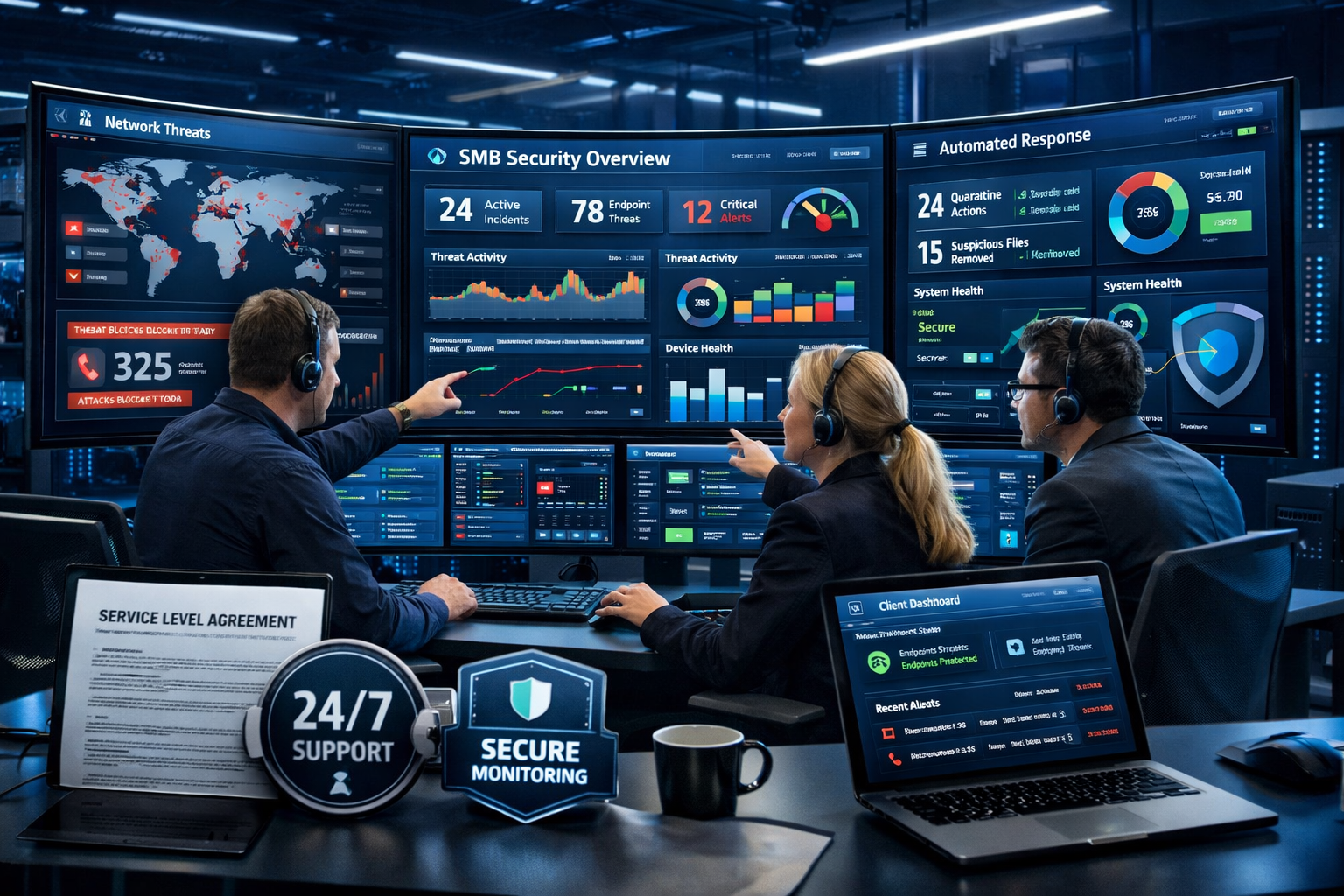
Implement continuous monitoring. Use tools or services that watch your network 24/7 for unusual activity, failed login attempts, malware infections, and other security indicators.
Establish proactive maintenance schedules. Regular system updates, security patches, and configuration reviews should happen on a planned schedule, not in response to problems.
Use managed cybersecurity services. For small businesses without dedicated IT staff, managed security providers offer enterprise-level protection at a fraction of the cost of hiring internal security experts.
Implement endpoint security on all devices. Every computer, laptop, tablet, and smartphone that connects to your business network should have comprehensive security software that provides real-time protection.
Create an incident response plan. Know exactly what steps to take if you discover a security breach, including who to contact, how to contain the damage, and what communications to send to customers or partners.
Regular security assessments. Conduct quarterly or annual reviews of your security posture, looking for new vulnerabilities, outdated protections, and areas for improvement.
Maintain security documentation. Keep current records of all security tools, configurations, and procedures. This documentation becomes critical during incident response or when working with new IT providers.
Proactive IT support and managed cybersecurity services typically cost $100-300 per employee per month but provide comprehensive protection and peace of mind that reactive support simply cannot match.